
How do I change the look of Tazk CRM?
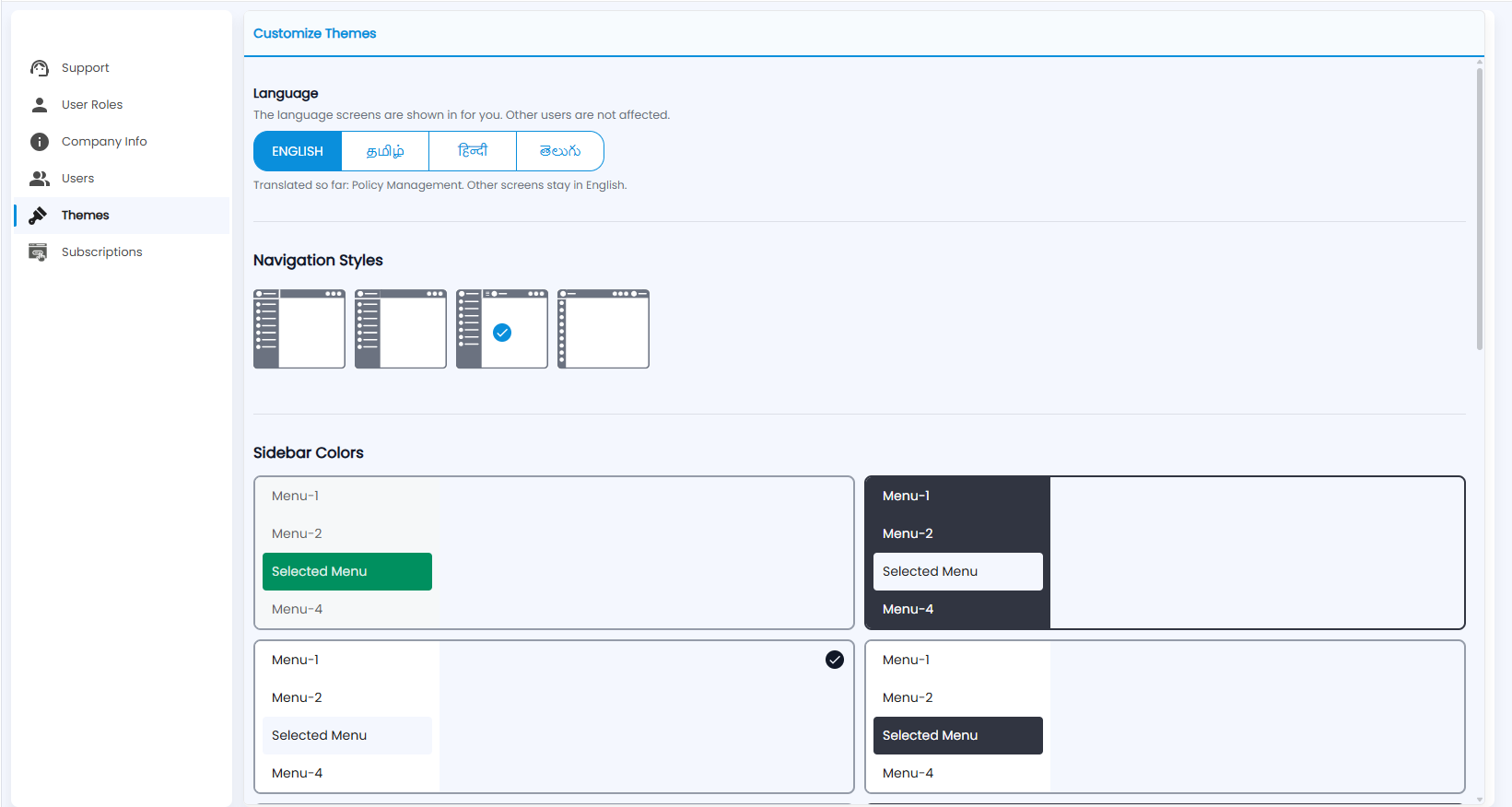
Open Settings › Themes. Choose the language your screens are shown in, pick a navigation style, and choose the sidebar colours. The language applies only to you.
How do I change the language?
Under Language, click English, தமிழ் (Tamil), हिन्दी (Hindi) or తెలుగు (Telugu). It changes the language screens are shown in for you; other users are not affected. The note underneath lists the screens translated so far — the others stay in English.
What are Navigation Styles?
The layout of the menu. Click a style to use it; the selected one has a tick.
What are Sidebar Colors?
The colour scheme of the sidebar and its selected menu. Click a scheme to use it; the selected one has a tick.