
Where do I see my Tazk CRM subscription?
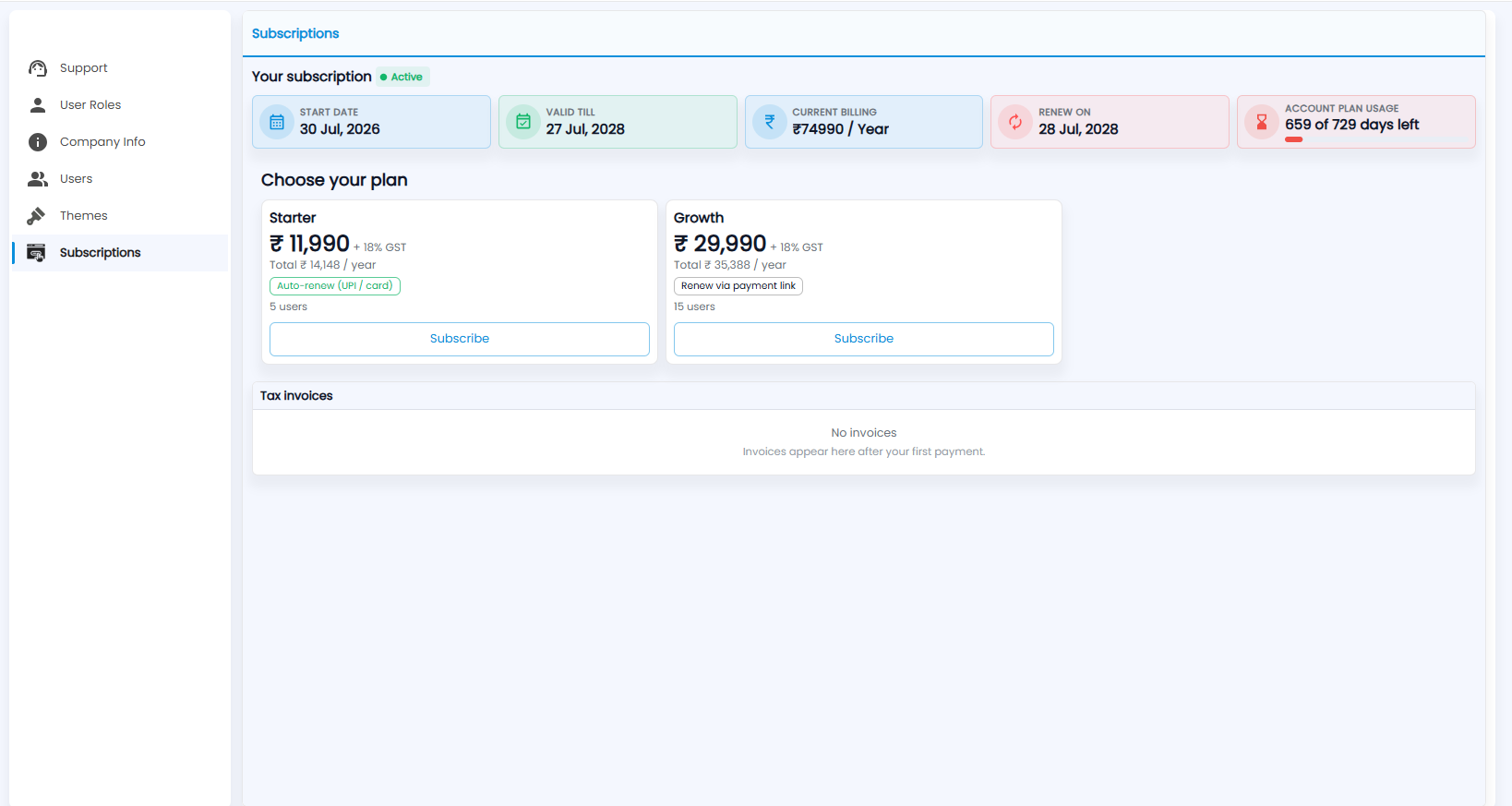
Open Settings › Subscriptions. It shows whether your subscription is active, its start date, valid-till date, current billing, renewal date and the days left. Choose your plan lists the plans with their price, users and Subscribe, and Tax invoices lists your invoices after your first payment.
What does Your subscription show?
Its status (for example Active) and five tiles: Start Date, Valid Till, Current Billing, Renew On and Account Plan Usage — how many days are left.
How do I choose a plan?
Choose your plan lists the plans — for example Starter and Growth — each with its yearly price plus 18% GST, the total per year, how it renews (auto-renew by UPI or card, or a payment link) and how many users it includes. Click Subscribe on the one you want.
Where are my tax invoices?
Under Tax invoices. Invoices appear here after your first payment; until then it says No invoices.