
How do I schedule a meeting in Tazk CRM?
Open My Work › Meetings and click +. Choose what it is related to and the lead, type the subject or tap a suggestion, set when it starts and how long it lasts, pick the host and participants, choose Online, At our office or At client location, and click Save. The host and your colleagues who attend get a reminder 30 minutes before. Afterwards, use Record outcome on the meeting's row.
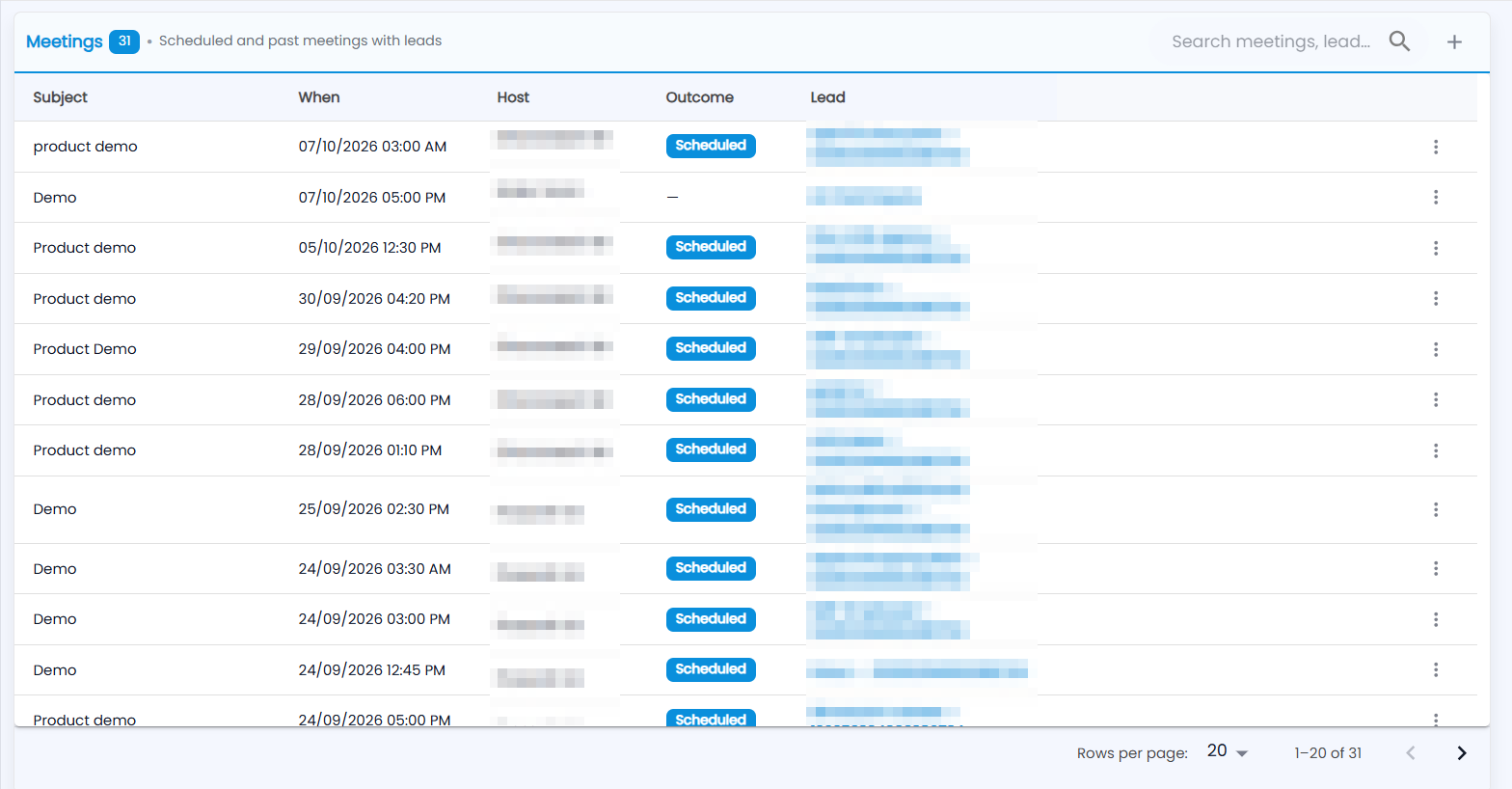
What does the Meetings list show?
Scheduled and past meetings with your leads: the Subject, When it starts, the Host, the Outcome and the Lead (click to open it). The number next to the title is how many meetings you can see; which ones follows your role. Type in Search meetings, lead… to find one.
The ⋮ on a row offers View lead, Edit, Record outcome and Delete.
How do I record how a meeting went?
Click ⋮ on the meeting → Record outcome and pick Scheduled, Completed, Rescheduled, No show or Cancelled. The Outcome column shows a dash until one is recorded.
How do I schedule a meeting?
Click + — or use the lead's ⋮ menu → Schedule Meeting.
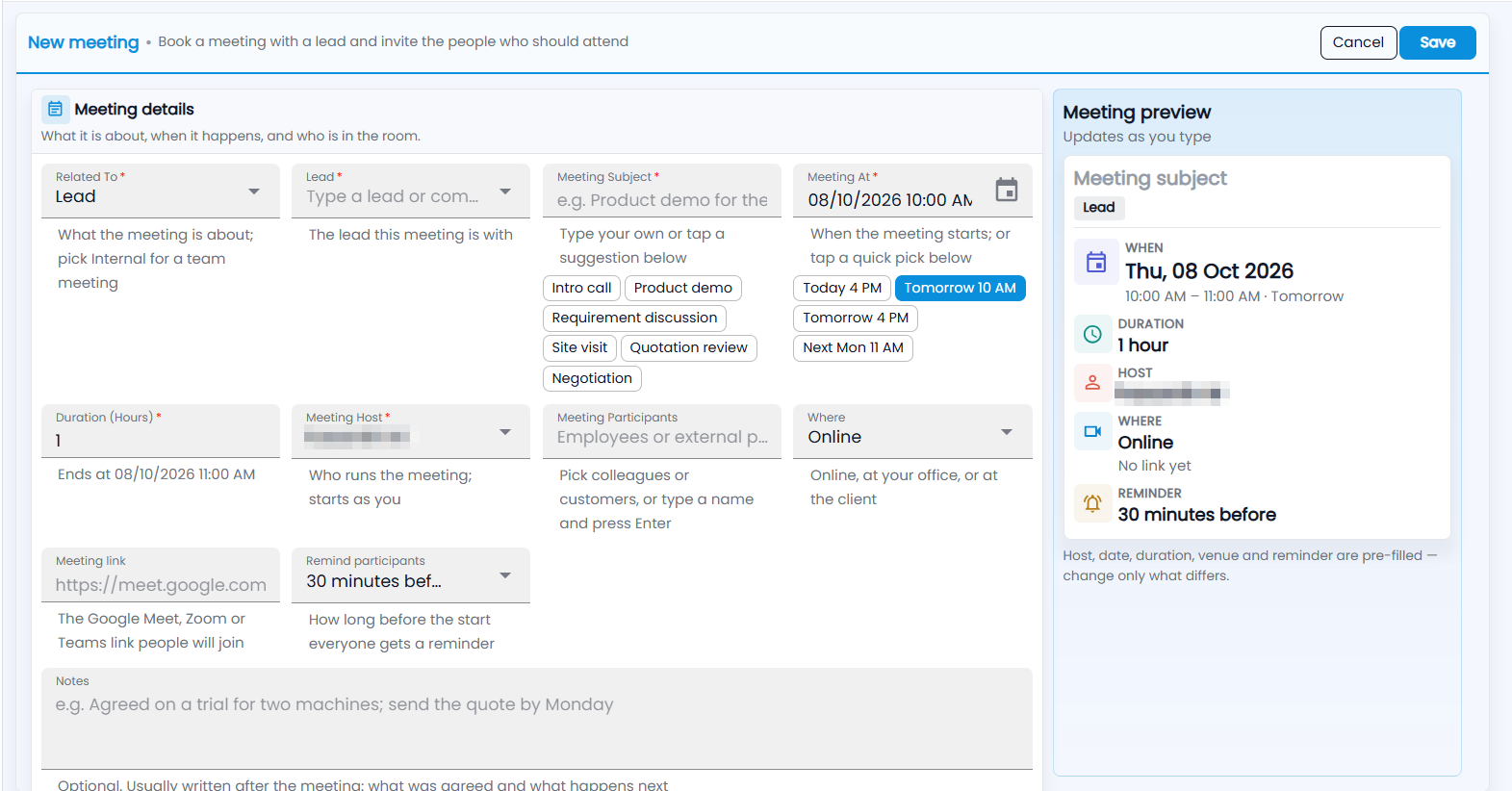
- Related To — Lead, Deal, Contact, Internal (a team meeting) or Others. With Lead, pick the Lead the meeting is with.
- Meeting Subject — type your own or tap Intro call, Product demo, Requirement discussion, Site visit, Quotation review or Negotiation.
- Meeting At — when it starts, or a quick pick: Today 4 PM, Tomorrow 10 AM, Tomorrow 4 PM, Next Mon 11 AM.
- Duration (Hours) — the line underneath shows when it ends.
- Meeting Host — who runs the meeting; it starts as you.
- Meeting Participants — pick colleagues or customers, or type a name and press Enter.
- Where — Online, At our office or At client location. For an online meeting, paste the Google Meet, Zoom or Teams Meeting link.
- Remind participants — no reminder, or 15 minutes, 30 minutes, 1 hour or 1 day before.
- Notes — usually written afterwards: what was agreed and what happens next.
Turn on Repeat for a meeting that recurs — daily, weekly, monthly or yearly. The Meeting preview shows what will be saved; click Save.
How do I schedule a meeting from a lead?
- Open the lead and go to its Meetings tab.
- Under Schedule a meeting, type What's it about?, set when it Starts (tomorrow at 10:00 AM is filled in) and how long it is For.
- Add an Agenda, and under More fields (venue) choose Online, At our office or At client location.
- Click Schedule. You are the host, with a reminder 30 minutes before.
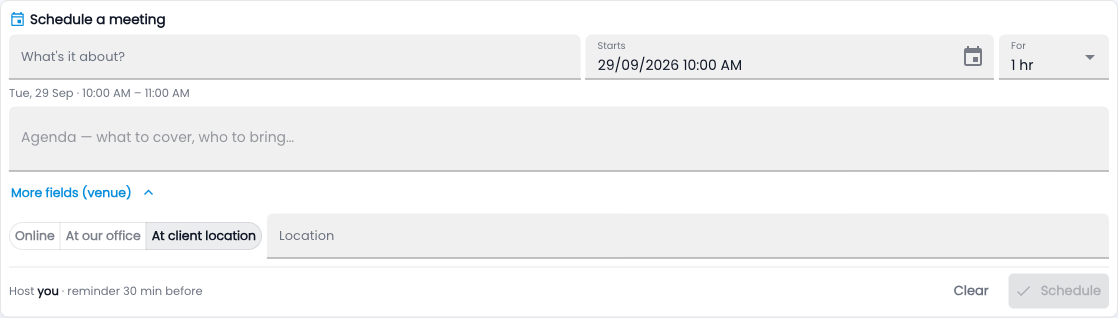
A meeting booked on the lead and one booked in My Work are the same record, and both show on the lead's Timeline. To add participants or a meeting link, use the full form.