
What is Pay In / Pay Out used for?
Use Pay In / Pay Out to record money actually moving in or out of your cash box or bank outside of sales invoices and purchase bills — petrol, rent or a loan received, for example. Pick Pay Out, Pay In or Contra, choose the cash box or bank and the ledger, enter the amount and a note, and submit. Each entry posts a double-entry journal automatically.
Which voucher type should I use?
| Type | Use it for | Ledger to choose |
|---|---|---|
| Pay Out | Money leaving you — petrol, salary, rent, a telephone bill | A Direct / Indirect Expense ledger for running costs; a Loans / Current Liability ledger when repaying a loan; a Fixed Asset ledger when buying an asset |
| Pay In | Money coming in that is not a customer sales receipt — capital introduced, a loan received, a refund, interest | An Indirect Income ledger for interest or misc income; a Capital ledger for owner funds; a Loans (Liability) ledger for a loan received |
| Contra | Money moving between your own accounts — cash deposited in the bank, a bank-to-bank transfer, a cash withdrawal | No ledger — both sides are your own cash / bank |
What does the Pay In/Out page show?
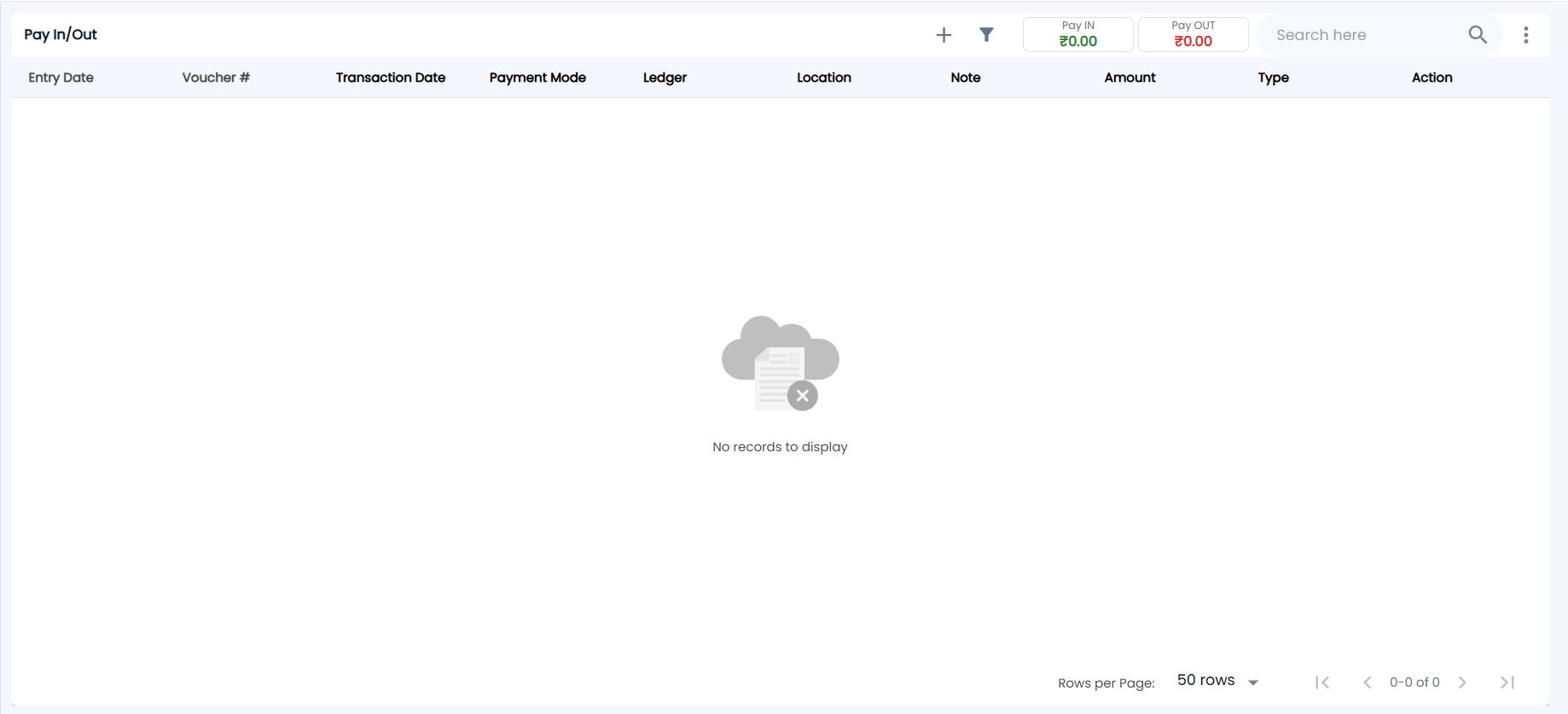
Go to Payments → Pay In / Pay Out. The Pay In/Out page has +, the filter icon, two boxes showing the Pay IN (green) and Pay OUT (red) totals for the list, Search here and a ⋮ menu. It shows 50 rows per page by default.
| Column | What it shows |
|---|---|
| Entry Date | When the entry was made |
| Voucher # | The voucher number (for example, PAYOUT/26-27/…). Click it to see the voucher. |
| Transaction Date | The date of the money movement |
| Payment Mode | Cash, or the bank / mode used |
| Ledger | The ledger the money was for. Click it to see the ledger entries. |
| Location, Note, Amount | As entered |
| Type | Pay-IN, Pay-OUT or contra |
| Action | Edit and Delete, if your role allows them |
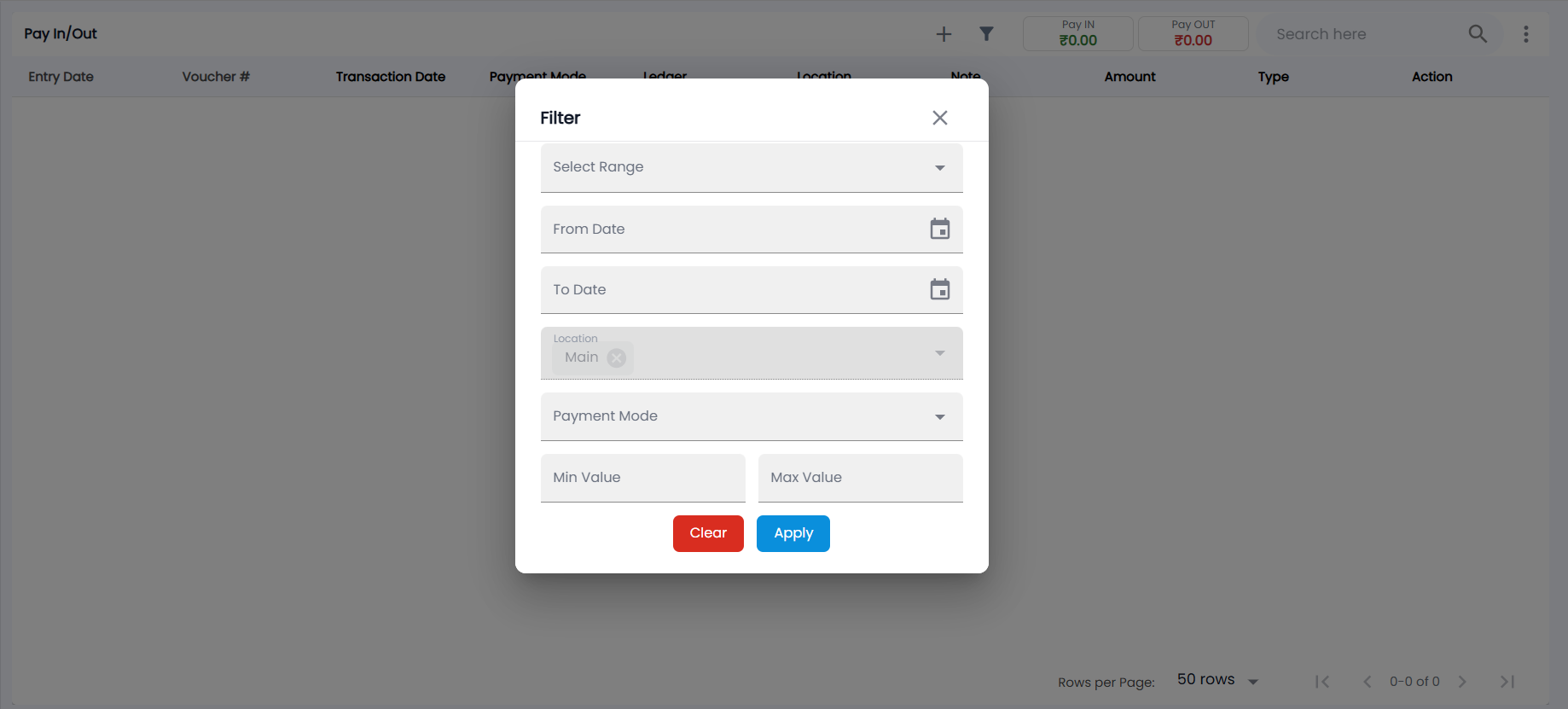
Use search, or the filter: Select Range, From Date / To Date, Location (your location is already chosen), Payment Mode, and Min Value / Max Value; then Apply or Clear. The ⋮ menu (More actions) has Export CSV / Export PDF. Click a row to see the entry's details.
How do I record a Pay In or Pay Out?
- Click +. Select a location in the header first if asked.
- Choose the PayOut or PayIn tab. The next voucher number shows on the right.
- Choose the source: Cash or one of your banks (Payment Mode). For a cheque, enter the Cheque Number and date.
- Choose the Ledger. If it does not exist, click + next to the field to create it under the right group.
- Enter the Amount, an optional Reference and a Note, and click Submit.
The Recent cards below the form show this location's most-used heads. Click one to fill in the payment mode, ledger, last amount and note, then adjust and submit.
How do I record a transfer between my own accounts?
Choose the Contra tab, pick From and To (cash or bank), enter the Date, Amount, an optional Reference and Note, and click Submit. Cash balances update on Cash In Hand.