India Payroll Compliance 2025: PF, ESI, PT, TDS Guide with Due Dates
15 min | By Lokesh A
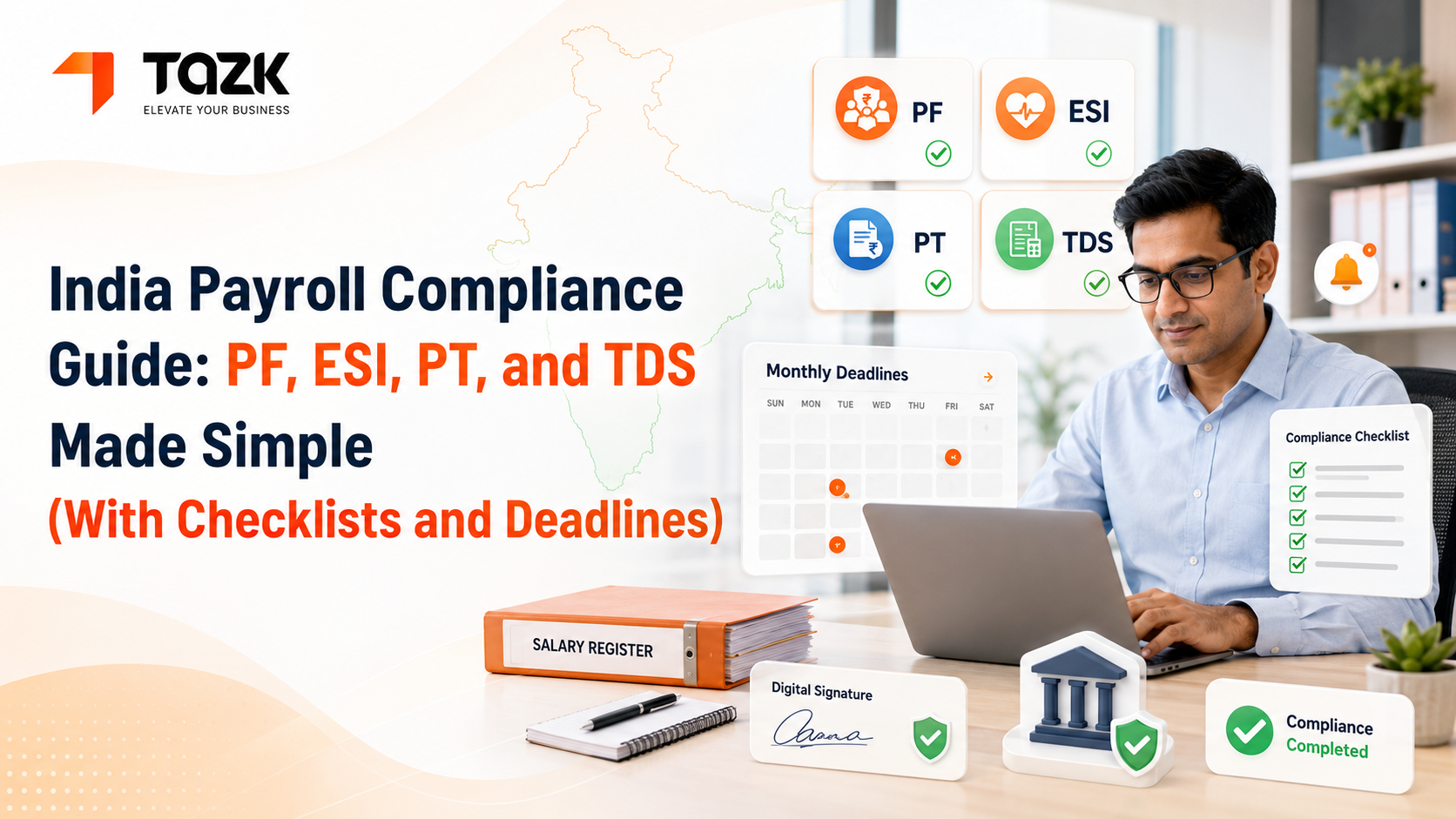
Table Of Contents
Social Media




I remember the first time I got a compliance penalty notice. It was for late PF filing—just three days late. The penalty? ₹7,500.
What stung more than the money was the feeling. We'd worked hard all month processing payroll correctly, calculating every deduction accurately, and then missed the filing deadline by 72 hours because I didn't realize the 15th fell on a Sunday that month.
That's when I learned: compliance isn't just about getting calculations right. It's about knowing what to file, where to file it, and exactly when it's due.
If you're handling HR for an Indian company—whether it's 15 employees or 500—statutory compliance probably keeps you up at night. The rules are complex. Deadlines are scattered throughout the month. And the penalties for mistakes? They're real and they hurt.
Let me walk you through everything you need to know about PF, ESI, PT, and TDS compliance in a way that actually makes sense.
Why Indian Payroll Compliance Feels Overwhelming
Here's the truth: India has one of the most complex payroll compliance frameworks globally.
You're not dealing with just one law. The Provident Fund Act, ESI Act, various state Professional Tax Acts, Income Tax Act—each has its own rules, forms, portals, and deadlines.
And they don't coordinate with each other. PF is due on the 15th. ESI on the 21st. Professional Tax varies by state—sometimes the 30th, sometimes the last working day. TDS quarterly but with monthly calculations.
I once talked to an HR manager in Chennai who maintained four different Excel trackers just for compliance deadlines. One for central government filings. One for Tamil Nadu state requirements. One for banking deadlines. One for employee communications.
She told me: "I spend more time tracking deadlines than actually running HR programs."
This is exactly why automated payroll processing has become essential. Not because calculating ₹1,800 PF is hard, but because remembering to file it correctly across 50 employees before the 15th while also handling ESI, PT, and TDS is genuinely difficult.
Understanding Provident Fund (PF) Compliance
Let's start with PF because it's mandatory for most companies and has strict enforcement.
Who Needs to Comply with PF?
Any establishment with 20 or more employees must register with EPFO (Employees' Provident Fund Organisation). Once you cross this threshold—even temporarily—registration is mandatory.
Here's a trap many small businesses fall into: they hit 22 employees in March, drop to 18 in April, and think they're exempt again. Wrong. Once covered, always covered unless you formally cease operations.
Employees earning basic + DA up to ₹15,000 must be covered. Those earning above can choose to opt in (and many do for the tax benefits).
PF Calculation Rules
- Employee contribution: 12% of (Basic + DA), capped at ₹15,000
- Employer contribution: 12% of (Basic + DA), capped at ₹15,000
- But here's where it gets interesting—the employer's 12% is split:
- 3.67% goes to Employee Provident Fund (EPF)
- 8.33% goes to Employee Pension Scheme (EPS), capped at ₹1,250
- 0.5% goes to EDLI (insurance)
Example:
- Employee with Basic = ₹20,000
- Since Basic exceeds ₹15,000, PF is calculated on ₹15,000:
- Employee PF: ₹1,800
- Employer EPF: ₹550 (3.67% of ₹15,000)
- Employer EPS: ₹1,250 (8.33% of ₹15,000, but capped)
- EDLI: ₹75
- Total employer contribution: ₹1,875
For employees earning Basic ≤ ₹15,000, there's no ceiling complication. Just straight 12%.
PF Filing Process and Deadlines
Monthly deadline: 15th of the following month
This is non-negotiable. If 15th falls on a holiday, the due date doesn't extend—you must file before the holiday.
Filing steps:
- Generate ECR (Electronic Challan Cum Return): This file contains employee-wise PF details. Modern HR software generates this automatically in the correct format.
- Upload to EPFO portal: Log in to the Unified Portal (unifiedportal-mem.epfindia.gov.in), navigate to Payments, and upload your ECR file.
- Verify details: The portal shows contribution summary. Check total amount matches your calculation.
- Make payment: Generate challan and pay via net banking. You'll receive a payment confirmation.
- ECR acceptance: After successful payment, your ECR is processed. You'll get acceptance notification within 24-48 hours.
Common mistakes:
- Wrong UAN: Using incorrect Universal Account Numbers leads to rejection. Verify UANs before generating ECR.
- Mismatched names: Name in ECR must match exactly with EPFO database (including spelling and spacing).
- Calculation errors: Wrong wage ceiling or incorrect percentage leads to notices.
- Late filing: Even one-day delay attracts 12% annual interest as penalty plus ₹100 per day per employee under Section 14B.
PF Annual Returns
Beyond monthly filings, you need annual returns:
- Form 3A (Annual Statement): Due by April 30th for the financial year ended March 31st. Shows year-wise PF accumulation.
- Form 6A (Annual EPS Statement): Due by April 30th. Details pension contributions.
These are auto-generated from your monthly ECRs, but you must review and submit them.
For detailed salary calculation examples that help you determine the correct PF base amount, check our salary calculation guide.
Employee State Insurance (ESI) Compliance
ESI covers medical and other benefits for workers earning below ₹21,000 per month.
ESI Applicability
Mandatory for:
- Factories with 10+ employees
- Shops, restaurants, cinemas, road transport with 20+ employees
- Other establishments as notified by state governments
Coverage: Employees with gross salary ≤ ₹21,000 per month
Once an employee's gross exceeds ₹21,000 in any contribution period, they exit ESI coverage. They can't re-enter even if salary later reduces.
ESI Calculation
- Employee contribution: 0.75% of gross salary
- Employer contribution: 3.25% of gross salary
Example:
- Employee gross salary: ₹18,000
- Employee ESI: ₹135
- Employer ESI: ₹585
- Total: ₹720
ESI is calculated on gross salary, unlike PF which uses only basic + DA. This includes all allowances.
ESI Filing and Payment
Monthly deadline: 21st of the following month (15th for payment)
Wait, two dates? Yes:
- Payment deadline: 15th (same as PF)
- Filing deadline: 21st
You must pay first, then file the return with payment details.
Filing process:
- Log in to ESI portal: esic.in > Employer Login
- Download monthly contribution form: System generates based on registered employees
- Update attendance and wages: Enter actual working days and wages for each employee
- Calculate contributions: System computes employee and employer shares
- Make payment: Generate challan and pay before 15th
- Submit return: File the return with payment reference by 21st
Critical point: Unlike PF where payment and filing happen together, ESI requires payment first (15th) and return later (21st). Miss this sequence and you're filing incorrectly.
ESI Half-Yearly Returns
Beyond monthly, ESI needs half-yearly returns:
- Return for Apr-Sep: Due by November 12th
- Return for Oct-Mar: Due by May 12th
These returns consolidate six months of data. Ensure all monthly filings were correct because errors compound here.
Common ESI Compliance Issues
- Wage ceiling confusion: Including employees above ₹21,000 or excluding those below leads to notices.
- Gross salary definition: Forgetting to include certain allowances in gross for ESI calculation.
- Delayed payment: 12% per annum interest on delayed payment plus possible prosecution.
- Wrong IP numbers: ESI Insurance Person numbers must be accurate, or contributions don't credit correctly.
Professional Tax (PT) Compliance
PT is a state-subject tax, meaning rules differ across India. This makes it uniquely complex.
State-Wise PT Variations
- Maharashtra:
- Gross ≤ ₹10,000: ₹175/month
- ₹10,001 to ₹25,000: ₹300/month (₹2,850 annually: ₹300 × 11 + ₹200 in February)
- Above ₹25,000: ₹300/month (₹2,850 annually)
- Karnataka:
- Up to ₹15,000: Nil
- ₹15,001 to ₹20,000: ₹150/month
- Above ₹20,000: ₹200/month
- Tamil Nadu:
- Up to ₹21,000: Nil
- ₹21,001 to ₹30,000: ₹135/month
- Above ₹30,000: ₹208.33/month
- West Bengal:
- Up to ₹10,000: ₹110/month
- ₹10,001 to ₹15,000: ₹130/month
- Above ₹15,000: ₹150/month (₹1,800 annually: ₹150 × 11 + ₹300 in February)
- Gujarat, Madhya Pradesh, Odisha, Kerala: Have their own slabs
- States with NO PT: Delhi, Haryana, Punjab, Rajasthan, Uttarakhand, Chandigarh
PT Registration and Returns
Each state has its own registration process:
- Maharashtra: Register on mahavat.gov.in
- Karnataka: Register with Commercial Tax Department
- Tamil Nadu: Register on tnprofessionaltax.tn.gov.in
Filing frequency: Usually monthly, but some states allow quarterly for small businesses
Payment deadline: Typically last day of the month or last working day (varies by state)
Annual return: Most states require annual reconciliation by June 30th
Multi-State PT Challenge
If you have offices in multiple states, you need:
- Separate registrations in each state
- Different payment schedules
- State-specific return formats
- Multiple portals to manage
Example scenario:
- Company with offices in Mumbai, Bangalore, and Chennai:
- Mumbai employees: Maharashtra PT on mahavat portal, due by month-end
- Bangalore employees: Karnataka PT on Commercial Tax portal, due by last working day
- Chennai employees: Tamil Nadu PT on TN portal, due by 30th
This is where our software becomes invaluable—it knows each state's current rules and applies them automatically.
For understanding how PT affects take-home salary in different salary structures, refer to our salary calculation examples.
Tax Deducted at Source (TDS) Compliance
TDS is arguably the most complex because it's highly personalized to each employee's circumstances.
TDS Calculation Factors
TDS depends on:
- Annual salary
- Tax regime chosen (old vs. new)
- HRA exemption
- Section 80C and other deductions
- Previous employer income
- Other income sources
Old regime example:
- Annual salary: ₹8,00,000
- Standard deduction: ₹50,000
- HRA exemption: ₹1,00,000
- Section 80C: ₹1,50,000
- Taxable income: ₹5,00,000
Tax calculation:
- Up to ₹2,50,000: Nil
- ₹2,50,001 to ₹5,00,000: ₹12,500 (5%)
- Health & Education Cess (4%): ₹500
- Annual TDS: ₹13,000
- Monthly TDS: ₹1,083
New regime example (FY 2024-25):
Same ₹8,00,000 salary but no deductions allowed:
Tax calculation:
- Up to ₹3,00,000: Nil
- ₹3,00,001 to ₹6,00,000: ₹15,000 (5%)
- ₹6,00,001 to ₹8,00,000: ₹20,000 (10%)
- Rebate u/s 87A: ₹25,000 (since income ≤ ₹7,00,000 but wait—₹8L exceeds limit)
- No rebate applicable
- Annual TDS: ₹35,000
- Monthly TDS: ₹2,917
The employee would choose old regime here as it results in lower tax.
TDS Quarterly Filing
Unlike PF/ESI/PT which are monthly, TDS follows quarters:
- Q1 (Apr-Jun): Due by July 31st
- Q2 (Jul-Sep): Due by October 31st
- Q3 (Oct-Dec): Due by January 31st
- Q4 (Jan-Mar): Due by May 31st
Forms required:
- Form 24Q: Quarterly TDS return for salaries. Contains employee-wise TDS deducted.
- Form 16: Annual TDS certificate issued to employees by June 15th.
TDS Compliance Process
Monthly:
- Deduct TDS from employee salaries based on projected annual income
- Ensure sufficient monthly deduction to cover annual liability
Quarterly:
- Generate Form 24Q: Use TRACES utility or your payroll software
- Upload to TRACES: Log in to tdscpc.gov.in
- Pay TDS: Using Challan 281 before due date
- Verify acceptance: Check TRACES for successful filing
Annually:
- Issue Form 16: To all employees by June 15th
- Reconcile: Ensure total TDS in Form 24Q matches actual deductions
Common TDS Mistakes
- Incorrect PAN: Wrong PAN leads to rejection and higher TDS rate (20%)
- Missing previous employer details: Not considering previous employer's TDS creates under-deduction
- Mid-year salary changes: Not recalculating monthly TDS after raises causes year-end surprises
- Investment proof delays: Deducting higher TDS because employees didn't submit 80C proofs, then processing refunds later
- Wrong quarter filing: Filing in wrong quarter or missing quarter entirely
TDS Penalties
- Late filing: ₹200 per day (₹100 each under Section 234E for TDS and TCS)
- Late payment: 1% to 1.5% per month interest
- Non-filing: Penalty up to full TDS amount
- Wrong PAN: ₹10,000 under Section 272B
Your Monthly Compliance Calendar
Let me give you a practical month-by-month view of what's due when.
Every Month:
- By 7th: Review previous month's attendance for any corrections
- By 10th: Finalize salary calculations, process payroll
- By 15th:
- Pay PF contributions
- Pay ESI contributions
- File PF ECR (upload and confirm)
- By 21st: File ESI monthly return
- By 30th/Last working day: Pay Professional Tax (state-dependent)
Quarterly:
- July 31st (Q1):
- File Form 24Q for Apr-Jun
- Pay TDS for Q1
- October 31st (Q2):
- File Form 24Q for Jul-Sep
- Pay TDS for Q2
- January 31st (Q3):
- File Form 24Q for Oct-Dec
- Pay TDS for Q3
Half-Yearly:
- November 12th: ESI return for Apr-Sep
- May 12th: ESI return for Oct-Mar
Annually:
- April 30th:
- PF Form 3A (Annual Statement)
- PF Form 6A (EPS Statement)
- May 31st:
- File Form 24Q for Jan-Mar (Q4)
- Pay TDS for Q4
- June 15th: Issue Form 16 to all employees
- June 30th: PT annual returns (most states)
Compliance Checklist: Don't Miss These
Here's a checklist you can actually use each month:
Pre-Payroll (By 10th):
- Attendance data finalized and approved
- Leave applications processed
- Overtime/incentives calculated
- Loan/advance deductions updated
- New joiners added to system
- Exits processed (full & final)
- Investment declarations reviewed for TDS
Post-Payroll (By 12th):
- Salary calculations verified
- Bank transfer file generated
- Payslips generated and shared
- Statutory registers updated
- PF, ESI, PT amounts calculated
- TDS deductions verified
Statutory Filings (By Month-End):
- PF ECR uploaded (by 15th)
- PF payment confirmed (by 15th)
- ESI payment made (by 15th)
- ESI return filed (by 21st)
- PT payment made (by month-end)
- PT challan/receipt saved
- Backup of all filings taken
Quarterly Additions:
- Form 24Q prepared
- TDS paid before filing
- Form 24Q uploaded to TRACES
- Acceptance confirmation received
- Quarterly reconciliation done
This checklist can be maintained manually, but modern payroll software often includes built-in compliance calendars with automatic reminders.
What Happens When You Get It Wrong
Let's talk about penalties because they're significant:
PF Penalties:
- Late payment: 12% per annum interest + ₹100 per day per employee under Section 14B
- Example: ₹50,000 PF due, paid 30 days late:
- Interest: ₹493 (₹50,000 × 12% ÷ 365 × 30)
- Penalty: ₹3,000 (₹100 × 30 days)
- Total additional: ₹3,493
- For 50 employees, this adds up fast.
- Wrong calculation: Penalty up to ₹5,000 under Section 7Q
- Non-remittance: Imprisonment up to 1 year under Section 406 IPC (breach of trust)
ESI Penalties:
- Late payment: 12% per annum interest
- Non-payment: Imprisonment up to 3 years and fine up to ₹10,000
- False statements: Imprisonment up to 2 years and fine up to ₹5,000
PT Penalties:
- Vary by state but typically:
- Interest: 1-1.5% per month
- Penalty: ₹2,000 to ₹10,000
- Prosecution possible for continued defaults
TDS Penalties:
- Late filing: ₹200 per day till filed
- Short deduction: Interest at 1% per month on shortfall
- Non-deduction: Penalty equal to TDS amount plus prosecution
- Wrong PAN: ₹10,000 fine
Real story: A 40-employee company in Pune missed PF filing for three months due to portal login issues. By the time they resolved it and filed, penalties totaled ₹47,000. The actual PF contribution for three months was ₹2.1 lakhs, so penalties were over 22% of the contribution itself.
This is why having systems that alert you well before deadlines matters enormously.
Using Technology to Stay Compliant
Manual compliance tracking works until it doesn't. Here's what good hr management software should handle:
- Automatic calculations: PF, ESI, PT, TDS calculated correctly based on current rules
- Multi-state PT: Different states' rules applied to employees based on work location
- Form generation: ECR files, ESI returns, Form 24Q created automatically
- Deadline alerts: Reminders sent 7-10 days before due dates
- Filing integration: Direct upload capabilities to EPFO, ESIC, TRACES portals
- Audit trail: Complete record of what was filed when, with confirmation receipts
- Regulatory updates: Automatic software updates when rules change
For example, when the government increased ESI wage ceiling from ₹15,000 to ₹21,000 in 2017, companies using updated software handled it automatically. Those on manual systems had to recalculate and re-file returns.
To understand how attendance tracking feeds into accurate compliance calculations, check our mobile attendance integration guide.
Handling Audits and Inspections
Despite your best efforts, audits happen. Here's how to prepare:
- Maintain proper records:
- Salary registers
- Attendance registers
- PF/ESI challan copies
- PT payment receipts
- Form 16 copies
- Quarterly TDS statements
- Digital + physical: Keep both digital copies and physical printouts of critical documents
- Organized filing: Maintain year-wise, month-wise folders so you can pull any document in minutes
- Regular reconciliation: Match your records with EPFO, ESIC, and Income Tax portals quarterly
- Professional help: For significant discrepancies or notices, consult a labor law expert immediately
Most audits go smoothly if your records are organized and accessible. Auditors just want to verify compliance—make their job easy and yours becomes easy too.
Moving Forward with Compliance Confidence
Compliance doesn't have to feel like a sword hanging over your head.
With the right systems, processes, and tools, it becomes a routine part of payroll—still important, but no longer stressful.
Start by documenting your current process. Where are the gaps? What deadlines do you sometimes miss? Which calculations cause confusion?
Then implement systems to address those specific issues. Maybe you need calendar reminders. Maybe you need automated form generation. Maybe you need help with multi-state PT.
The investment in proper software pays for itself the first time it prevents a penalty. And more importantly, it gives you peace of mind that you're treating your employees fairly and protecting your business from regulatory risk.
Compliance isn't exciting. But doing it right? That lets you focus on the parts of HR that actually are exciting—building great teams, creating positive workplace culture, and growing your business.