The Complete Guide to Attendance and Payroll Software in India: Streamlining Your HR Operations in 2025
15 min | By Tazk Team
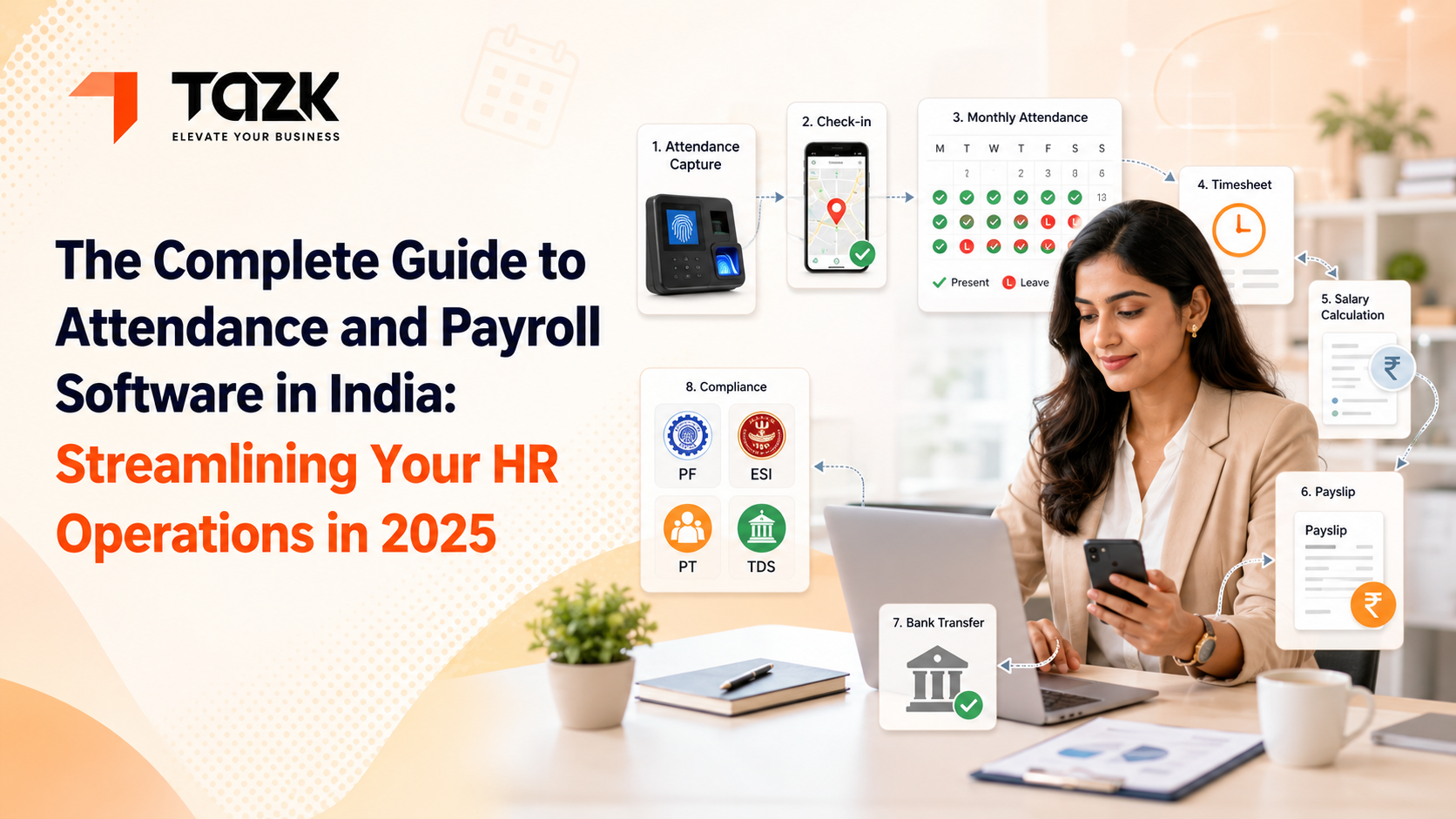
Table Of Contents
Social Media




You know what's funny? I was talking to a friend who runs a small manufacturing unit in Coimbatore last week. He told me he dreads the last week of every month. Not because of sales targets or production deadlines—but because of payroll.
His exact words: Bro, I started this business to make products, not to become a calculator for PF and ESI.
And honestly, he's not wrong. Somewhere between running your actual business and managing payroll, things got complicated. Really complicated.
Think about your last payroll day. Did everything go smoothly? Or were you double-checking Excel formulas at 11 PM, wondering if you got the Professional Tax calculation right for your Maharashtra office?
Here's the thing—payroll shouldn't be this hard. And in 2025, it doesn't have to be.
Why Indian Payroll Feels Like Rocket Science.
Let's be real. Payroll in India is a different beast compared to most countries.
You've got a Provident Fund at 12% (but wait, there's a salary ceiling). Then ESI, which only applies if someone earns below ₹21,000. Professional Tax changes every time you cross a state border. And TDS? That's a whole separate nightmare with the old regime, new regime, HRA exemptions, and investment declarations.
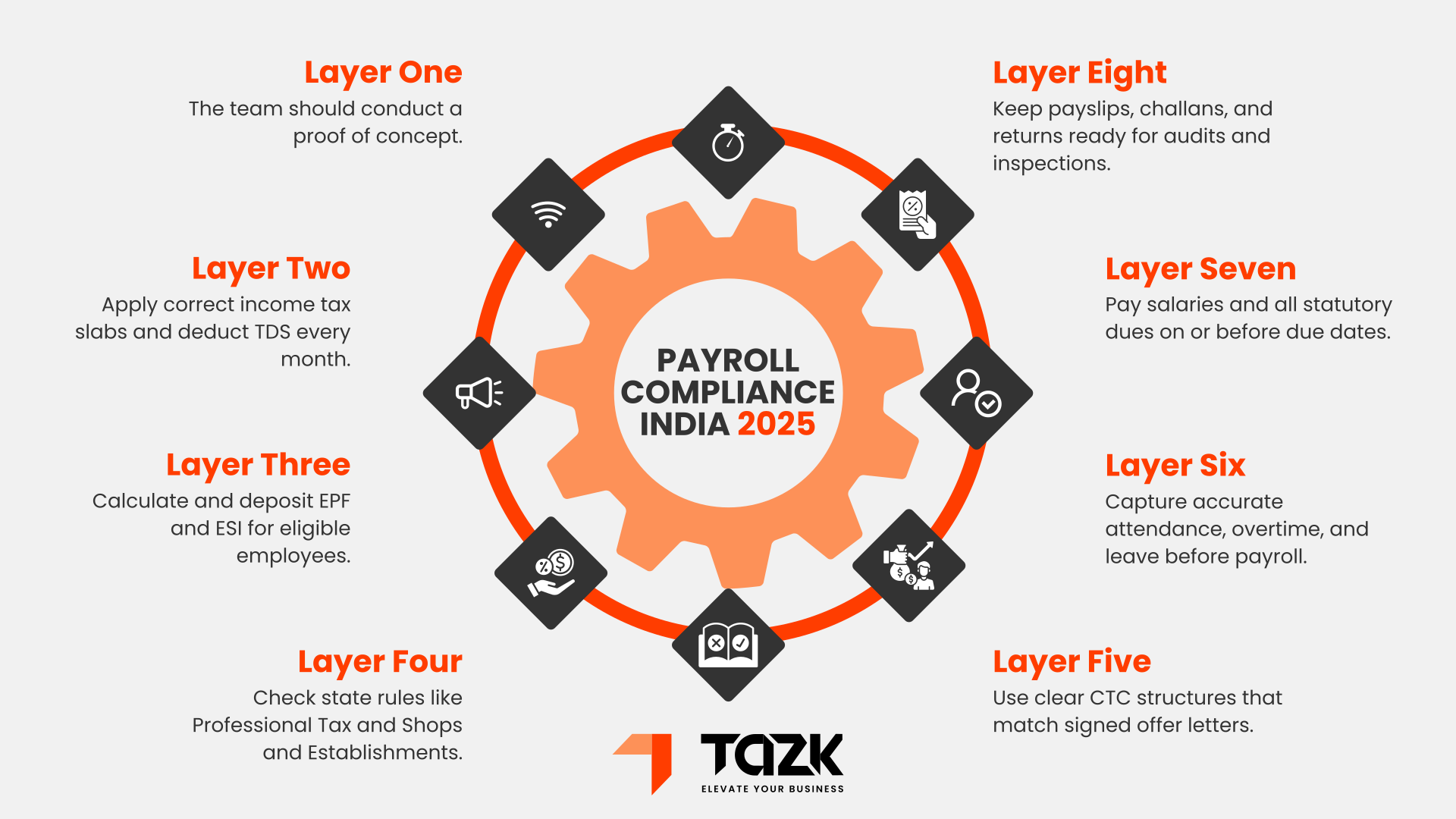
I once met an HR manager in Bangalore who kept a physical notebook just to track all the compliance deadlines. PF due on the 15th. ESI on the 21st. Professional Tax on the 30th (or is it the last working day?). TDS quarterly. Income tax annually.
She told me, "I feel like I'm juggling while riding a bicycle. On a tightrope."
And the worst part? The rules keep changing. What worked last year might be outdated this year. Remember when the TDS thresholds changed mid-year in 2020? Or when states randomly revise their PT slabs?
This is exactly why automated payroll processing has become necessary. Not because it's fancy. But because human memory and Excel sheets can only do so much.
What Changed in the Last Few Years.
Five years ago, "payroll software" meant a desktop application that was slightly better than Excel. You'd install it on one computer. The HR person would sit at that specific desk to process salaries. Want to check something from home? Sorry, drive back to the office.
Today? Everything's different.
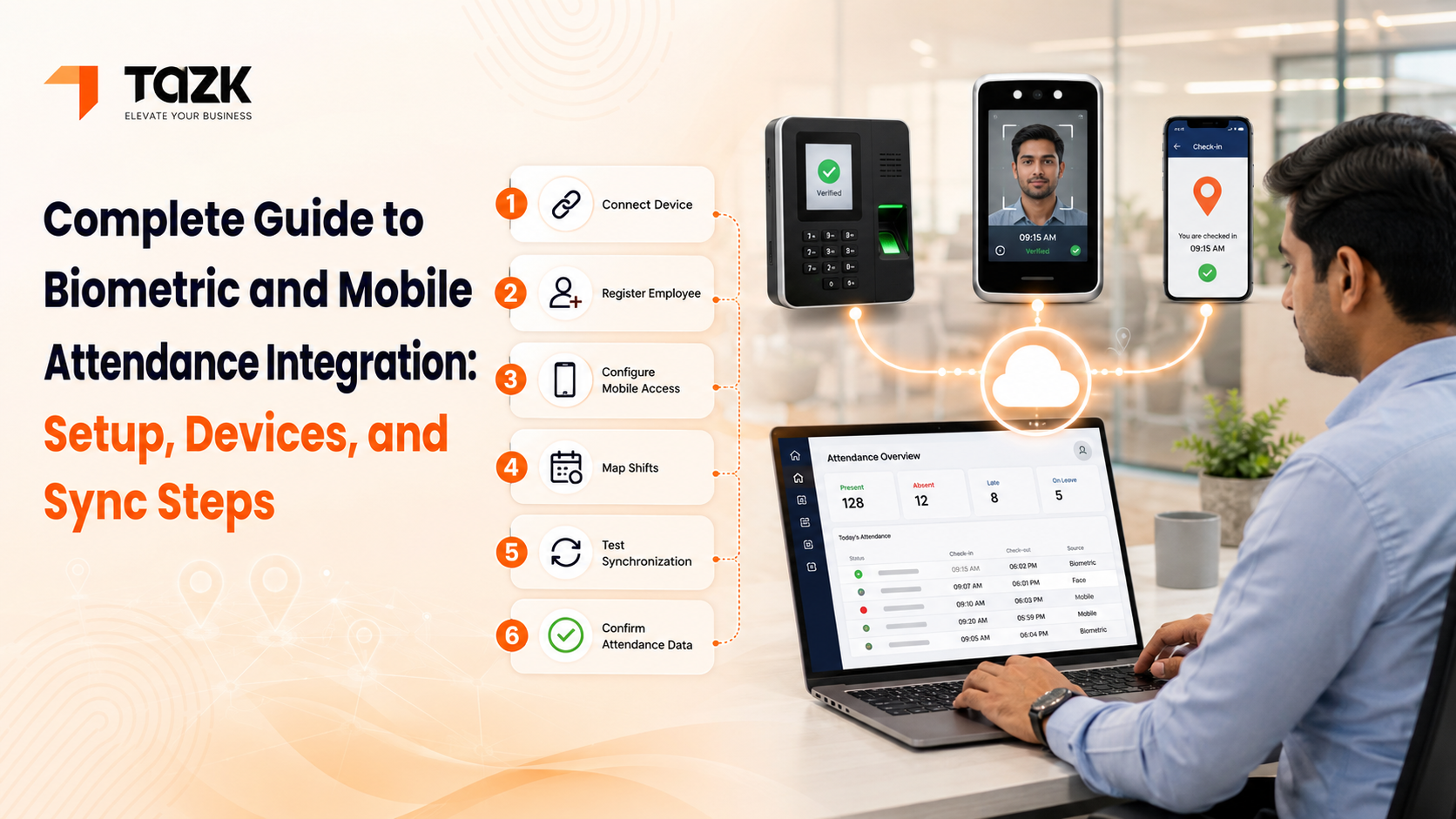
Your employee walks into the office, puts their thumb on the biometric scanner. That attendance mark instantly shows up in your system. No manual entry. No month-end reconciliation headaches.
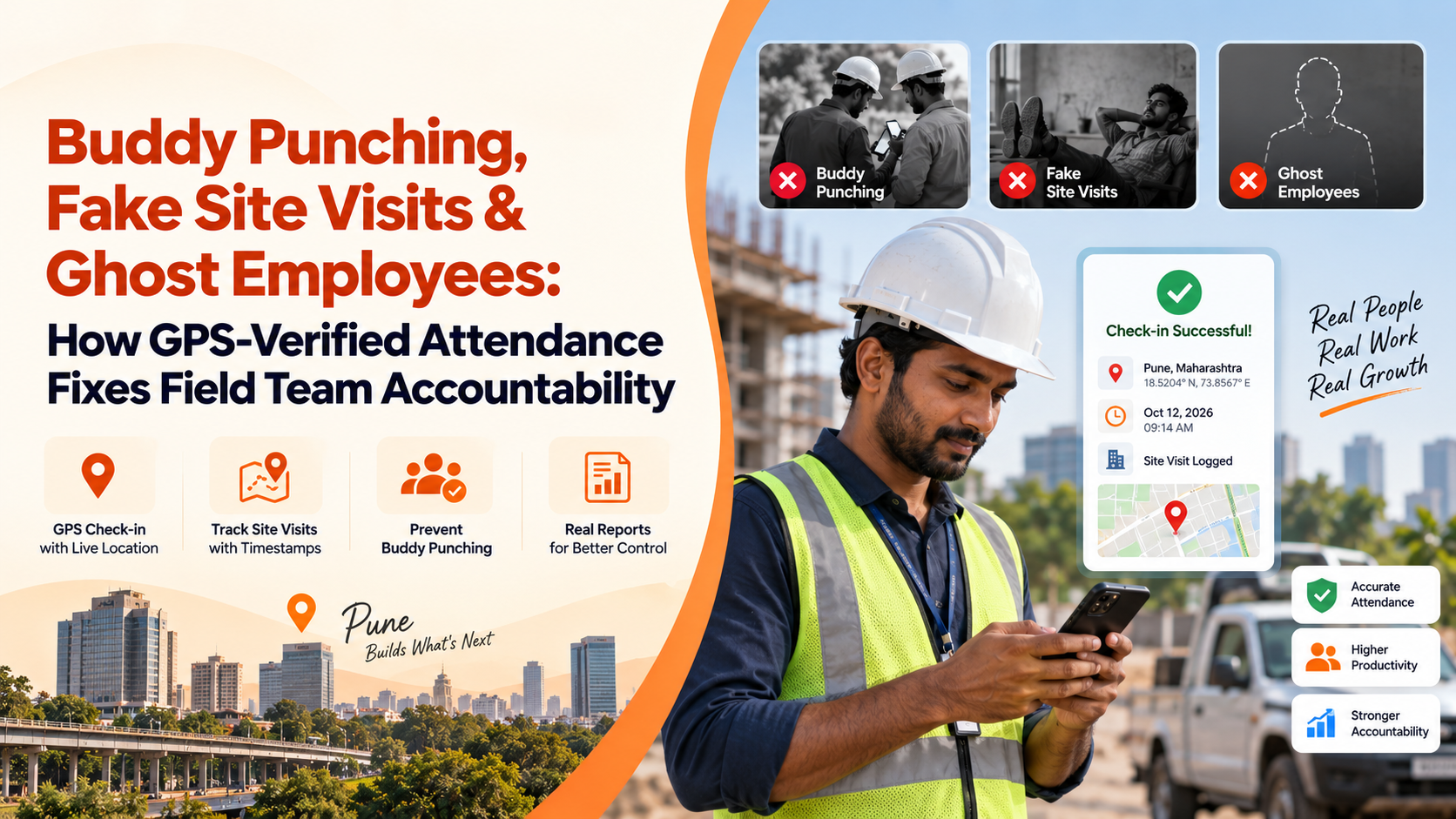
Someone in your sales team marks attendance from a client's office in Pune using their phone. The GPS confirms they're actually there. That data is already waiting when you process payroll.
This is what a proper employee attendance monitoring system does. It connects the dots automatically.
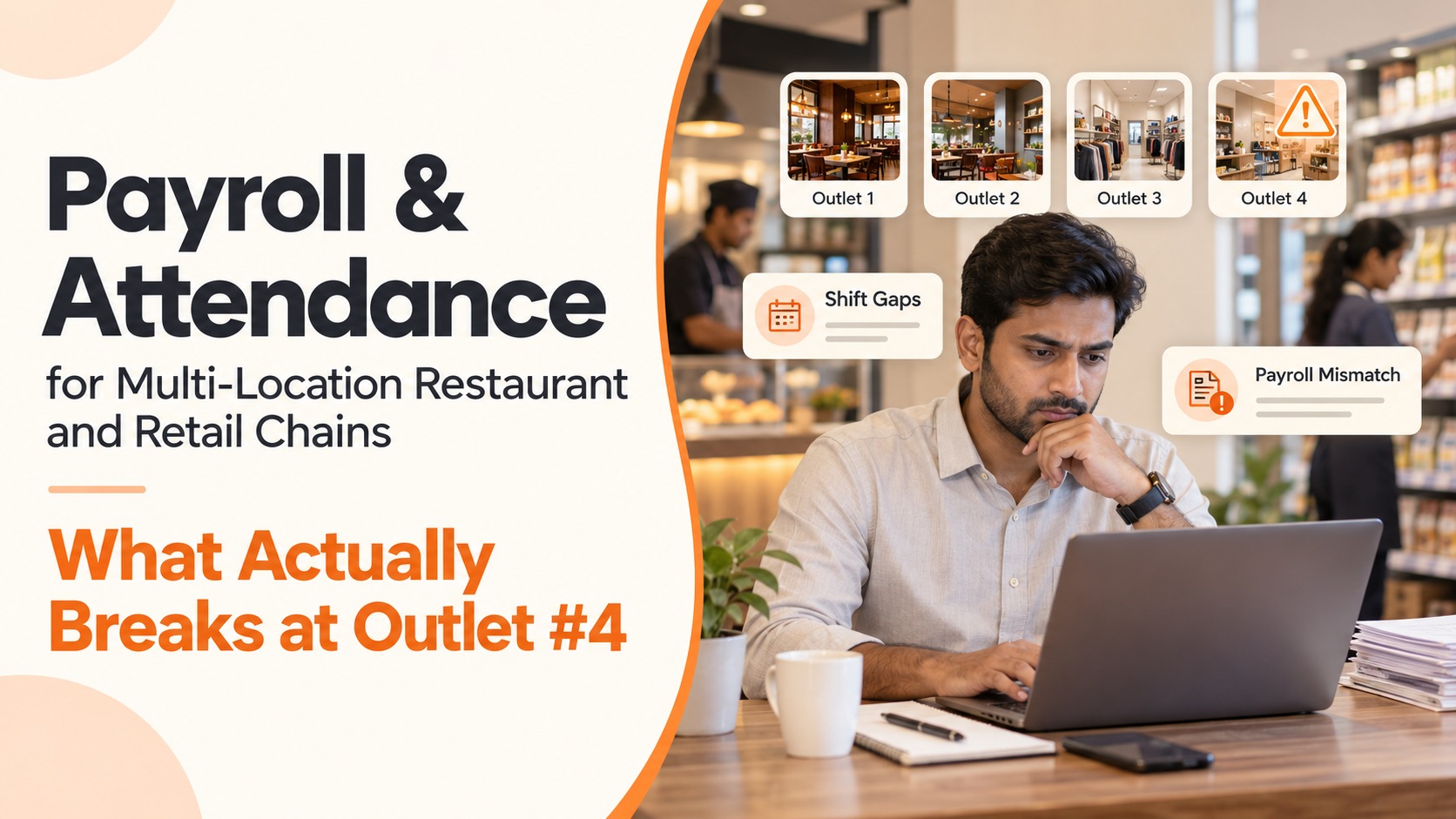
I know a restaurant owner in Mumbai with three locations. He used to spend hours collecting attendance registers from each branch, then manually entering everything into his payroll sheet. Now? He checks his phone during breakfast and sees real-time attendance across all locations.
He told me last month: "I didn't realize how much mental space that anxiety was taking up until it was gone."
The Real Problem with Disconnected Systems
Here's a scenario. Tell me if this sounds familiar.
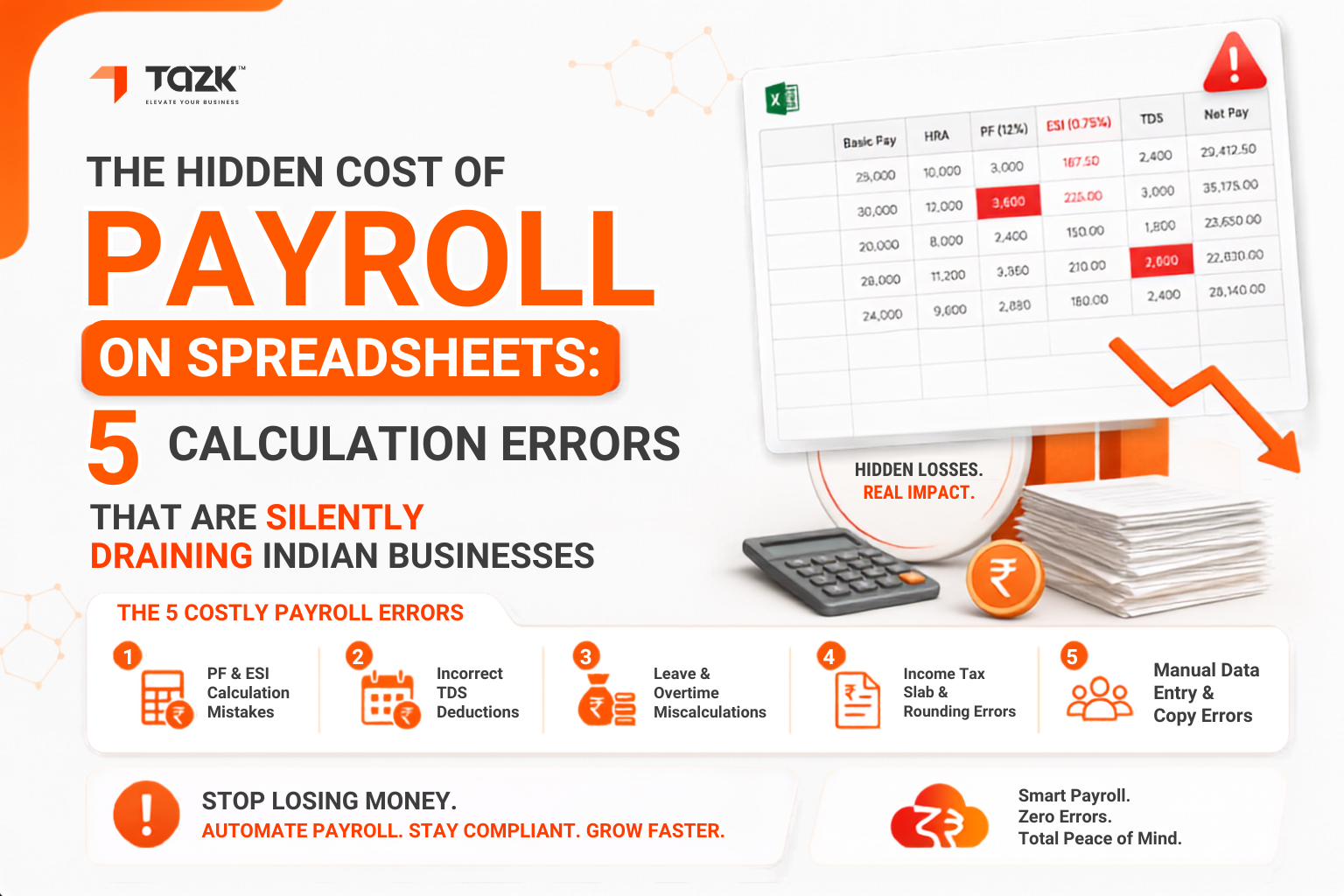
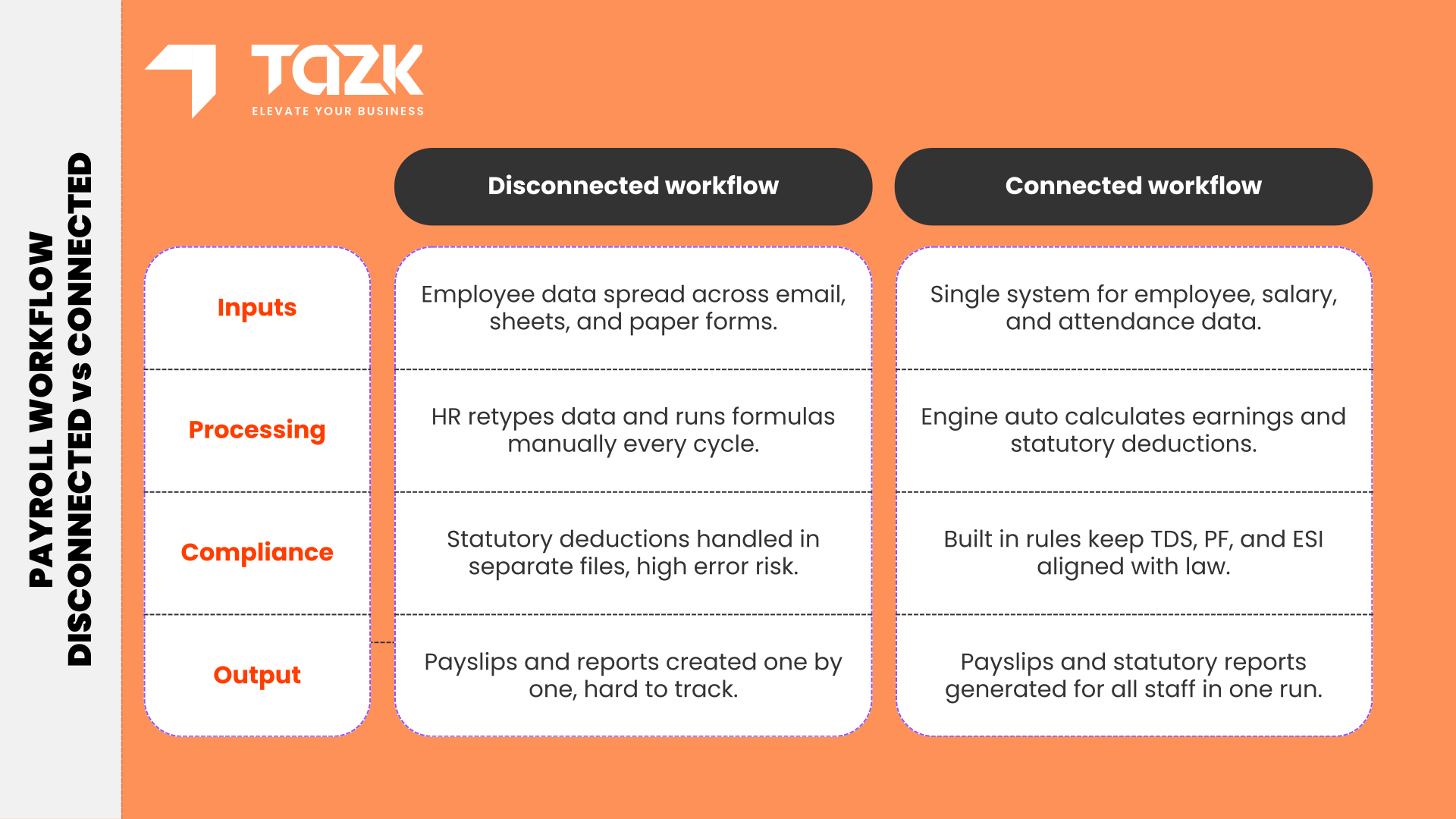
Your employees mark attendance on a biometric machine. But your payroll is in Excel. So every month, someone exports data from the machine, copies it into Excel, manually calculates late arrivals, half-days, and overtime. Then they cross-check leave applications from email. Add loan deductions from a separate tracker. Factor in ad-hoc bonuses noted in a different sheet.
By the time salaries are processed, you've touched the same data five times. And each time is a chance for errors to creep in.
This is why HR and payroll software that actually talks to itself matters so much.
When everything's connected, here's what happens: Employee applies for leave through the system. The manager approves it with one click. Those days automatically show as paid leave in attendance. When you process payroll, the leave balance is already adjusted. No emails. No manual tracking. No 'wait, did I approve Suresh's leave or not?'
A friend who runs an IT services company in Hyderabad switched to an integrated system last year. In the first month, his payroll processing time dropped from 3 days to 4 hours.
But here's what surprised him more—the number of employee questions dropped by half. Why? Because employees could now check everything themselves. Leave balance. Attendance history. Salary breakup. No more "Can you send me last month's payslip?" emails.
What You Actually Need (Beyond the Marketing Talk)
Let's cut through the sales pitches and talk about features that genuinely matter.
Attendance That Works for Your Real Situation
Not every business looks the same. Maybe you have:
- Factory workers who can't carry phones inside the plant
- Sales people spread across different cities
- Office staff working from home twice a week
- Contract workers who come in irregularly
Your system should handle all of this without making you choose one approach for everyone.
The software should also be smart about attendance. If someone comes at 9:45 AM instead of 9:00 AM, it should mark them late but present. If someone forgets to mark out-time (happens all the time), it should have a sensible default instead of throwing an error that needs manual fixing.
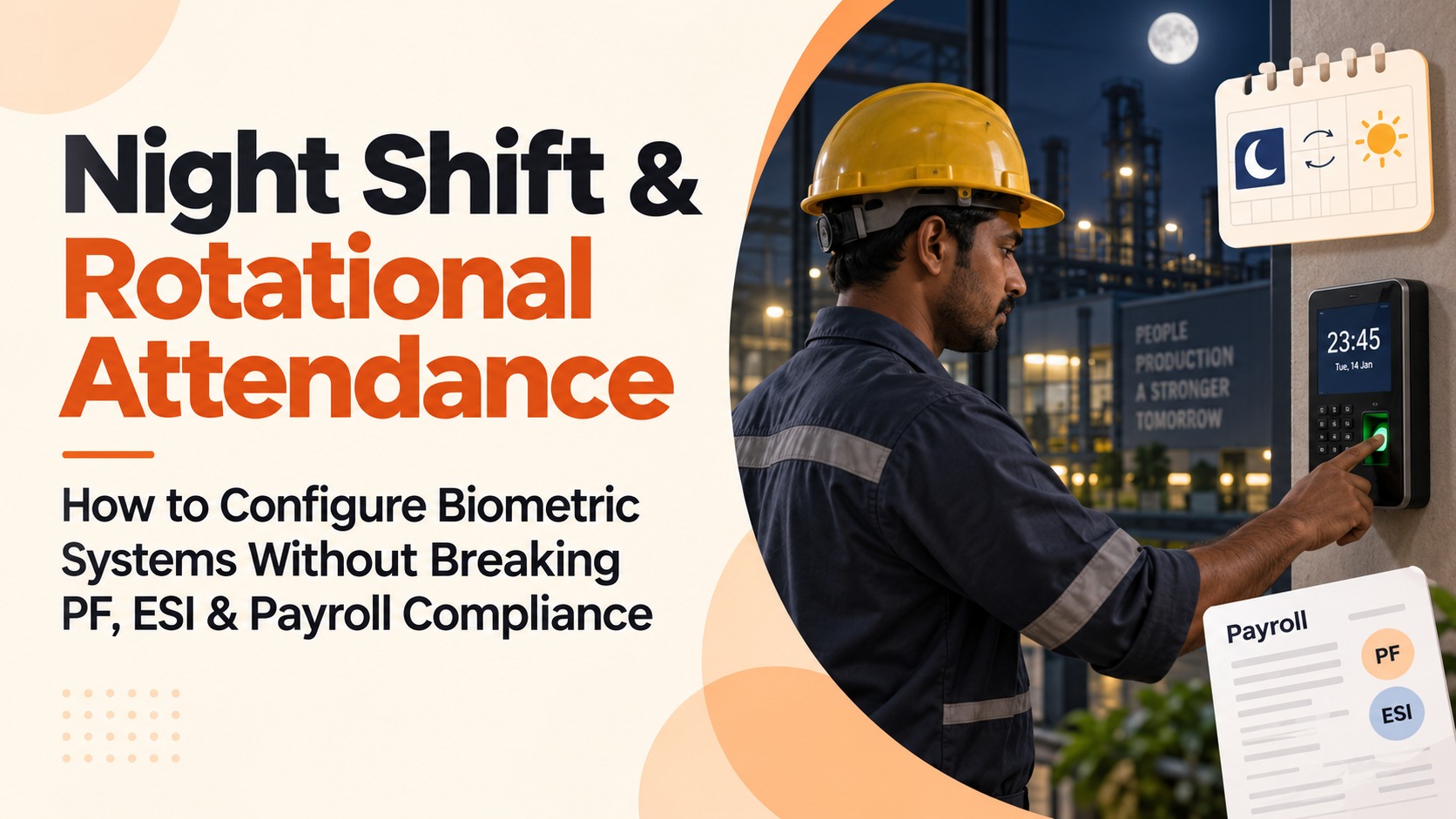
Shifts add another layer. I know a hospital that runs three shifts with doctors and nurses rotating constantly. Their old system needed someone to manually update shift schedules every week. Their new time clock software lets managers create rosters a month in advance. Employees get automatic notifications about their shifts. Attendance rules apply correctly based on shift timings. Simple.
If you're planning to set up biometric devices or wondering how to get mobile attendance working reliably with GPS verification, we've put together a practical guide. It covers which devices work well in Indian conditions, how to handle network issues, and the actual steps to sync everything smoothly.
Salary Calculations That Don't Box You In
Here's where most software fails. They assume everyone gets paid the same way—basic salary, HRA, conveyance allowance, done.
Real businesses are messier.
- Daily wages for some employees
- Monthly salaries for others
- Performance bonuses for the sales team
- Production incentives on the factory floor
- Festival bonuses once a year
- One-time awards for project completion
Can your system handle all this? Without needing a degree in software configuration?

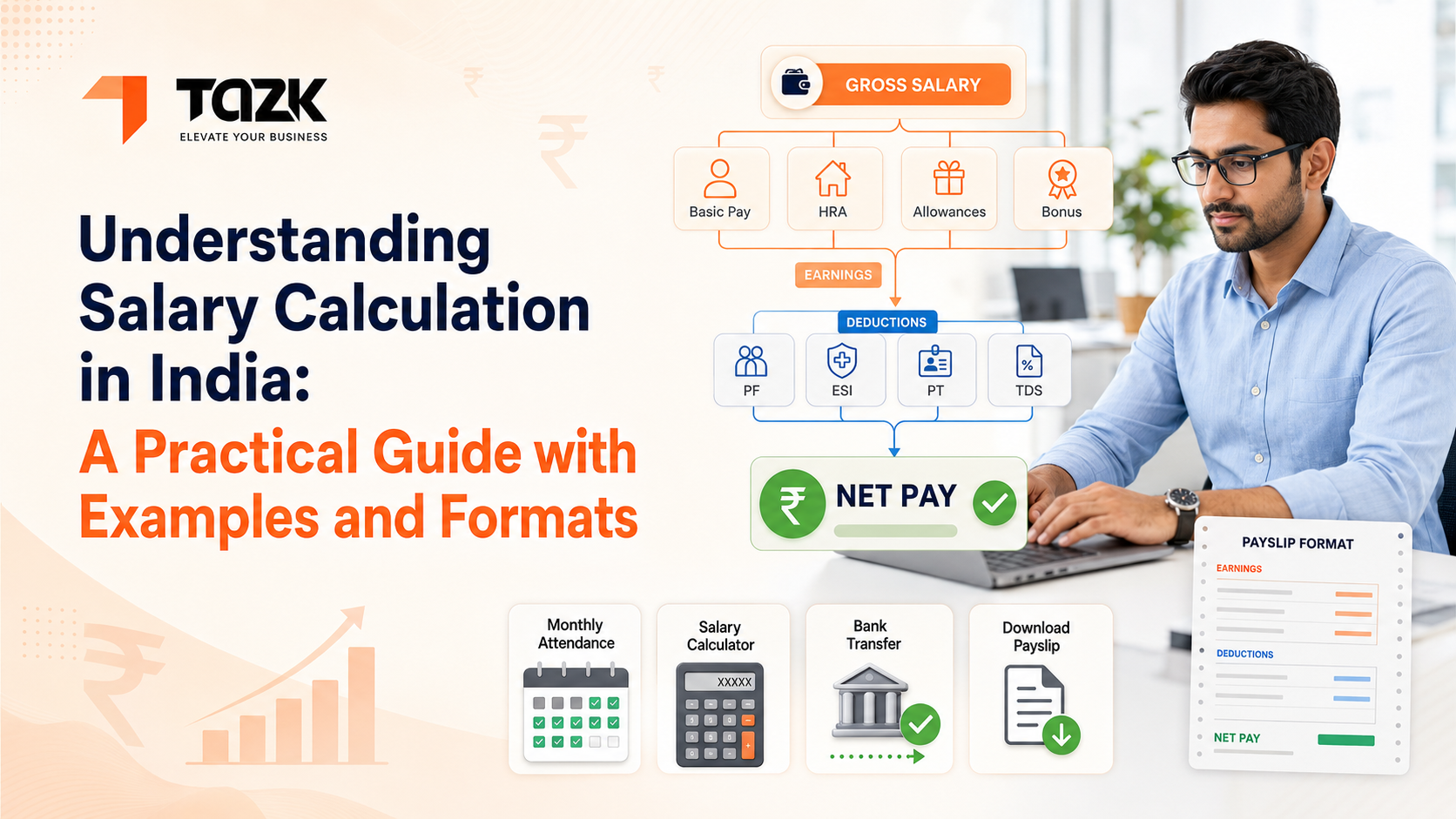
And here's something nobody talks about—can you see the full picture before finalizing? I mean actually see how basic pay, allowances, PF, ESI, PT, and TDS all come together for each person. Because catching errors before processing is infinitely better than catching them after employees start calling.
Salary structures can get confusing fast, especially when you're mixing fixed and variable components. If you want to see how different salary types work with real examples—from simple fixed salaries to complex CTC structures—and understand what a proper payslip should contain, we've broken it all down with actual formats you can reference.
Compliance That Doesn't Keep You Up at Night
This is honestly where good software pays for itself ten times over.
Getting Indian compliance right isn't just about avoiding penalties (though ₹5,000 fine for late PF deposit isn't fun). It's about not having that constant low-level stress that you've missed something.
Your cloud-based payroll software should just know the rules. PF is 12% of basic plus DA, capped at ₹15,000. ESI is 3.25% from employer, 0.75% from employee, only if gross is below ₹21,000. PT has different slabs in different states. TDS considers chosen tax regime, Section 80C investments, HRA exemption based on city category.
But calculations are just step one.
The real value is when the system creates all the forms you need to file. ECR files formatted exactly how the EPFO portal wants them. ESI challans ready to upload. PT returns for each state. Form 24Q with all details properly filled.
And alerts. I can't stress this enough—compliance calendars that remind you two weeks before deadlines. Not on the due date. Two weeks before. So you actually have time to handle it without panic.
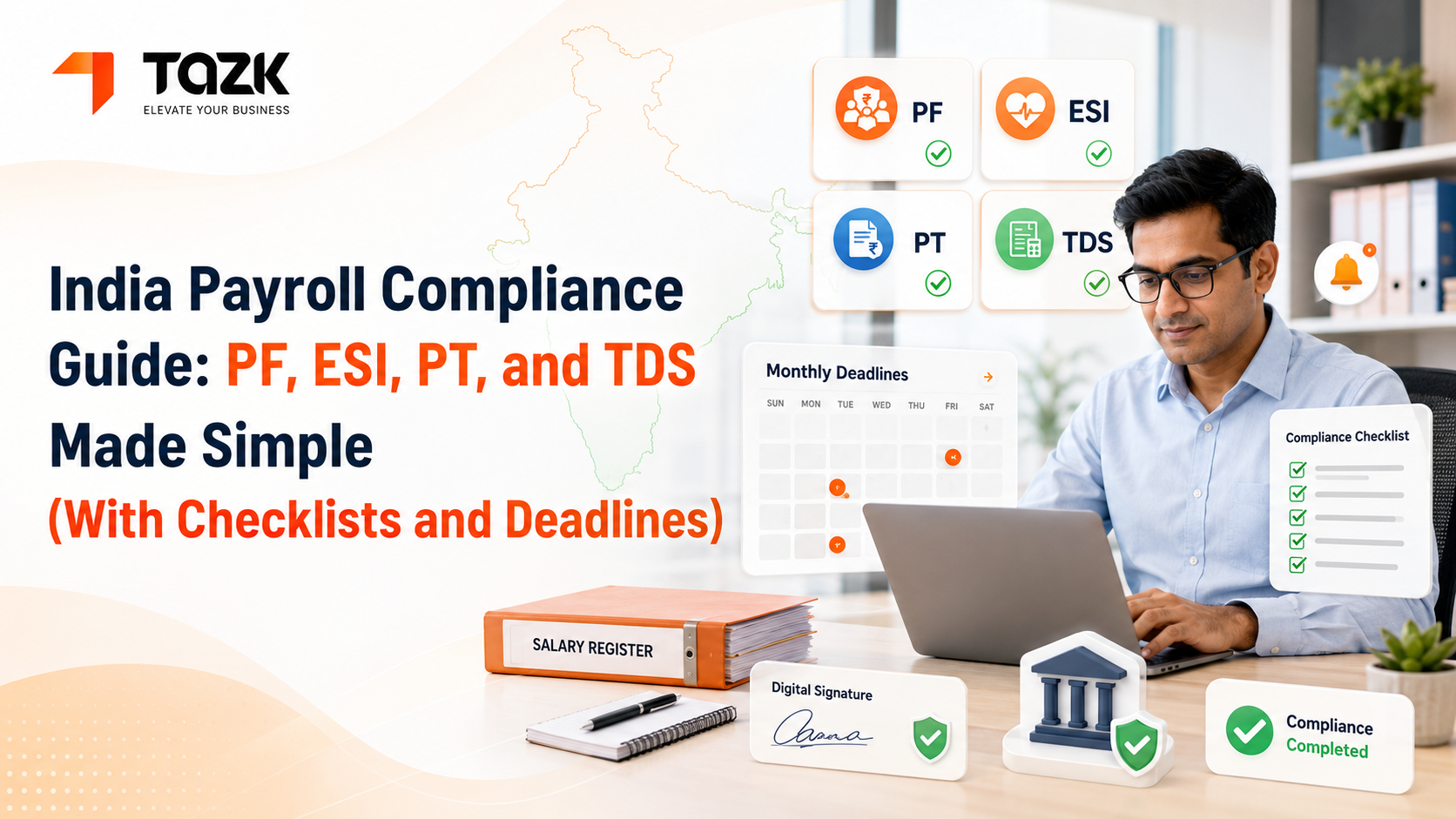
Indian compliance is genuinely complex, and the penalties for mistakes aren't small. We've created a detailed guide covering PF, ESI, PT, and TDS—not just calculations, but filing procedures, checklists, and every important deadline through the year. It's written for people who don't live and breathe HR law.
Letting Employees Help Themselves
Count how many times employees ask you the same questions every month:
- Can I get my payslip?
- How many leaves do I have left?
- Why is my salary different this month?
- What's my LOP deduction for?
Every question pulls your HR team away from actual work.
A self-service portal changes this completely. Employees log in and get their own answers. Download payslips from any month. Check leave balance before planning a trip. See attendance records if something looks wrong. Submit reimbursement claims with bills attached. Track approval status.
This isn't just convenient for employees. It fundamentally changes how your HR team spends time. Less data entry. Less answering repetitive questions. More time for things that actually need human judgment.
Reports That Tell You What's Actually Happening
You know what's buried in your payroll data? Patterns that could save you money or highlight problems early.
- Which departments consistently have the highest overtime?
- Is absenteeism rising in certain teams?
- What's your month-over-month labor cost trend?
- How much are you really spending on statutory contributions?
Basic software gives you salary registers and bank transfer files. Good software lets you dig into the data however you need to.
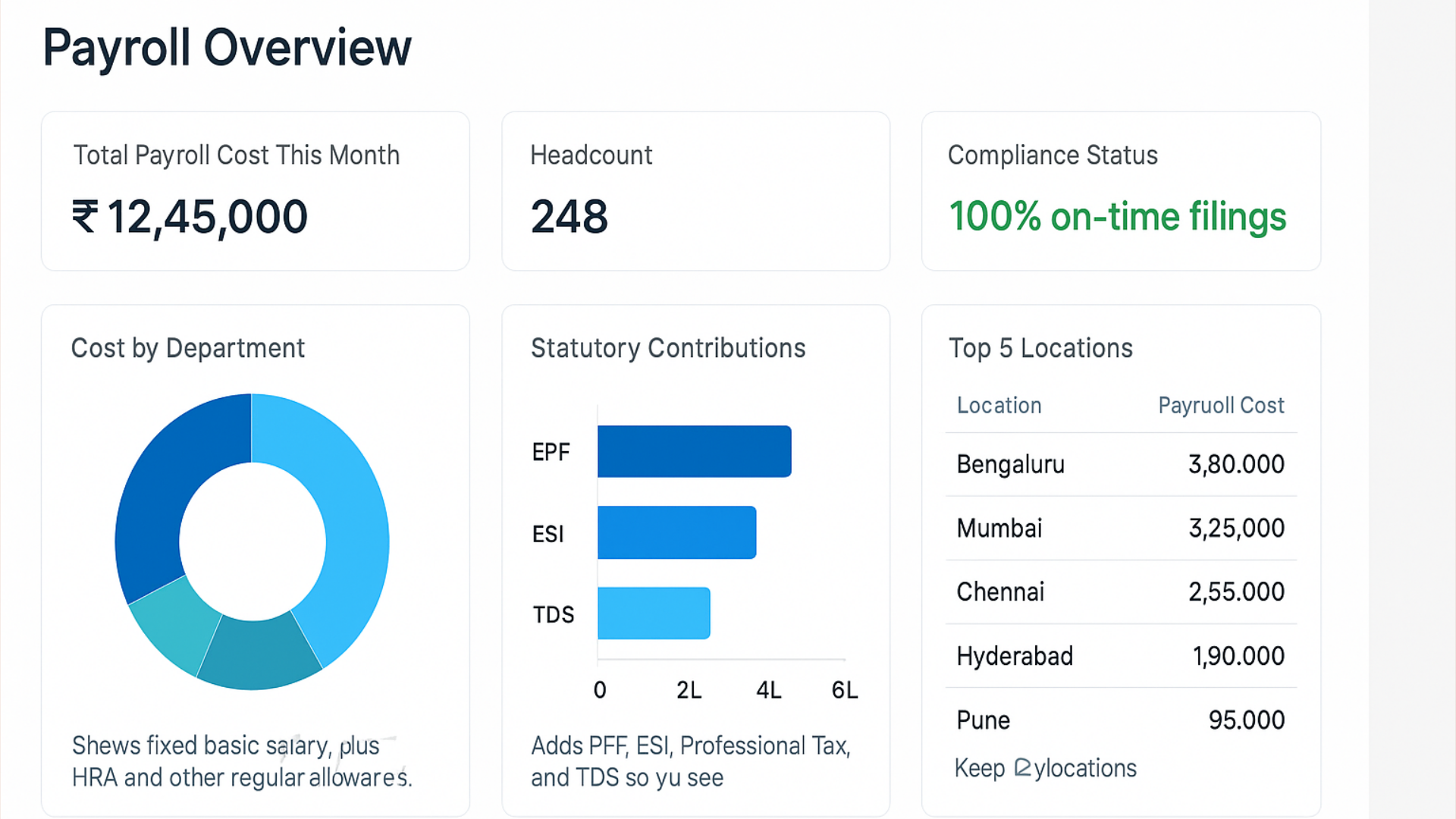
And when you need to export data—for accounting, for management presentations, for year-end analysis—it should be simple. PDF for board meetings. Excel when you want to play with numbers. Direct export to Tally or whatever accounting software you use.
Why Everyone's Moving to the Cloud
I get the hesitation about cloud-based systems. Your payroll data feels sensitive. Putting it 'somewhere on the internet' sounds risky.
But let me walk you through why cloud makes sense for most businesses.
Access from Anywhere, Anytime
Your HR manager's kid gets sick on payroll processing day. With traditional software, either they come to the office sick and all, or payroll gets delayed. With cloud? They process it from home.
Your CFO is traveling but needs to review department-wise salary costs before a meeting. They pull up the report on their phone. Done.
During COVID, companies with cloud systems kept running smoothly. Those with desktop software? Scrambled to give remote access, or processed payroll by literally going to locked-down offices.
Money That Actually Makes Sense
Traditional software meant:
- ₹2-3 lakhs upfront for licenses
- Buying a server (another ₹1-2 lakhs)
- Hiring IT staff or paying AMC
- Paying again for version upgrades
Cloud flips this model. You pay monthly or yearly based on how many employees you have. That's it.
10 employees? Maybe ₹5,000 per year. 100 employees? Maybe ₹50,000 per year. No servers. No IT team. No upgrade charges. The provider handles everything.
For small businesses especially, this makes sophisticated payroll systems actually affordable.
Growing Without Technical Headaches
You have 50 employees today. Next year, maybe 75. The year after, 120.
With traditional software, growth means buying more licenses, possibly upgrading servers, dealing with technical complications.
With cloud? You just add more employees to your account. Maybe you move to a higher pricing tier. That's it. The software scales automatically.
Security That's Actually Better
Here's a truth that surprises people: your data is probably safer on a reputable cloud platform than on your office computer.
Professional cloud providers have:
- Data encrypted both in transit and at rest
- Backups running automatically to multiple locations
- Disaster recovery systems that activate instantly
- Security teams monitoring threats 24/7
- Certifications like ISO 27001 and SOC 2
Unless you're prepared to spend lakhs on similar security infrastructure, cloud is likely more secure than your current setup.
Updates That Just Happen
The government increases the PF contribution rate from 12% to 13% (hypothetically). Or changes TDS slabs mid-year.
Traditional software: You wait for the vendor to release an update. Download it. Install it. Hope nothing breaks. Maybe pay for the update.
Cloud software: The provider updates their central system. Next time you log in, you're using the latest version with current rates. No downloads. No installation. Zero effort from your side.
This alone prevents compliance errors that could cost you penalties.
If You're Running a Small Business
Small business life is different. You're probably handling payroll yourself or with minimal HR support. You don't have specialists who can spend weeks learning complex software.
You need something powerful but genuinely simple. Software that you can start using after watching a few tutorials, not after attending week-long training programs.
Cost matters more when every rupee counts. Good news: many providers have tiered pricing. Small businesses pay much less than large companies. Some even offer free plans for very small teams (under 10 people), with easy upgrades as you grow.
Your integration needs are probably straightforward. You might not need connections to complex ERP systems. But you definitely need your accounting software integration—whether that's Tally, Zoho Books, or QuickBooks. And direct bank transfer for salaries. These core integrations matter more than fancy features you won't use.
Support quality becomes critical when you're personally handling payroll. If something breaks the day before salaries are due, you can't afford to wait two days for overseas support to respond. You need someone in India, available during your business hours, who can actually help you fix the problem.
Before committing to any software, test their support. Send a question and see how fast they respond. How helpful is their answer? Can you reach them by phone if needed? This matters more than most features.
Actually Making the Switch (Without Chaos)
Okay, you're convinced. You need proper attendance and payroll software. Now what?
First, write down how you do things today. Even if your current process feels messy, document it. How do you calculate salaries? Track attendance? Handle leaves and loans?
This documentation helps in two ways. One, you can explain requirements clearly to any software vendor. Two, you'll have a baseline to measure improvement against later.
Moving Your Data
You've got years of employee information sitting somewhere. Personal details. Salary histories. Leave balances. Loan schedules. All this needs to move into your new system.
But here's the thing—don't just copy-paste everything as is. Take time to clean your data first.
Remove duplicate entries. Standardize how names are written (is it 'Mohammed' or 'Mohammad'?). Verify critical information like bank account numbers and PAN details. Fix whatever inconsistencies you've been living with.
Clean data going into a new system means clean results coming out. Bad data? You'll just process bad data faster.
Most software vendors will help with migration. But the quality of what you give them determines the quality of what you get back.
Starting Simple
Don't try to automate everything on day one. Start with basics.
Set up simple salary structures first. Get attendance tracking working for straightforward cases. Process one test payroll with a small group of employees.
Once you're comfortable with basics, tackle the complex stuff. Variable incentives. Pro-rata calculations for mid-month joiners. Whatever unique situations your business deals with.
I've seen companies try to configure everything perfectly before starting. They spend months in setup and never actually launch. Better to start with 80% automation and add the remaining 20% gradually.

Testing Before Going Live
Never process your first real payroll without testing.
Run at least one complete payroll cycle with test data. Compare results against what you would have calculated manually. This is how you catch configuration mistakes early—a wrong formula somewhere, an incorrect tax slab, a missing allowance.
Many smart businesses run parallel systems for a month or two. Process payroll in both old and new systems simultaneously. Yes, it's extra work. But it gives you confidence that the new system produces accurate results before you fully trust it.
Training Different People Differently
Your HR team needs deep training on system configuration, payroll processing, and troubleshooting. They'll be using this daily.
Managers need lighter training on approval workflows and reports. They just need to know how to approve leaves and access team information.
Employees need basic orientation on the self-service portal. How to mark attendance, apply for leaves, download payslips. Keep it simple.
Don't try to train everyone on everything. People tune out when you teach them stuff they'll never use.
A Solution Worth Checking Out: TAZK
We've talked about features and principles in the abstract. Let's look at an actual solution that brings this together well.
TAZK's payroll management software was built specifically for Indian businesses. And that shows in how it handles our unique challenges.
The attendance system works how Indian companies actually operate. It supports biometric devices (the brands commonly used here). Mobile marking with GPS for field teams. Web-based attendance for remote workers. All feeding into one platform.
What I appreciate most about TAZK is the compliance handling. It maintains current rules for PF, ESI, PT, and TDS across all Indian states. When you process payroll, calculations happen automatically based on each employee's earnings and location.
The system generates all the returns you need—ECR files, ESI challans, PT forms—formatted correctly for submission. And the compliance calendar actually works, sending timely reminders about upcoming deadlines.
It scales naturally too. Whether you're managing 25 employees or 2,500, you get the capabilities you need without drowning in unnecessary complexity. Pricing aligns with this—you pay based on your company size.
How to Actually Choose Software?
With so many options out there, you need a practical way to evaluate and decide.
Figure out your must-haves first. What features are absolute requirements? Maybe you must have biometric integration because factory workers can't use phones. Or multi-state PT calculations because you have offices in five states. List these non-negotiables.
Separate these from nice-to-haves. Features that would be convenient but aren't deal-breakers.
Match software to your size. A system built for 10,000-employee enterprises will overwhelm a 50-person company. A basic system perfect for small teams will frustrate you at 500 employees.
Choose something that fits your current size but can grow with you for the next 3-5 years.
Actually try it. Don't rely only on demos. Get trial access and use the system with your real data.
Process a complete payroll cycle during the trial. Have your team try the features they'll use daily. Generate the reports you actually need. This hands-on experience reveals problems that never show up in demonstrations.
Understand the full cost. Look beyond the headline subscription price.
What are implementation charges? Is training included or extra? What about support—free or paid per incident? Are there add-on costs for things like ESI management or advanced reporting?
Calculate total cost of ownership over three years. Sometimes cheaper subscriptions end up costing more after all the extras.
Talk to actual users. Any vendor should be able to connect you with existing customers in similar industries or of similar size.
Talk to these references honestly. What problems did they hit during implementation? How good is support when things break? What do they wish they'd known before choosing this software?
Check the company behind the product. How long has the vendor been in business? How many customers do they serve? Do they have a track record of keeping pace with regulatory changes?
Switching payroll systems is painful. You want a vendor who'll still be around and supporting the product five years from now.
Where This Technology Is Heading?
While we've focused on solving today's problems, let me quickly mention where things are going.
AI is getting useful. We're seeing systems that predict monthly payroll costs based on attendance trends. AI-powered checks that flag unusual patterns—like someone's overtime suddenly doubling—before you process payroll. Some systems even use AI to automate complex decisions.
Mobile-first is becoming standard. Employees expect to do everything from their phones. Mark attendance, apply for leaves, view payslips, submit reimbursements—all from mobile. Next-gen systems are being designed for mobile first, with desktop as a secondary option.
Everything's connecting. Rather than standalone payroll systems, we're moving toward unified HR platforms. Recruitment flows into onboarding flows into payroll flows into performance management. Data moves seamlessly through the entire employee lifecycle.
Compliance automation is improving. Specialized systems that monitor regulatory changes, interpret implications, and automatically update software. For businesses operating across multiple Indian states, this will be huge.
Actually Taking the First Step?
If you're still doing payroll manually or struggling with outdated software, I get that switching feels overwhelming.
Start small. Consider a pilot program with one department or location. Work through challenges with a smaller group before going company-wide. This reduces risk and teaches you what works before full rollout.
Talk to your employees about what's changing and why. People resist change less when they understand it. Explain how the new system benefits them—easier payslip access, transparent leave balances, simpler processes.
Set clear success metrics. What would successful implementation look like? Maybe reducing payroll processing time by half. Or eliminating compliance penalties. Or getting 90% of employees using self-service within three months.
Define these goals upfront and track them honestly.
Remember that going live is just the beginning. You'll keep finding ways to optimize as you get comfortable with the system. Schedule quarterly reviews to see what's working and what could improve.
Why This Actually Matters?
We've covered a lot—features, implementation, vendor evaluation. But let me bring this back to what really counts.
Getting payroll right isn't about technology. It's about treating your employees well by paying them accurately and on time. It's about protecting your business from compliance risks. It's about freeing your team from mind-numbing administrative work so they can focus on things that actually require human creativity.
I've watched small businesses transform with the right payroll system. HR managers who used to work late every month-end now leave on time. Business owners who worried constantly about compliance now sleep peacefully. Employees who used to chase down payslips now have transparent access to everything they need.
For Indian businesses, with our complex regulations, automated payroll processing has crossed from 'nice to have' to 'necessary for survival.' The cost of compliance errors—in penalties and reputation—exceeds what you'll invest in proper systems.
Whether you're running 10 employees or 1,000, the right attendance and payroll software in India exists for your needs. The technology works. Implementation methods are proven. Companies like yours are making this switch successfully every day.
The question isn't whether to modernize payroll management. It's when to start, and with which solution.
Your next payroll day doesn't have to feel stressful. With the right system, it becomes just another routine task that happens smoothly while you focus on actually growing your business.
Want to see how this works in practice? Check out TAZK's payroll management software and see how integrated attendance tracking, automated compliance, and smart reporting come together in a platform built for Indian businesses.