
Overview
When a vendor sends replacements for defective items you sent them (see Send Defects), record them with Collect Replacement. Open Defects > Collect Replacement.
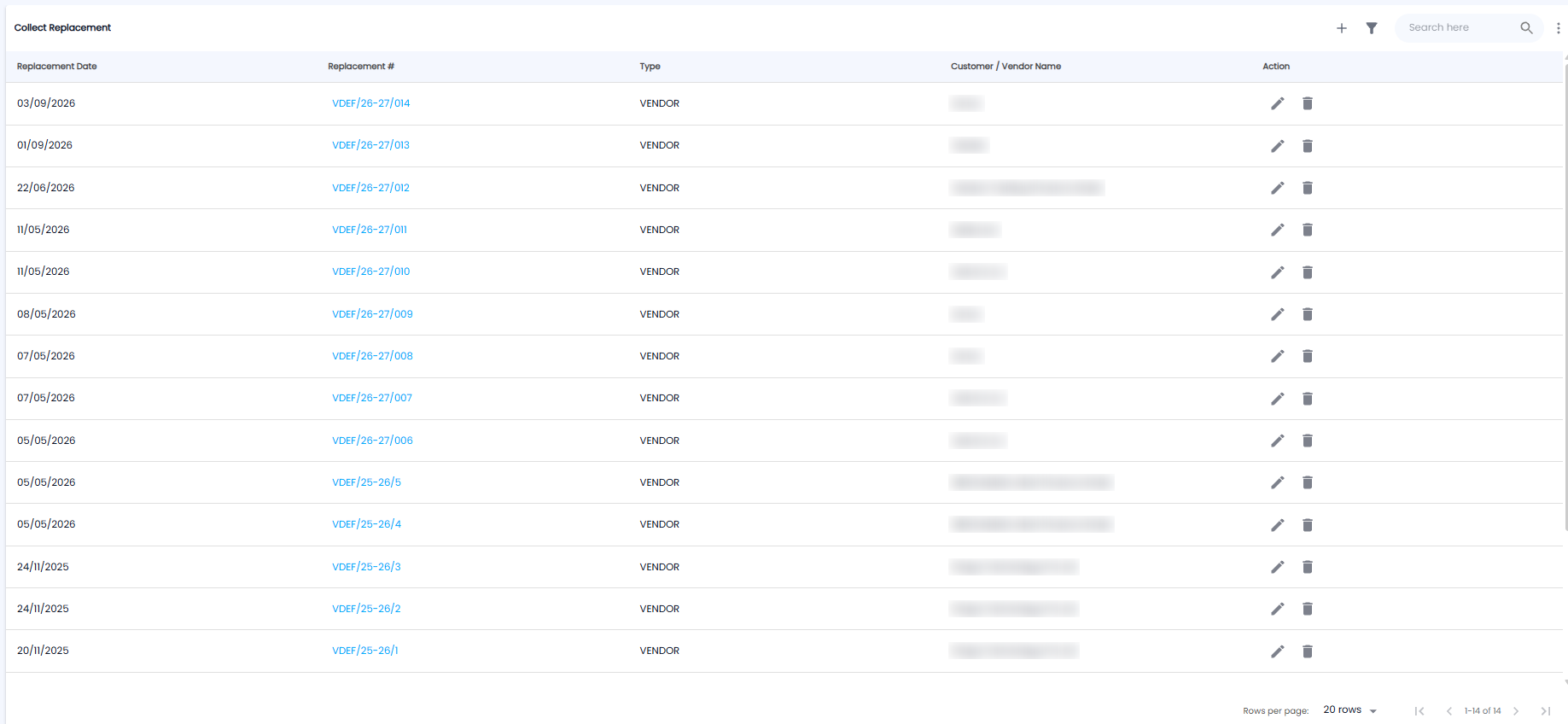
The Collect Replacement List
| Column | What it shows |
|---|---|
| Replacement Date | When the replacement arrived |
| Replacement # | For example VDEF/26-27/014. Click it to open it |
| Type | VENDOR |
| Customer / Vendor Name | The vendor who sent the replacement |
| Action | Edit (pencil) or delete (bin) |
Use + to record a replacement, the filter icon to narrow the list, and Search here to find one. The list shows 20 rows per page.
Collecting a Replacement
Click +. The Replacement Date is shown at the top right.
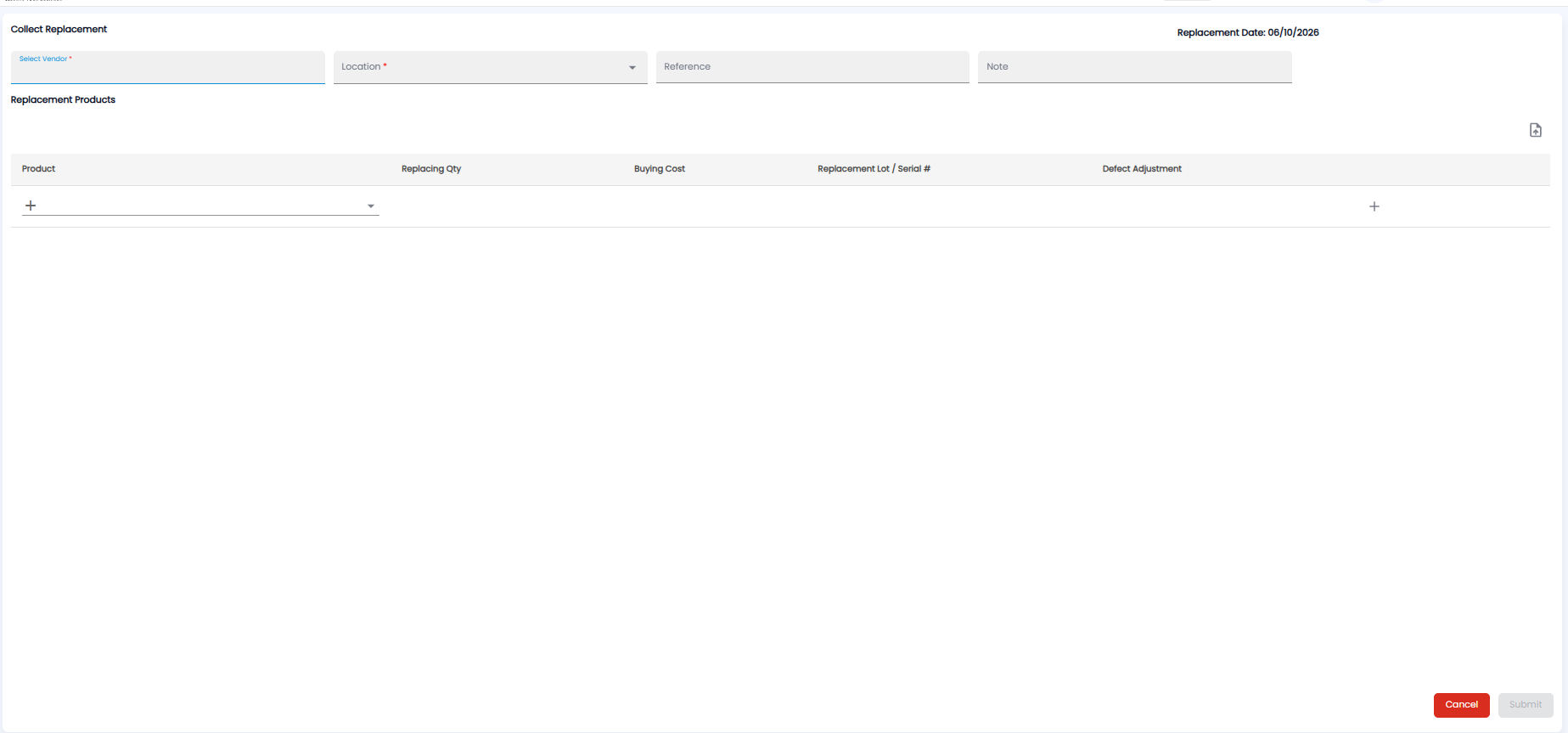
- Pick the vendor under Select Vendor*
- Pick the Location* the replacement stock goes into
- Add a Reference and a Note if needed
- Under Replacement Products, pick the Product and fill in the Replacing Qty, Buying Cost, Replacement Lot / Serial #, and the Defect Adjustment. Click + to add another row, or the upload icon to add items from a file
- Click Submit, or Cancel
Once the vendor has replaced everything you sent, the Send Defects entry shows Fully Replaced.