
What does the Salary Overview show in Tazk Payroll?
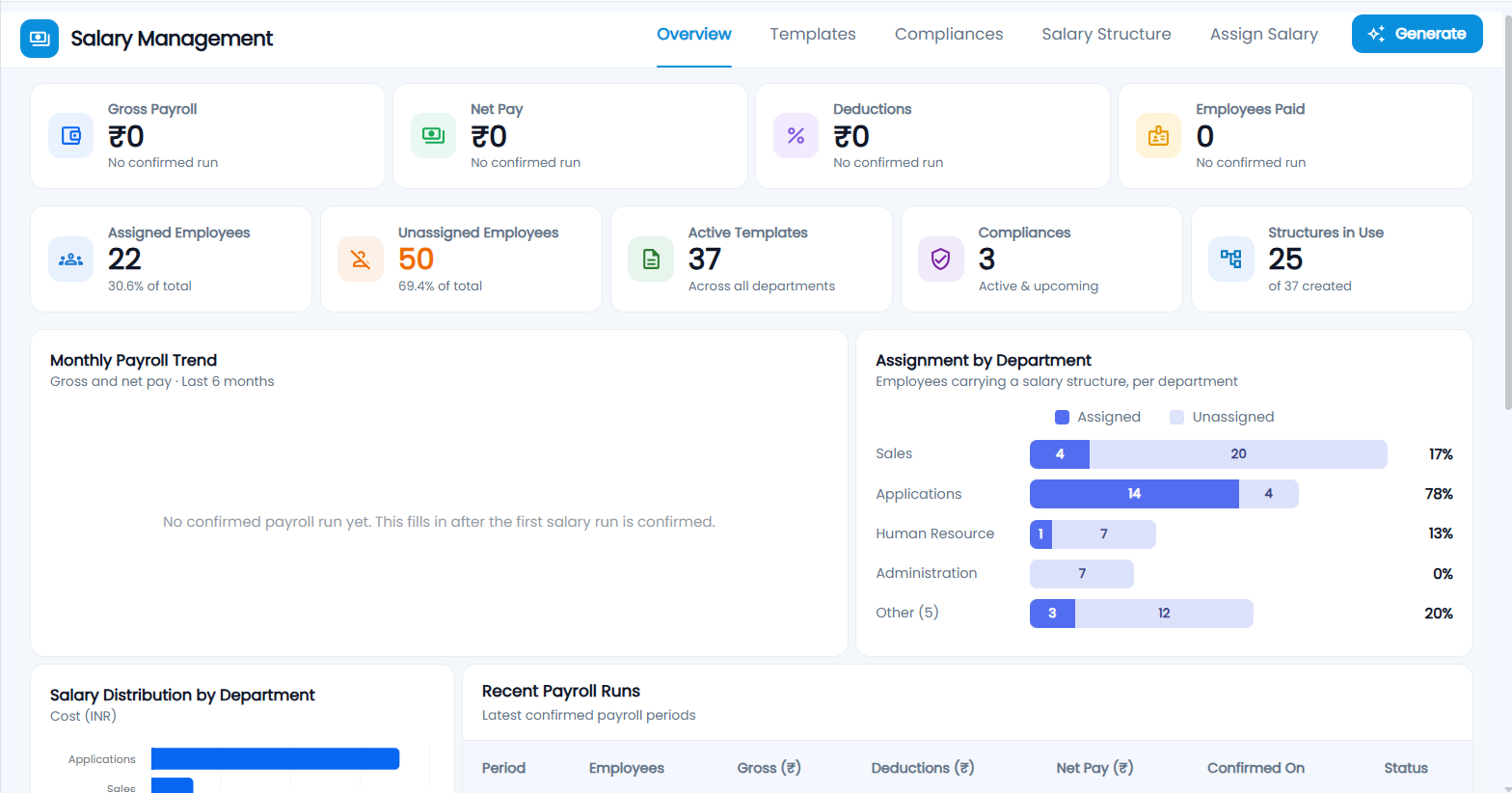
Salary Overview is the first tab of Salary Management (Salary in the sidebar). It shows the last confirmed payroll — gross pay, net pay, deductions and employees paid — then how many employees have a salary structure assigned and how many do not, active templates, compliances and structures in use, a six-month payroll trend, assignment and cost by department, recent payroll runs, and a list of employees without a salary with an Assign button.
What tabs does Salary Management have?
Overview · Templates · Compliances (EPF, ESI and Professional Tax) · Salary Structure · Assign Salary. The tabs you see depend on your role. Generate (top right, on Overview) opens Salary Process for the current month.
What do the payroll cards show?
The first row is the latest confirmed payroll in the last six months:
| Card | What it shows |
|---|---|
| Gross Payroll | Total gross pay for that month |
| Net Pay | Total net pay (earnings minus deductions) |
| Deductions | Total deductions |
| Employees Paid | Employees in that confirmed payroll |
Until a salary run is confirmed in Salary Process, these show ₹0 and "No confirmed run".
What do the setup cards show?
| Card | What it counts |
|---|---|
| Assigned Employees | Active employees with a current salary assignment, as a % of the total |
| Unassigned Employees | Active employees with no salary assigned — click to jump to the list |
| Active Templates | Salary templates created |
| Compliances | Enabled EPF, ESI and PT settings that are active or upcoming — hover for the breakdown |
| Structures in Use | Salary structures assigned to someone, "of N created" |
Active employees exclude relieved and settled employees and Administrator and Front Desk logins.
What do the charts show?
- Monthly Payroll Trend — gross and net pay for each of the last 6 confirmed months.
- Assignment by Department — employees with and without a salary structure in each department, with the % assigned. The four largest departments are shown and the rest grouped as Other.
- Salary Distribution by Department — the monthly cost (CTC) of current salary assignments per department. This is committed cost, not money already paid.
- Recent Payroll Runs — the latest confirmed months: period, employees, gross, deductions, net pay and when it was confirmed.
How do I give a salary to employees who have none?
- Scroll to Unassigned Employees (or click the Unassigned Employees card). It lists eligible employees without a salary structure, with ID, department, designation and joining date.
- Click Assign on a row, or tick several and click Assign Selected.
- The Assign Salary wizard opens with those employees already selected.