
How do I create a salary template in Tazk Payroll?
Open Salary → Templates and click Create Template. Enter the template name, then choose the earnings and deductions it uses. With Auto-Calculation on, each earning is a percentage of gross — Basic Pay plus the other earnings must add up to exactly 100% — and salaries are calculated from the gross. With it off, amounts are entered for each employee. Click Create. A template defines components, not amounts.
What is on the Templates tab?
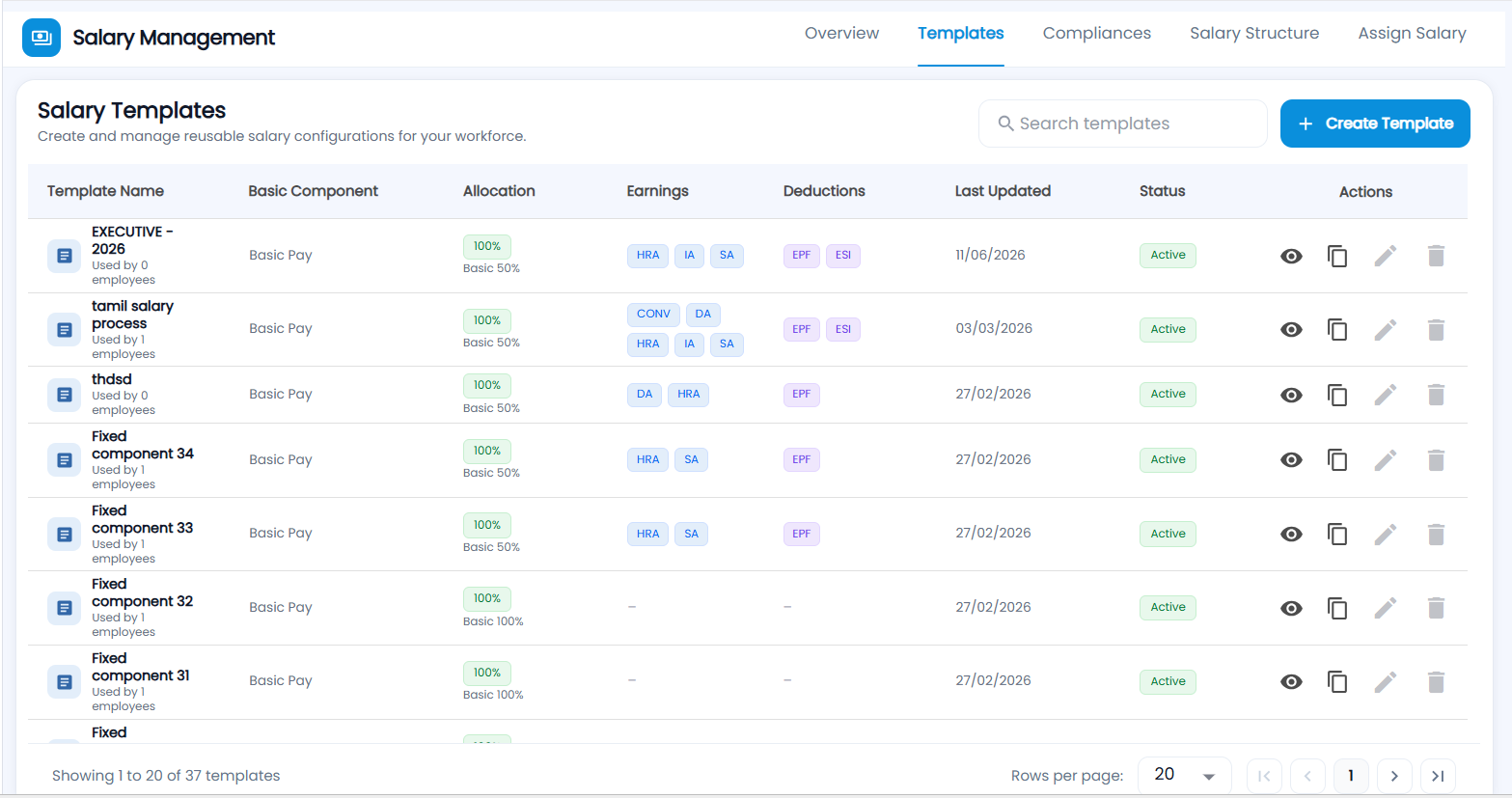
Salary Templates — "Create and manage reusable salary configurations for your workforce". Each template shows:
| Column | Description |
|---|---|
| Template Name | With how many employees use it |
| Basic Component | The basic earning (Basic Pay) |
| Allocation | "100%" with the Basic share (for example Basic 50%), or Manual when amounts are entered per employee |
| Earnings / Deductions | The component codes, for example HRA, SA, DA; EPF, ESI |
| Last Updated | When it was last changed |
| Status | Active once a salary structure is built from it, otherwise Draft |
| Actions | View, Copy, Edit, Delete |
Use Search templates and choose 20, 50 or 100 rows per page.
How do I create a template?

- Click Create Template. The New Template Structure form opens.
- Enter the Salary Template Name.
- Choose Auto-Calculation:
- ON — earnings are set as a % of gross (must total 100%) and calculated from the gross.
- OFF — earnings are entered as amounts per employee when the salary is assigned; the gross is the total of those amounts.
- Under Earnings Types, pick an earning and click + to add it. Use Create New in the list to add a new earning type (name and code).
- With Auto-Calculation on, give each earning its % of Gross. Basic Pay is always included (50% if left blank) and balances itself to keep the total at 100% — or click Balance to give it whatever is left. The Total earnings allocation bar turns green ("Ready to save") at exactly 100/100.
- Under Deduction Types, pick each deduction and click +.
- Click Create. The chips at the top count the earnings and deductions selected.
Can I change a template that is in use?
No. Once a salary structure uses a template, its Edit and Delete are disabled. Click Copy, give the copy a new name and change that instead.