
Overview
Loan Accounts keeps track of loans your company has taken from a bank or NBFC. Open Cash & Bank > Loan Accounts. The page is titled Company Loans.
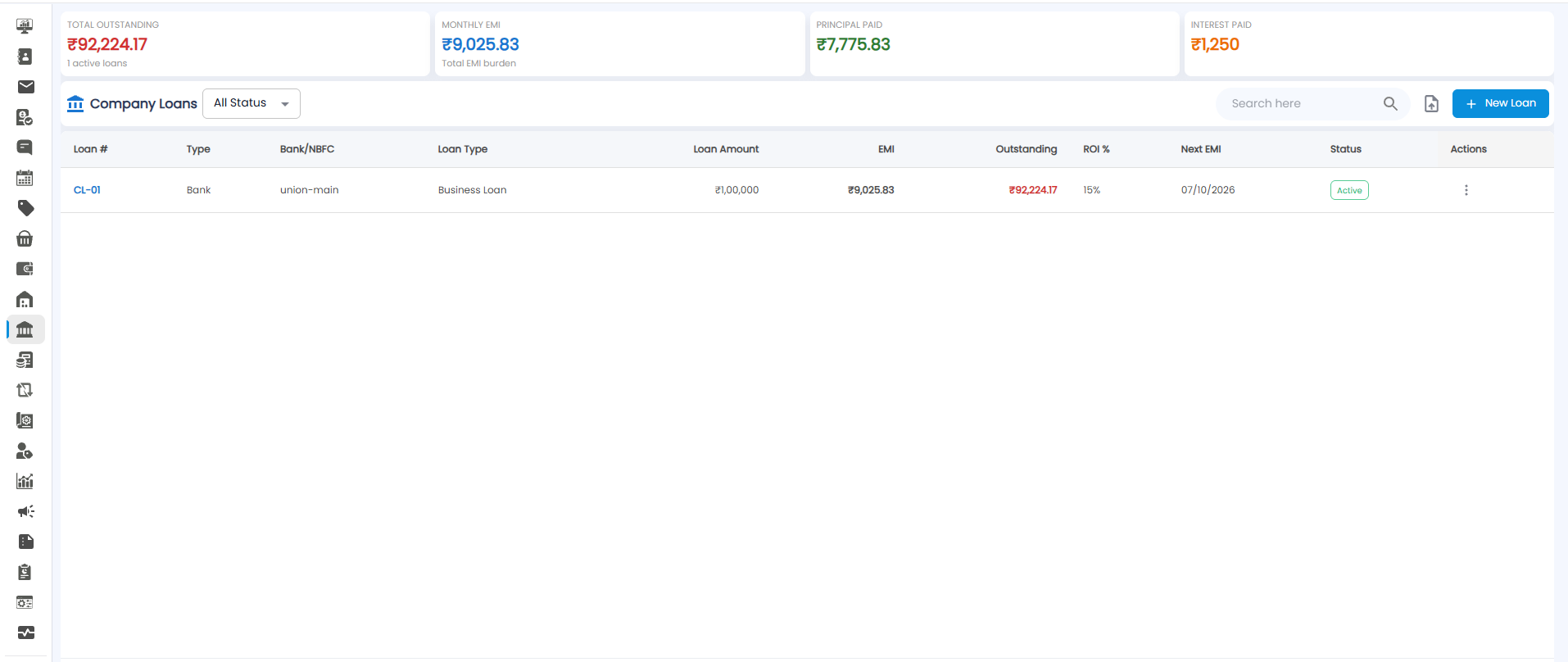
Summary Tiles
| Tile | What it shows |
|---|---|
| Total Outstanding | What you still owe across all loans, and how many loans are active |
| Monthly EMI | Your total EMI burden each month |
| Principal Paid | How much of the loan amounts you have repaid |
| Interest Paid | How much interest you have paid |
The Loans List
Use the All Status drop-down to show loans of one status, and Search here to find one. The file icon next to the search exports the list.
| Column | What it shows |
|---|---|
| Loan # | The loan number, for example CL-01. Click it to open the loan |
| Type / Bank/NBFC | Who lent it — for example a Bank, and which one |
| Loan Type | For example Business Loan |
| Loan Amount / EMI | How much you borrowed, and the monthly instalment |
| Outstanding | How much is still to be repaid (red) |
| ROI % | The interest rate |
| Next EMI | When the next instalment is due |
| Status | For example Active |
| Actions | ⋮ gives more actions for the loan |
Adding a Loan
Click + New Loan. Fields marked * are required.
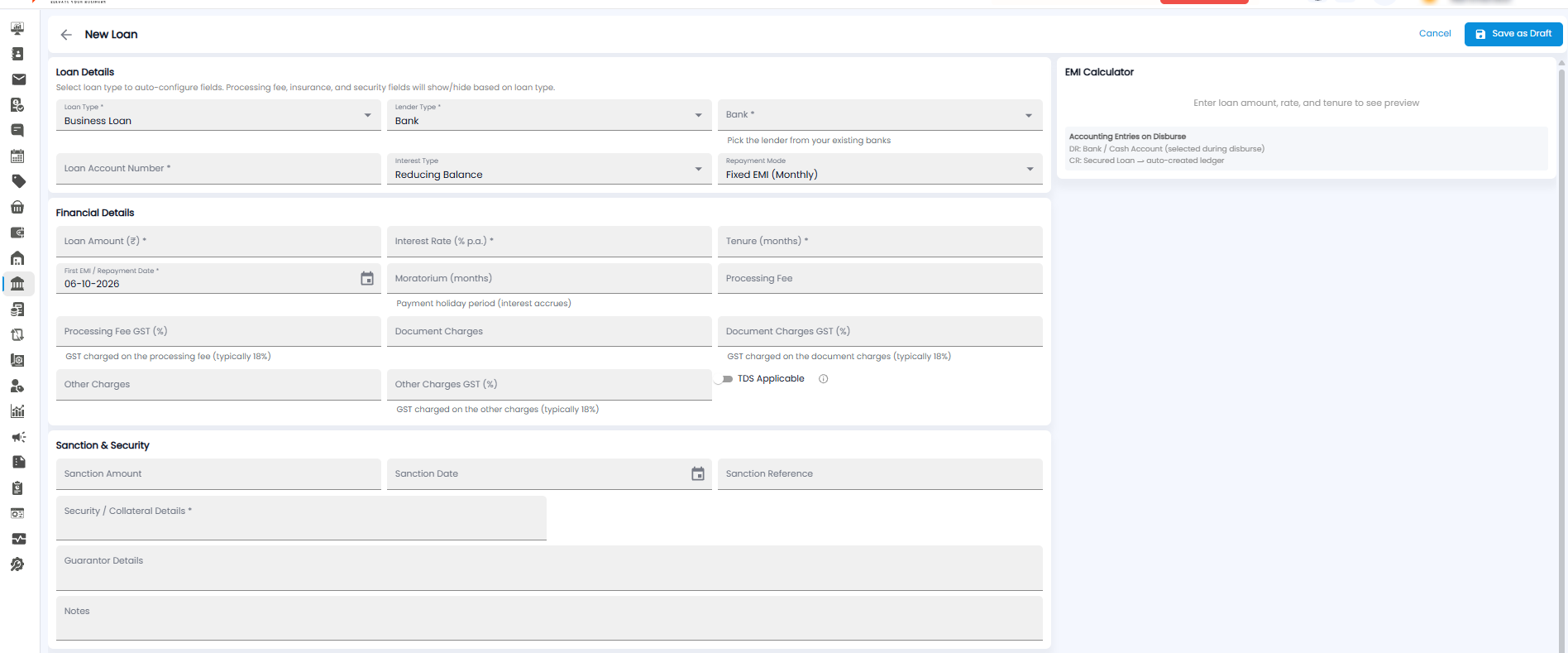
Loan Details
Pick the Loan Type first — it sets up the form for you, showing or hiding the processing fee, insurance, and security fields.
| Field | Required | Description |
|---|---|---|
| Loan Type | Yes | For example Business Loan |
| Lender Type | Yes | For example Bank |
| Bank | Yes | The lender, picked from your existing banks |
| Loan Account Number | Yes | The account number the lender gave you |
| Interest Type | No | For example Reducing Balance |
| Repayment Mode | No | For example Fixed EMI (Monthly) |
Financial Details
| Field | Required | Description |
|---|---|---|
| Loan Amount (₹) | Yes | How much you borrowed |
| Interest Rate (% p.a.) | Yes | The yearly interest rate |
| Tenure (months) | Yes | How many months you repay over |
| First EMI / Repayment Date | Yes | When the first instalment is due |
| Moratorium (months) | No | A payment holiday at the start. Interest still builds up during it |
| Processing Fee, Document Charges, Other Charges | No | Charges the lender takes, each with its own GST (%) — typically 18% |
| TDS Applicable | No | Turn on if TDS is deducted on the interest |
Sanction & Security
- Sanction Amount, Sanction Date, and Sanction Reference — from the lender's sanction letter
- Security / Collateral Details* — what the loan is secured against
- Guarantor Details and Notes
EMI Calculator
The panel on the right shows a preview of the EMI once you enter the loan amount, rate, and tenure. It also shows the accounting entries made when the loan is disbursed: the bank or cash account you pick at disbursement is debited, and a secured loan ledger, created for you, is credited.
Saving
Click Save as Draft at the top right to save the loan, or Cancel (or the back arrow) to leave without saving.