
What is Schemes Receivables in Tazk POS?
Schemes Receivables lists the product lines of your schemes — one row for each product attached to a scheme — with the scheme ID, the line's status and the product ID. Use it to check which products a scheme covers and where each line stands. You can search the list and page through it, but you cannot edit lines here; change a scheme on New Schemes.
What does the Schemes Receivables page show?
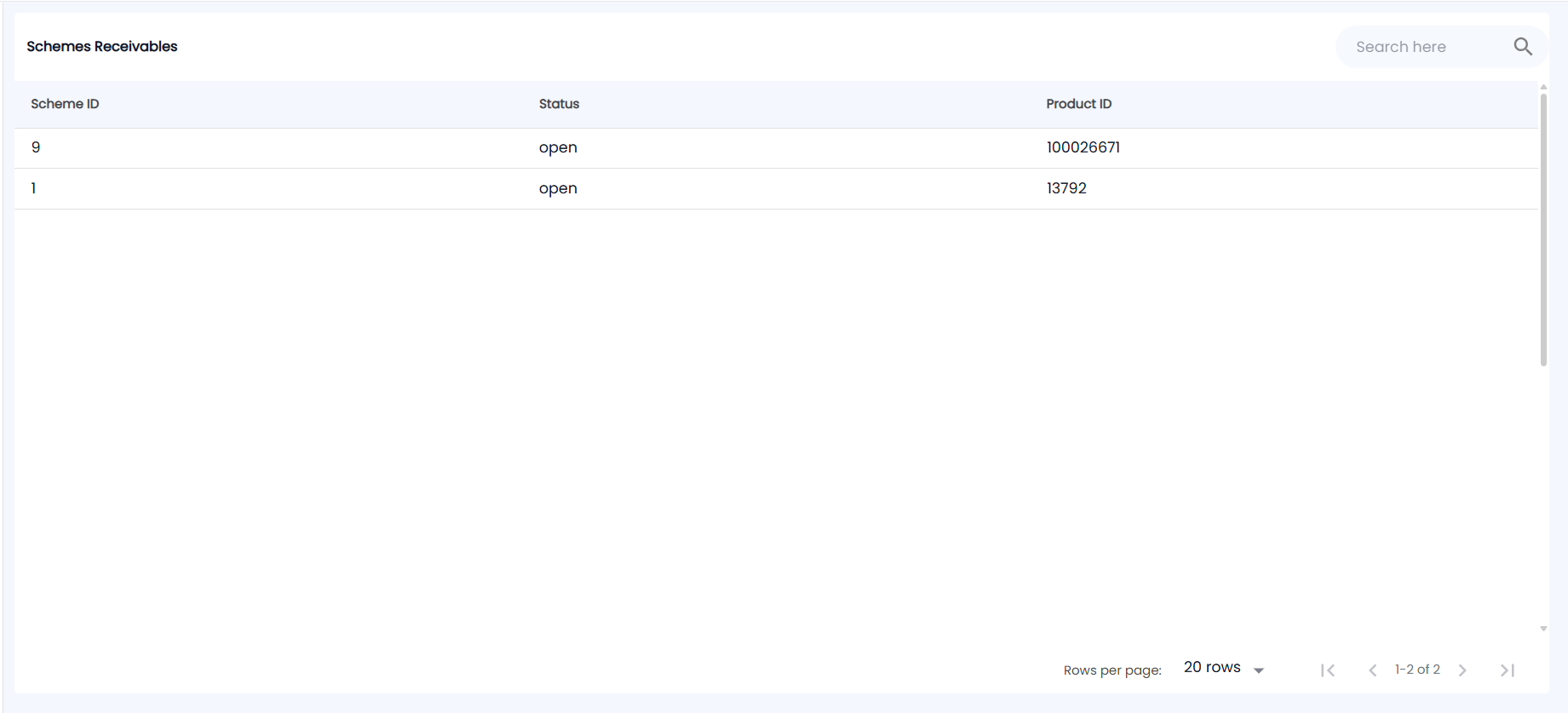
Open Schemes → Schemes Receivables. The table is titled Schemes Receivables, newest first.
| Column | What it shows |
|---|---|
| Scheme ID | The internal number of the scheme the line belongs to |
| Status | The status of that scheme line, for example open |
| Product ID | The product attached to the scheme |
When you edit a scheme, its old product lines are replaced, so only the current lines are listed.
How do I find a line?
Type in the search box at the top right. It matches the status, the product ID or the line number. Clear the search with the cross. Choose 20, 50 or 100 rows per page at the bottom.
Where do I see the scheme name and progress?
This page shows numbers only. For the scheme name, brand, dates and targets, use New Schemes. To see how much of each scheme has been achieved, use the Schemes Dashboard.