
How do I add a product to the Catalog in Tazk CRM?
Open Quotes › Catalog and click +. Enter the SKU, the name printed on quotations, an optional description, the unit of measure, the unit price before GST and the GST rate, leave Active on, and click Save. Quotations then reuse the product with its price and GST.
What does the Catalog show?
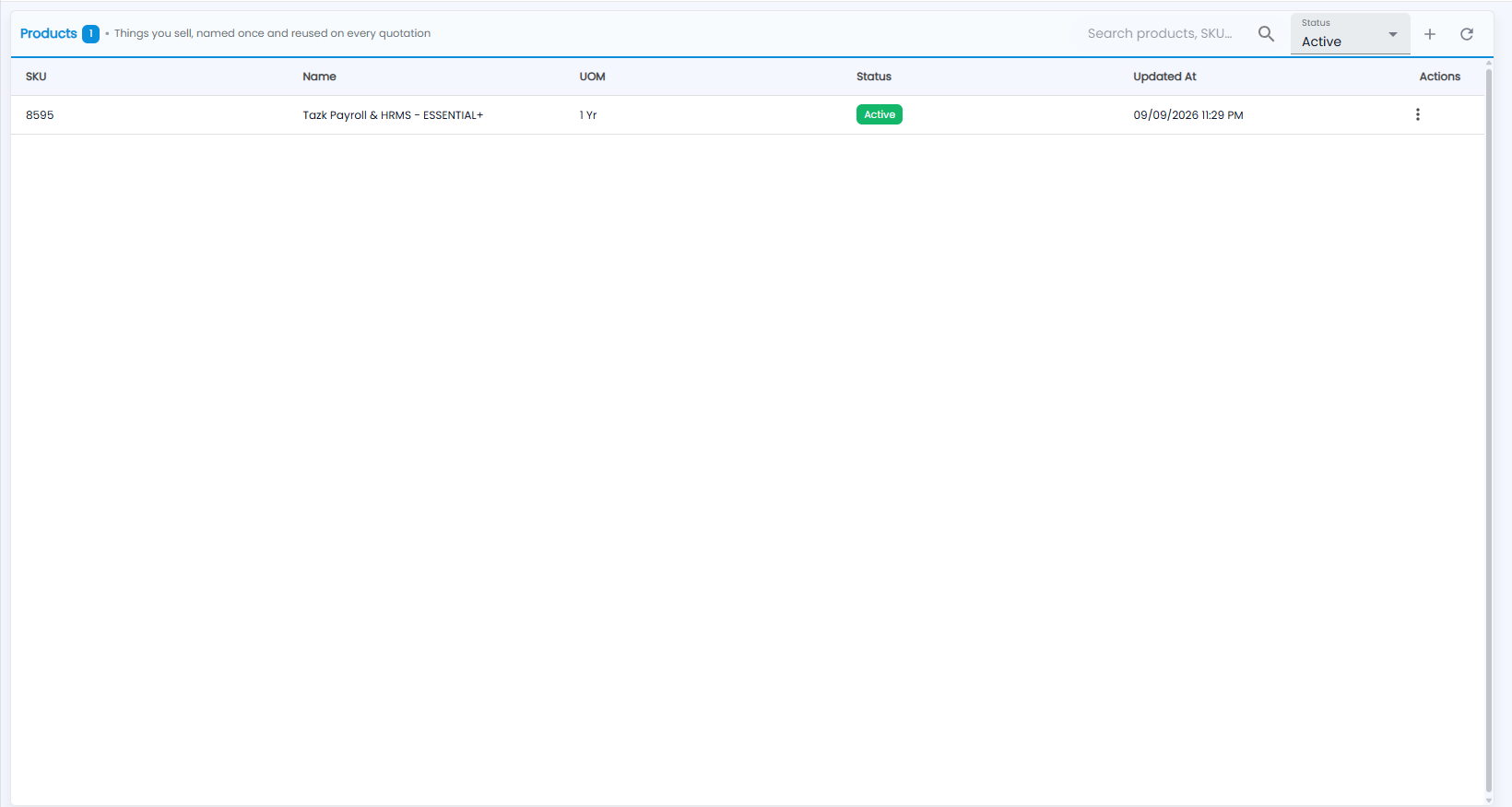
The screen is headed Products — the things you sell, named once and reused on every quotation. The number next to the title is how many products there are. The list shows each product's SKU, Name, UOM (unit of measure), Status and Updated At, with a ⋮ menu on each row.
Use Search products, SKU… to find one, and Status to show Active products (the default) or others. + adds a product; refresh reloads the list.
How do I add a product?
Click +. Name the item once; quotations reuse it with its price and GST.
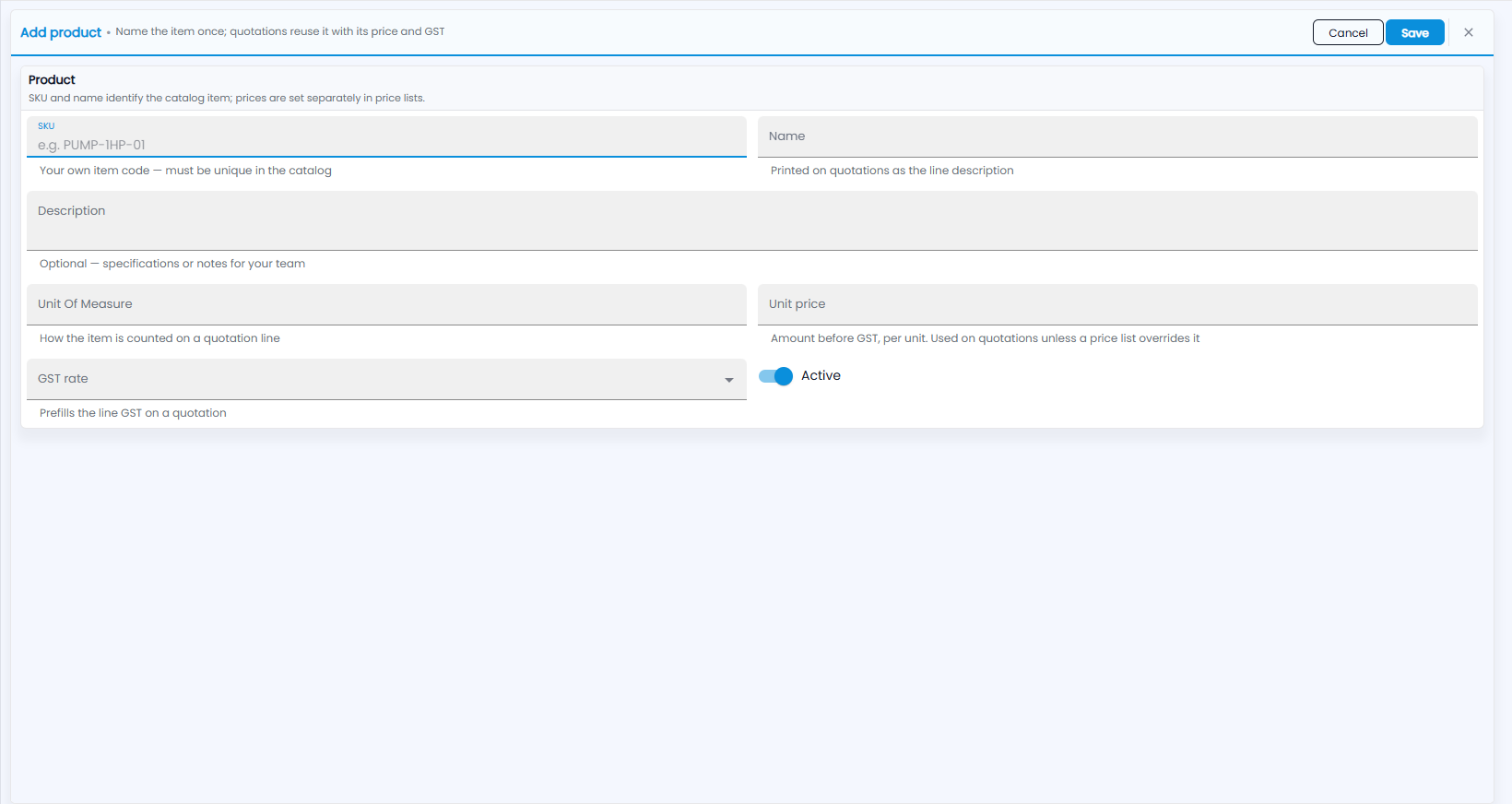
- SKU — your own item code, for example PUMP-1HP-01. It must be unique in the catalog.
- Name — printed on quotations as the line description.
- Description — optional: specifications or notes for your team.
- Unit Of Measure — how the item is counted on a quotation line.
- Unit price — the amount before GST, per unit. Used on quotations unless a price list overrides it.
- GST rate — prefills the line GST on a quotation.
- Active — leave it on for products you sell now.
Click Save, or Cancel.