
How do I get leads from my website form into Tazk CRM?
Open Integrations › Website Forms and click +. Name the form, enter your website address as the allowed origin, set a rate limit if you like, choose the lead source and click Create. Then pick the form under Embed Snippet, copy the snippet onto your website, and every submission becomes a lead.
What does the Website Forms list show?
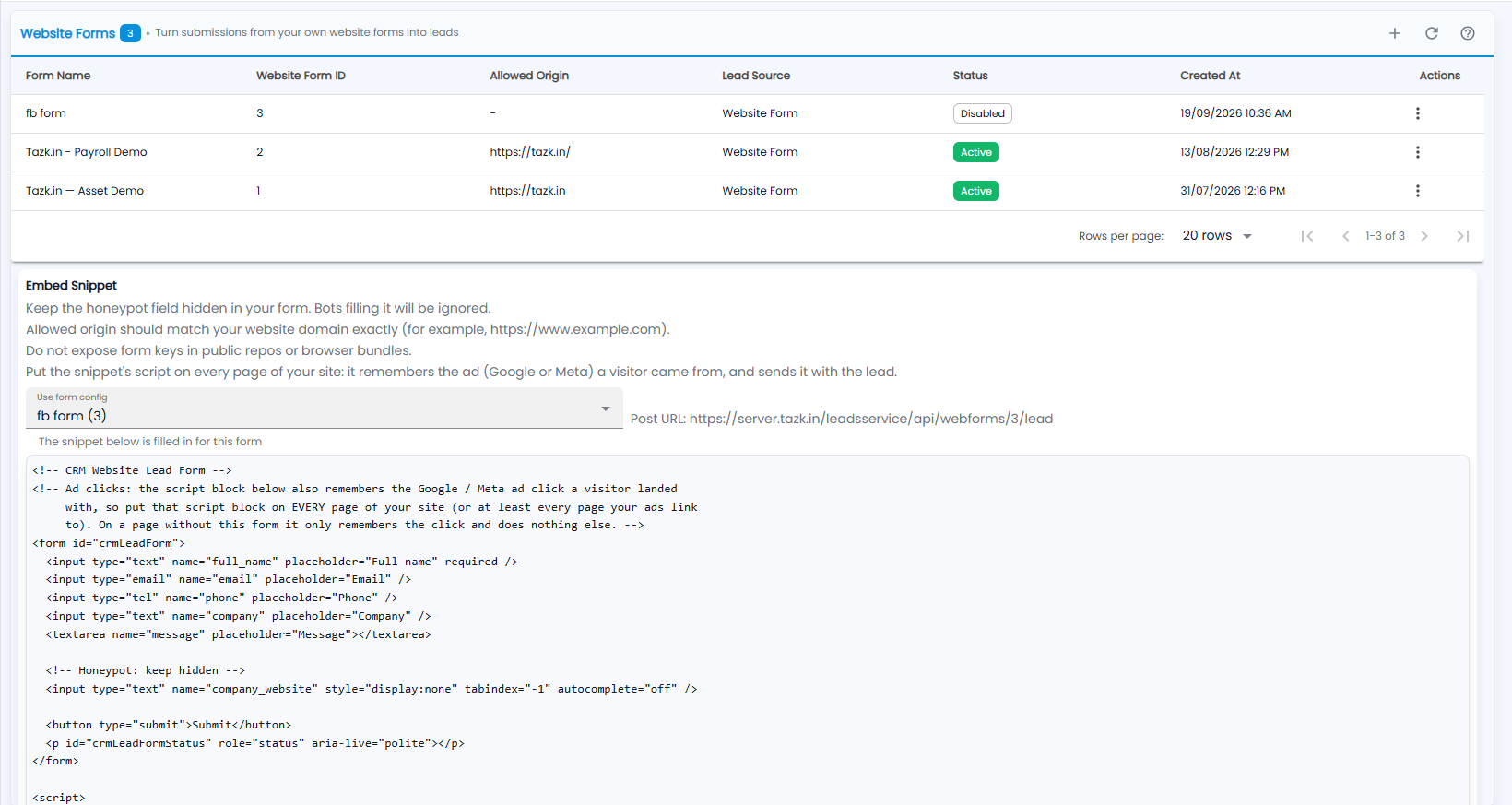
Turn submissions from your own website forms into leads. The number next to the title is how many forms there are; +, refresh and the ? guide are at the top right.
| Column | What it shows |
|---|---|
| Form Name | The name you gave the form |
| Website Form ID | The form's number, used in its post URL |
| Allowed Origin | The website the form is accepted from |
| Lead Source | The source its leads get |
| Status | Active or Disabled |
| Created At | When it was created |
| Actions | The ⋮ menu for the form |
How do I put the form on my website?
Under Embed Snippet, choose the form in Use form config. The snippet below is filled in for that form, with its Post URL next to it. Copy the snippet onto your website. The notes above it say:
- Keep the honeypot field hidden in your form. Bots filling it will be ignored.
- The allowed origin should match your website domain exactly (for example, https://www.example.com).
- Do not expose form keys in public repos or browser bundles.
- Put the snippet's script on every page of your site: it remembers the ad (Google or Meta) a visitor came from, and sends it with the lead.
The form in the snippet asks for the full name, email, phone, company and a message.
How do I create a website form?
Click +.
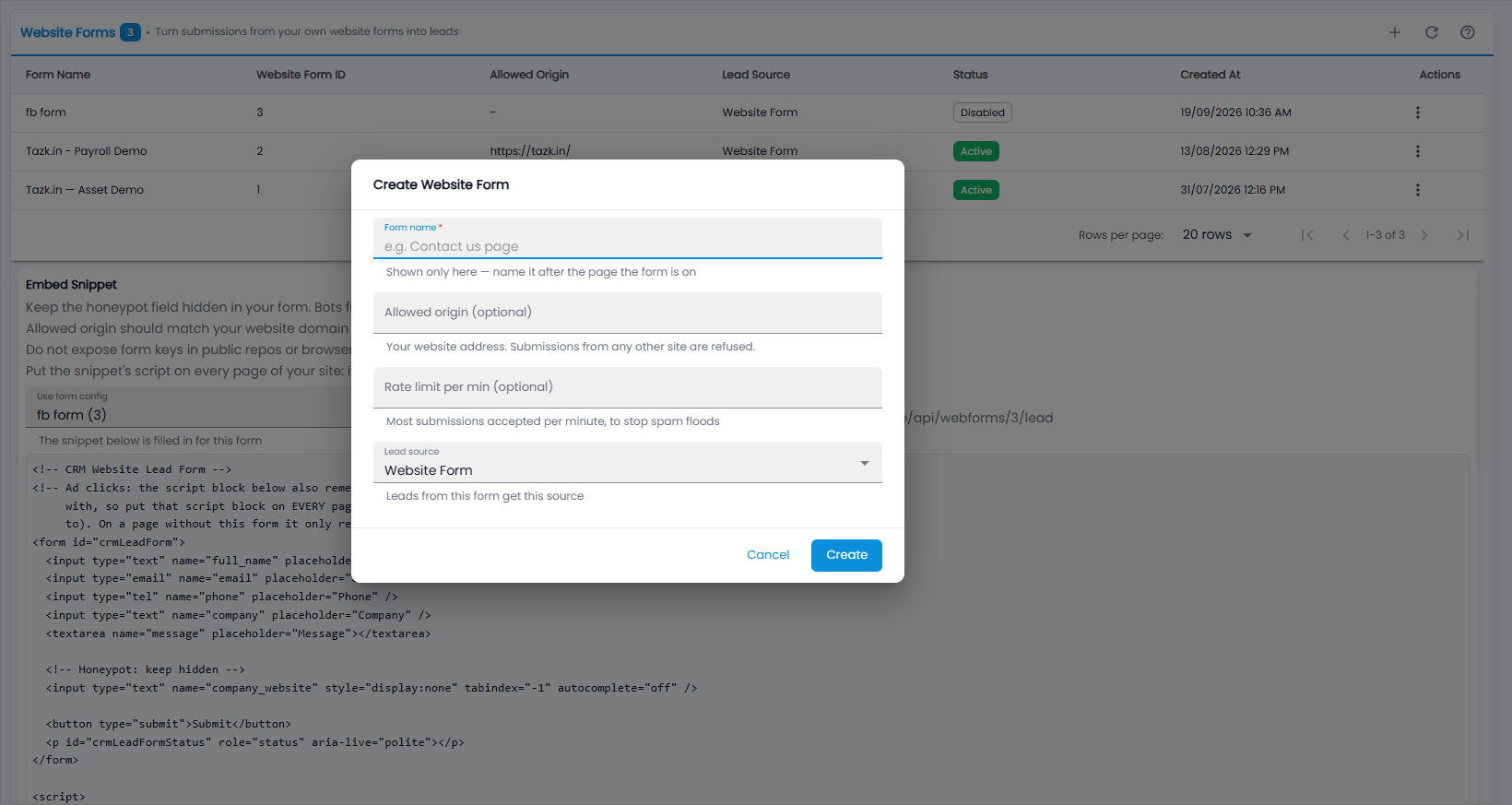
- Form name (required) — shown only here; name it after the page the form is on, for example “Contact us page”.
- Allowed origin (optional) — your website address. Submissions from any other site are refused.
- Rate limit per min (optional) — the most submissions accepted per minute, to stop spam floods.
- Lead source — the source leads from this form get (Website Form by default).
- Click Create, or Cancel.