
What is the Pipeline Board in Tazk CRM?
Deals › Pipeline Board shows your deals as columns, one per stage. Each column header shows how many deals it holds, their total value and the expected value. Each card shows the deal, its account, its chance of winning, its amount, how long it has been idle and its owner. Open a card to work the deal, or click + to add a new one.
What does the board show?
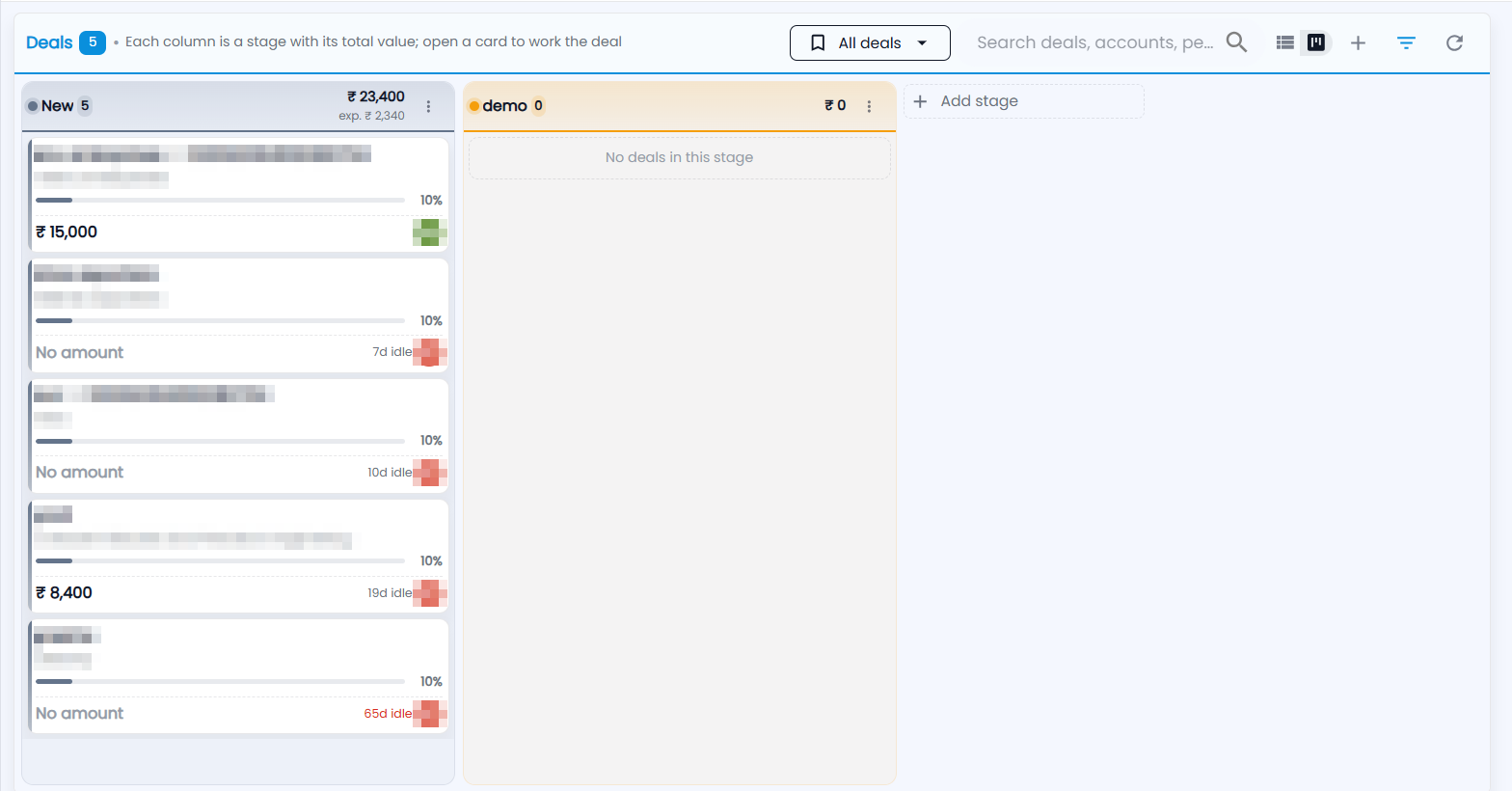
The header shows how many deals you have, the view menu (All deals), the search box (Search deals, accounts, pe…), the icons to switch between the list and the board, + for a new deal, the filter and refresh.
- Column header — the stage name and how many deals it holds (New 5), the total value of those deals (₹ 23,400) and, underneath, the expected value after each deal's chance of winning (exp. ₹ 2,340). The ⋮ holds the stage's options.
- Deal card — the deal name and its account; a bar with the chance of winning (10%); the amount, or No amount; how long the deal has had no activity (7d idle — shown in red once it is long); and the owner's initials.
- An empty stage shows No deals in this stage.
- + Add stage — adds a stage at the end of the board.
Click a card to open the deal.
How do I add a deal from the board?
Click + in the header. The New deal form opens.
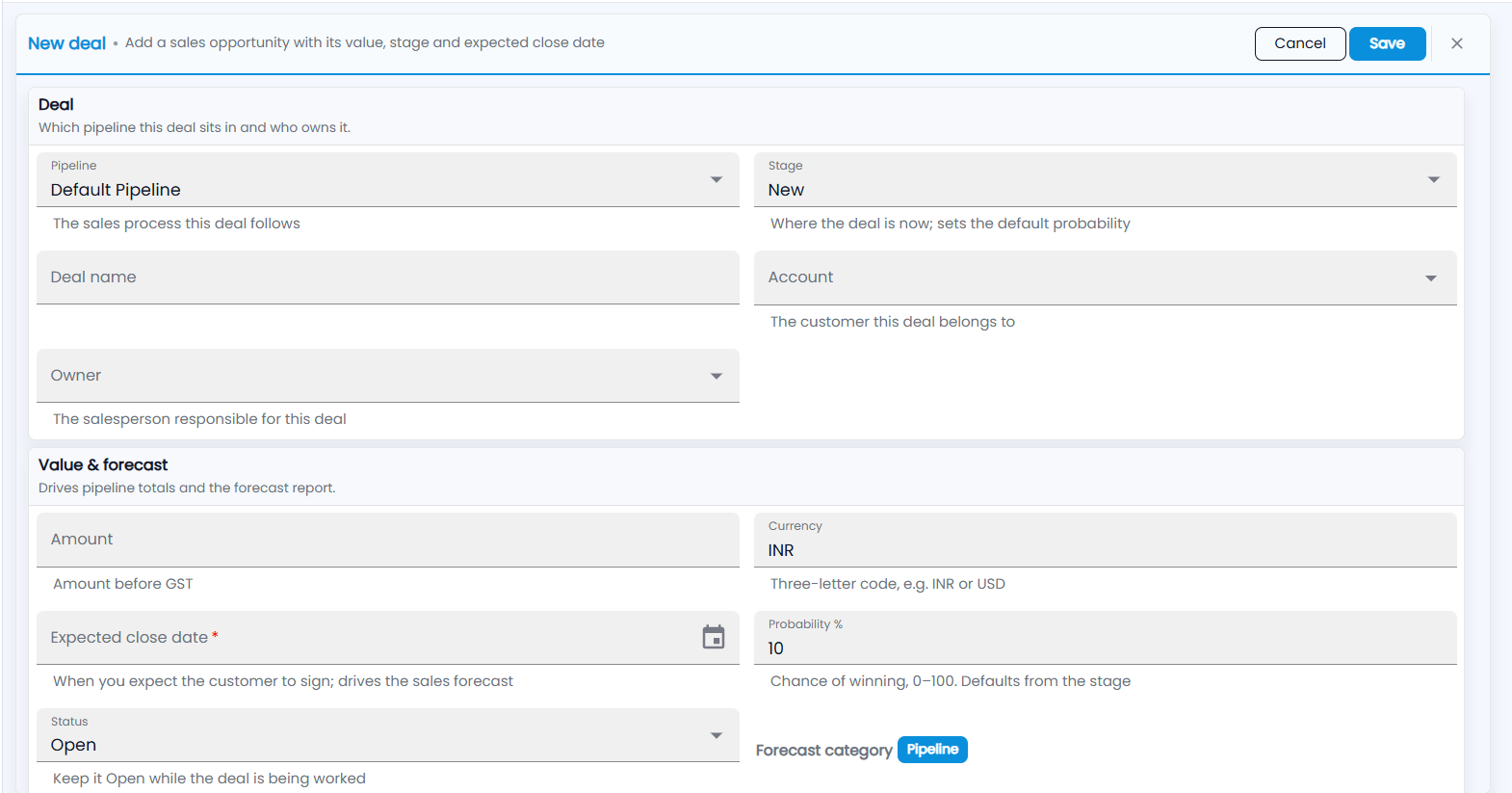
Choose the Pipeline and Stage, type the Deal name, pick the Account and Owner, add the Amount and Expected close date, and click Save. Each field is explained in Deal List.