
Overview
Click Configuration in the sidebar to set up how Tazk Projects sends messages. There are three sections:
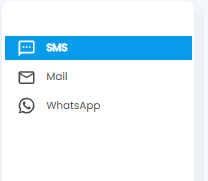
- SMS — the SMS gateway each location sends text messages through
- Mail — the mail account each location sends email from
- WhatsApp — WhatsApp credits and setup
SMS

Each row shows the Gateway name and URL, the Header (sender ID), the Token (only the last characters are shown), the Location, and edit and delete actions. Use Search gateways and the filter icon to find one.
Adding a Gateway
Click + Add SMS Config.
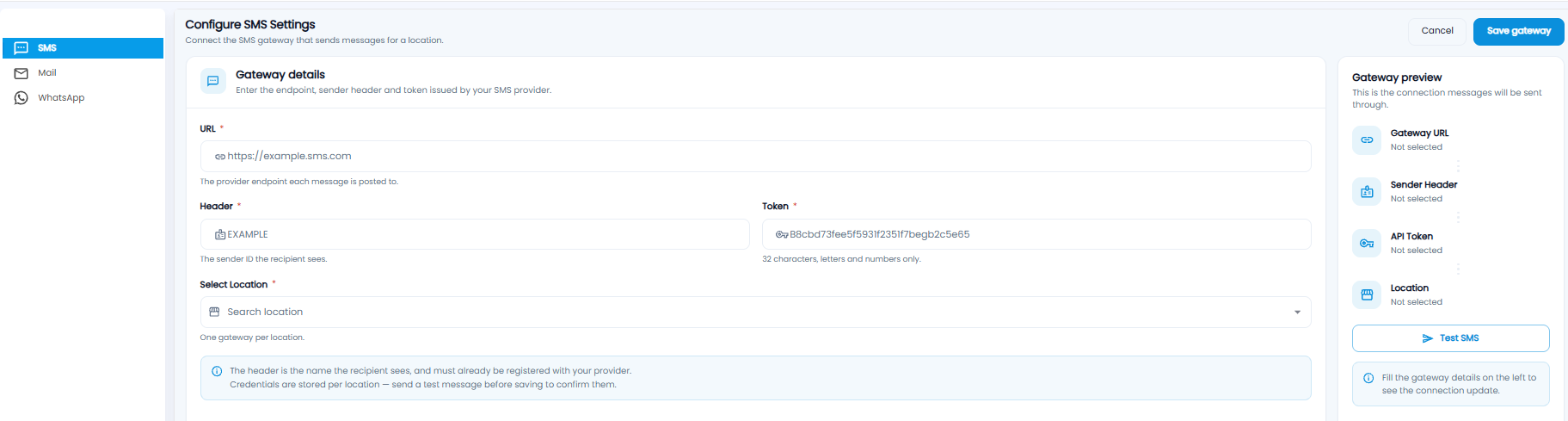
| Field | Description |
|---|---|
| URL* | The provider endpoint each message is posted to |
| Header* | The sender ID the recipient sees. It must already be registered with your provider |
| Token* | The API token from your provider — 32 letters and numbers |
| Select Location* | One gateway per location |
The Gateway preview fills in as you type. Click Test SMS, then Save gateway, or Cancel.

Each row shows the Server with its port and whether it is secure, the Sender, the Password (hidden), any BCC, and the Location.
Adding a Mail Account
Click + Add Mail Config.
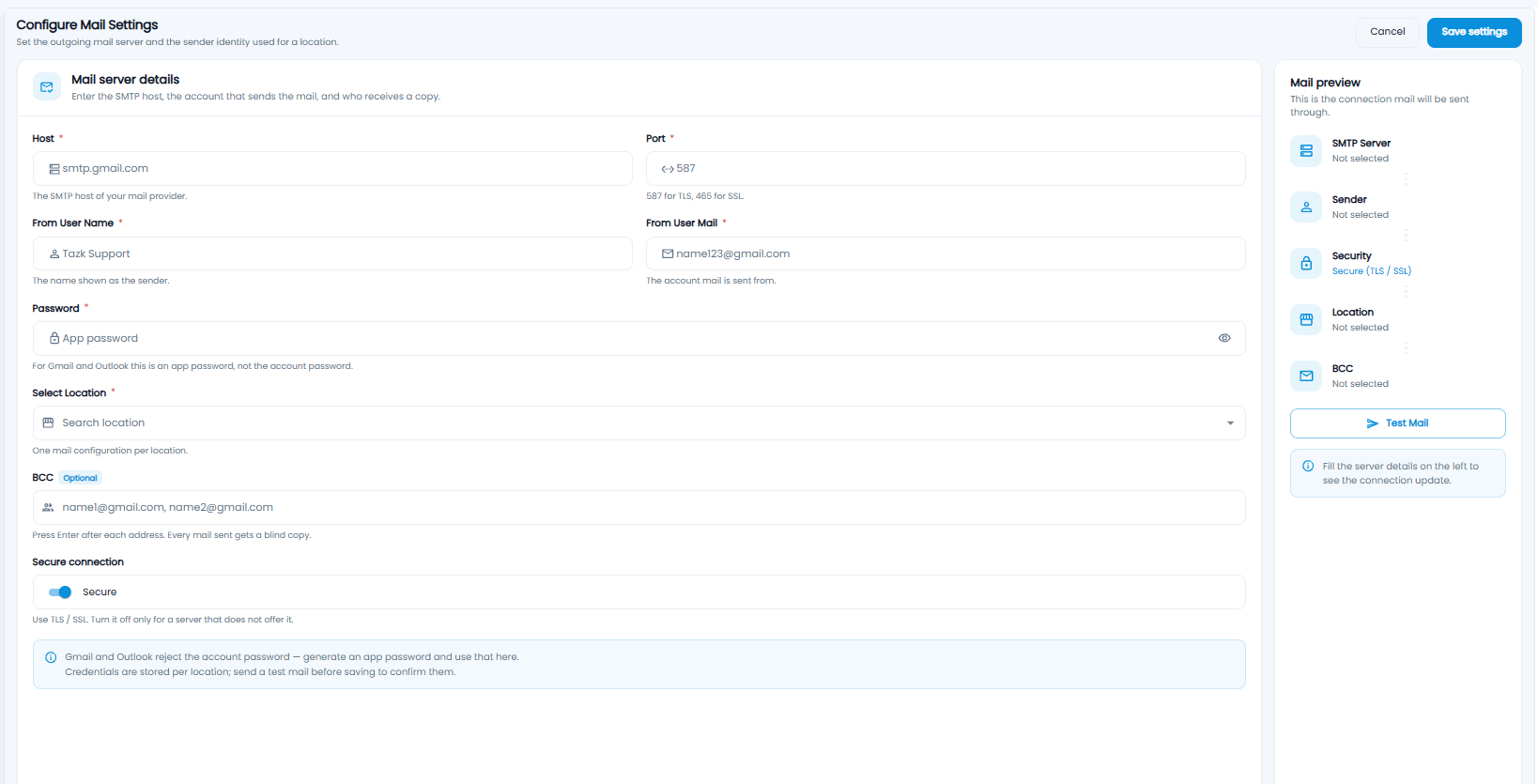
| Field | Description |
|---|---|
| Host* / Port* | Your mail provider's SMTP host, and 587 for TLS or 465 for SSL |
| From User Name* / From User Mail* | The name and address mail is sent from |
| Password* | For Gmail and Outlook, an app password — not the account password |
| Select Location* | One mail configuration per location |
| BCC | Addresses that get a blind copy of every mail. Press Enter after each |
| Secure connection | TLS / SSL. Turn it off only for a server that does not offer it |
Click Test Mail, then Save settings, or Cancel.
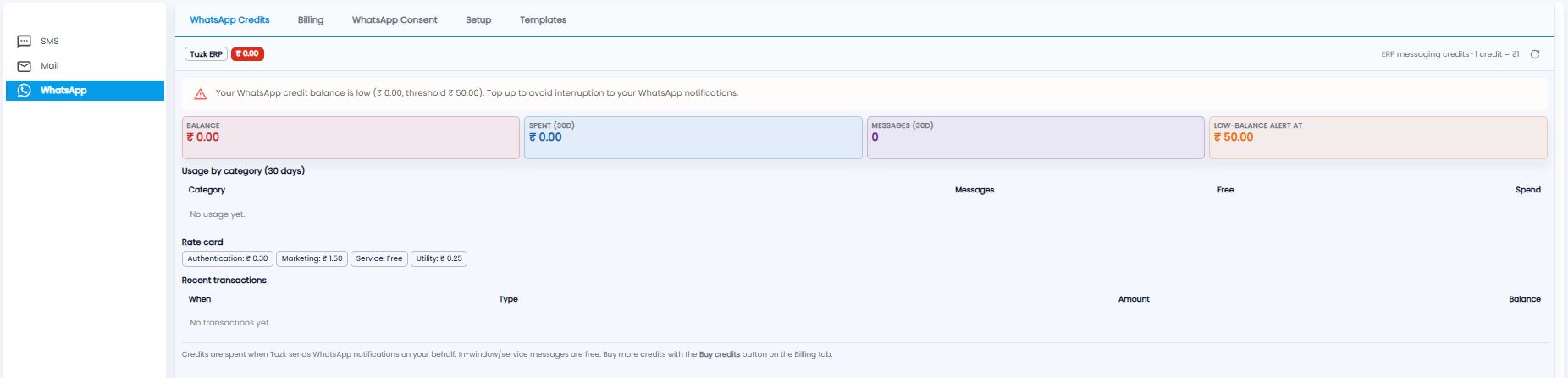
WhatsApp messages are paid for with credits — 1 credit = ₹1. The tabs are WhatsApp Credits, Billing, WhatsApp Consent, Setup, and Templates.
- Balance, Spent (30D), Messages (30D), and Low-Balance Alert At — a warning appears when the balance falls below the alert level
- Usage by category — messages and spend by category over 30 days
- Rate card — the price per message, for example Authentication ₹0.30, Marketing ₹1.50, Utility ₹0.25, Service free
- Recent transactions — credit movements
Buy more credits with Buy credits on the Billing tab.