
Overview
The Calendar shows your work on a monthly calendar, so you can see at a glance which days are busy. Click Calendar in the sidebar.
Under Choose a view on the left, pick Task or Epic. Today is marked with a blue circle and a highlighted box.
Moving Between Months
The month is shown at the top, for example October 2026. Use the < and > arrows on either side to go to the previous or next month.
Task View
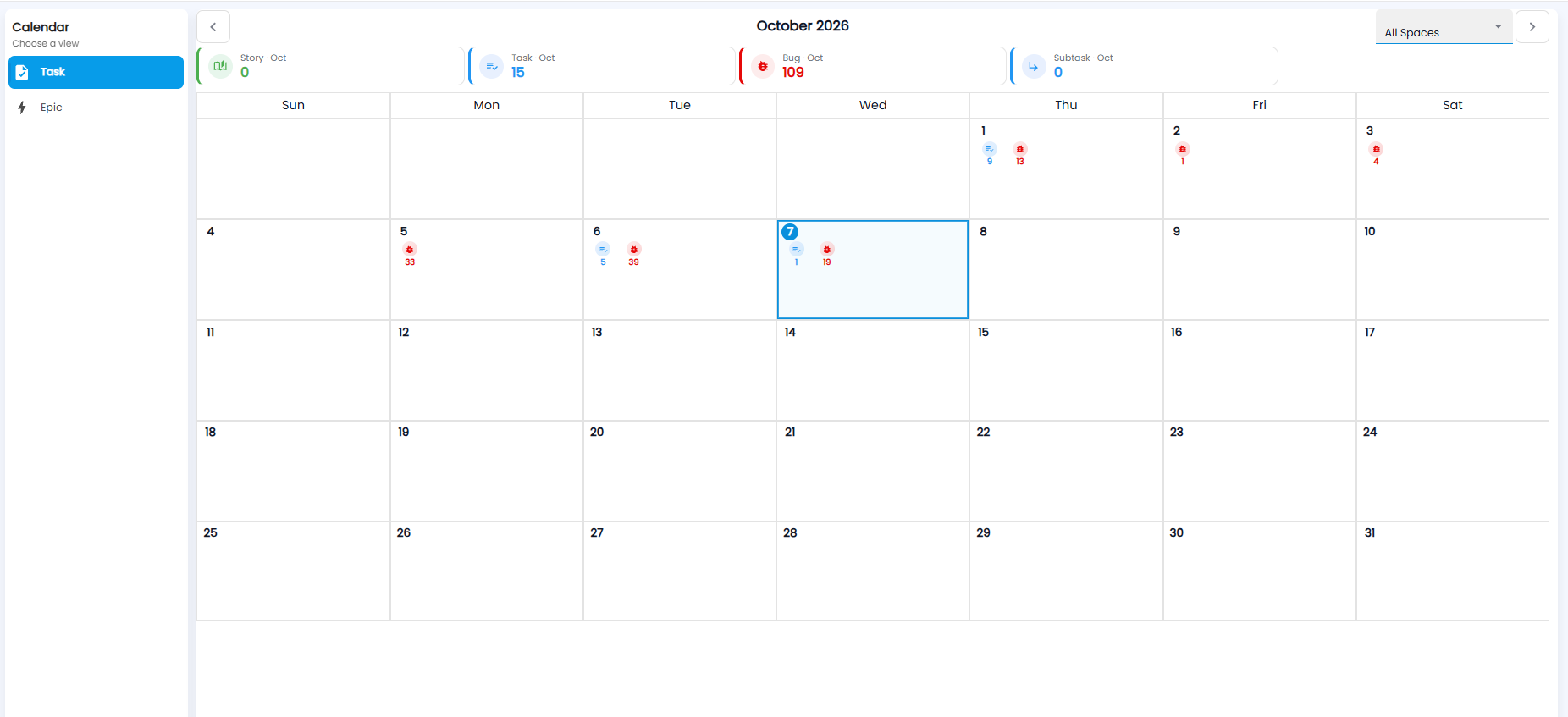
The tiles at the top count the month's work items by type:
| Tile | What it counts |
|---|---|
| Story | Stories this month |
| Task | Tasks this month (blue) |
| Bug | Bugs this month (red) |
| Subtask | Subtasks this month |
Each day shows a marker for each type that falls on it, with the count underneath — for example a blue task marker with 5 and a red bug marker with 39. Use the All Spaces drop-down at the top right to show one space only.
Epic View
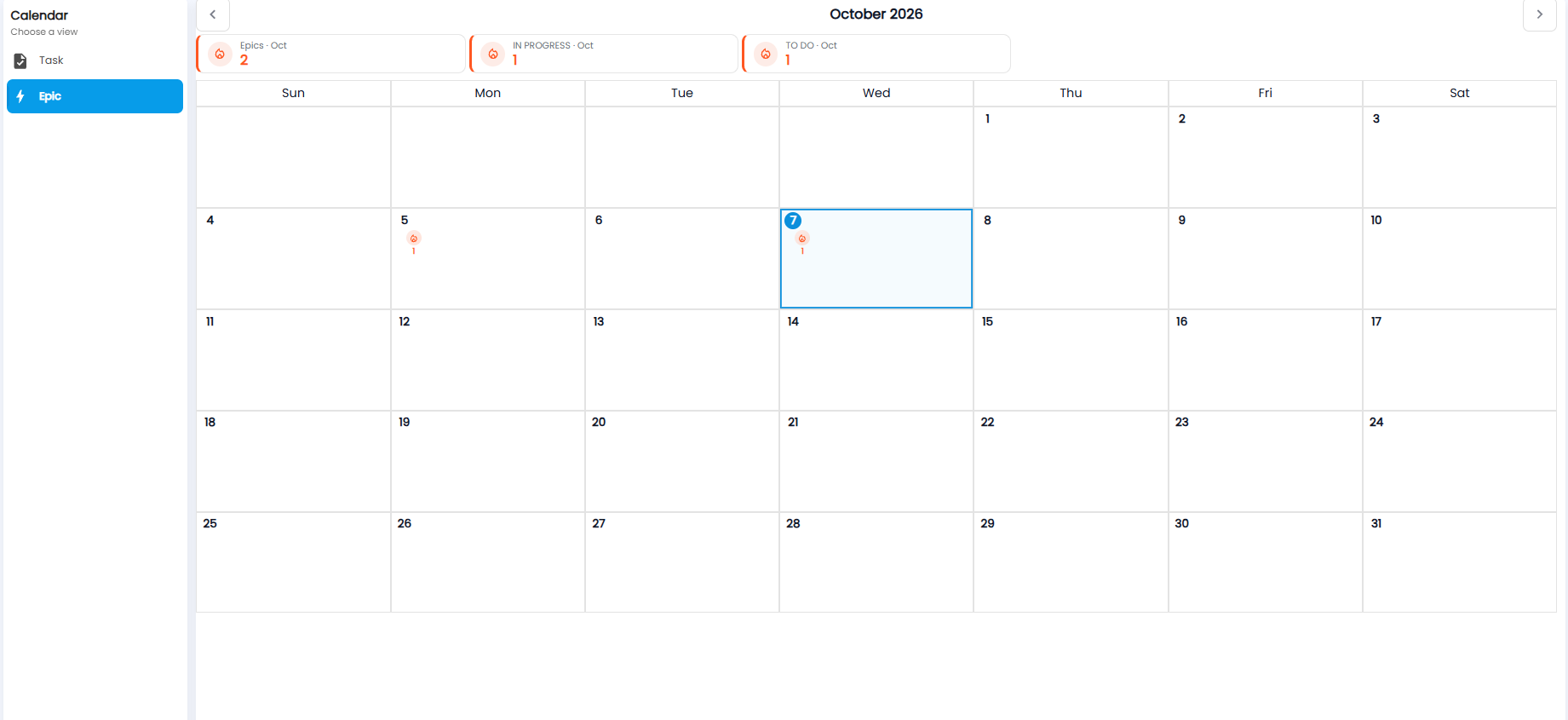
Epics are large pieces of work made up of many work items. The tiles count the month's Epics, and how many are IN PROGRESS and TO DO. Each day an epic falls on shows a marker with the count.