
Overview
A receipt records money you have received from a customer. Open Sales > Receipts.
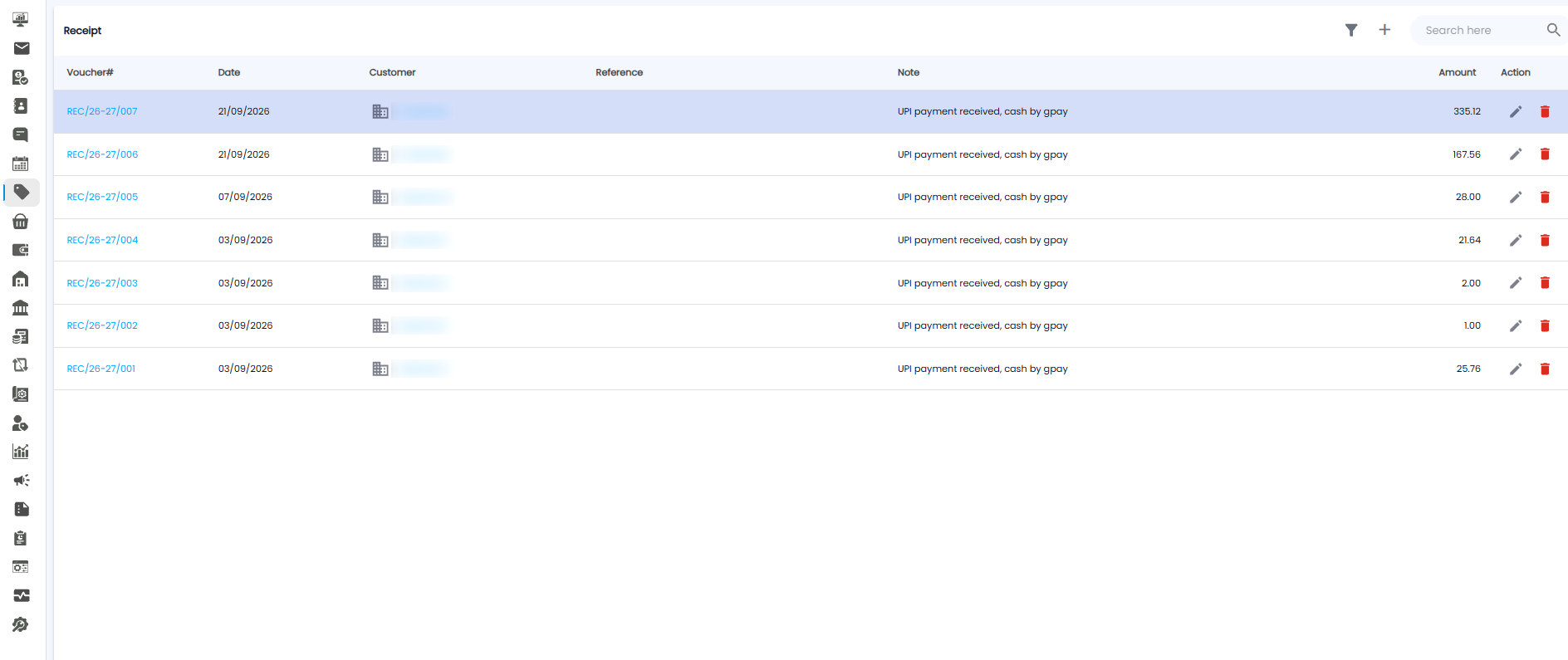
The Receipt List
| Column | What it shows |
|---|---|
| Voucher# | The receipt number, for example REC/26-27/007 |
| Date / Customer | When, and from whom |
| Reference / Note | Any reference, and how it was paid, for example UPI payment received, cash by gpay |
| Amount | How much was received |
| Action | The pencil edits the receipt; the bin deletes it |
Recording a Receipt
Click + to open the Receipt Voucher.
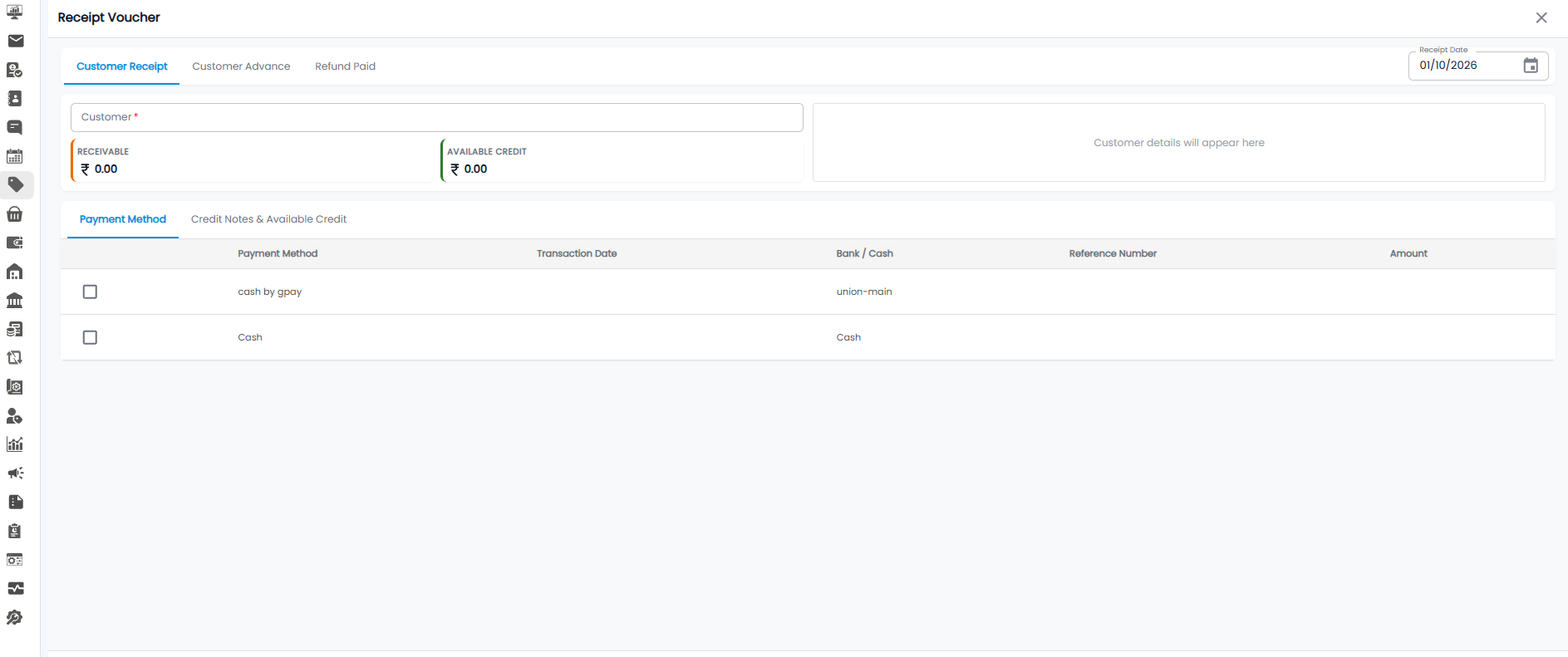
Choose the kind of receipt from the tabs at the top:
- Customer Receipt — a payment against what the customer owes
- Customer Advance — money received before you invoice
- Refund Paid — money you paid back to a customer
- Check the Receipt Date at the top right (today by default)
- Pick the Customer. Their Receivable (what they owe) and Available Credit appear below, with their details on the right
- On the Payment Method tab, tick how they paid — for example cash by gpay into union-main, or Cash — and fill in the Transaction Date, Reference Number, and Amount
- On the Credit Notes & Available Credit tab, use any credit the customer already has
- Save the receipt
Tip: Fill in the Reference Number with the UPI or bank transaction ID — it makes matching your bank statement much easier.