
Overview
A delivery challan records goods that leave your warehouse before they are invoiced — for example stock sent to a dealer. Open Sales > Delivery Challans. There are three tabs: Delivery Challans, Lot wise, and Dealer Wise.
Delivery Challans Tab
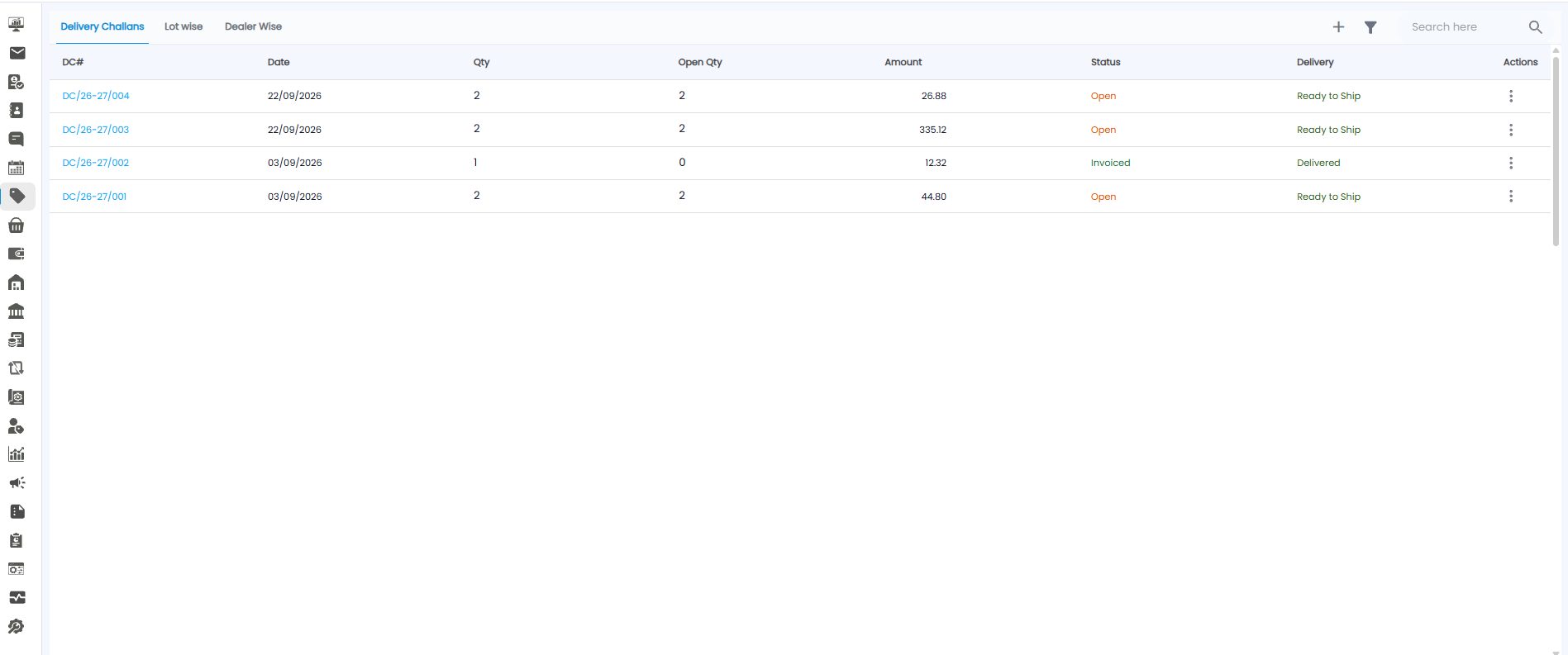
| Column | What it shows |
|---|---|
| DC# | The challan number, for example DC/26-27/004 |
| Date | When it was created |
| Qty / Open Qty | Items on the challan, and how many are not yet invoiced |
| Amount | The challan value |
| Status | Open until invoiced, then Invoiced |
| Delivery | For example Ready to Ship or Delivered |
Click + to create a challan; use the filter and search to find one, and ⋮ for more actions.
Lot Wise Tab
Shows each lot or IMEI that is out on a challan, so you can see exactly which units are where.
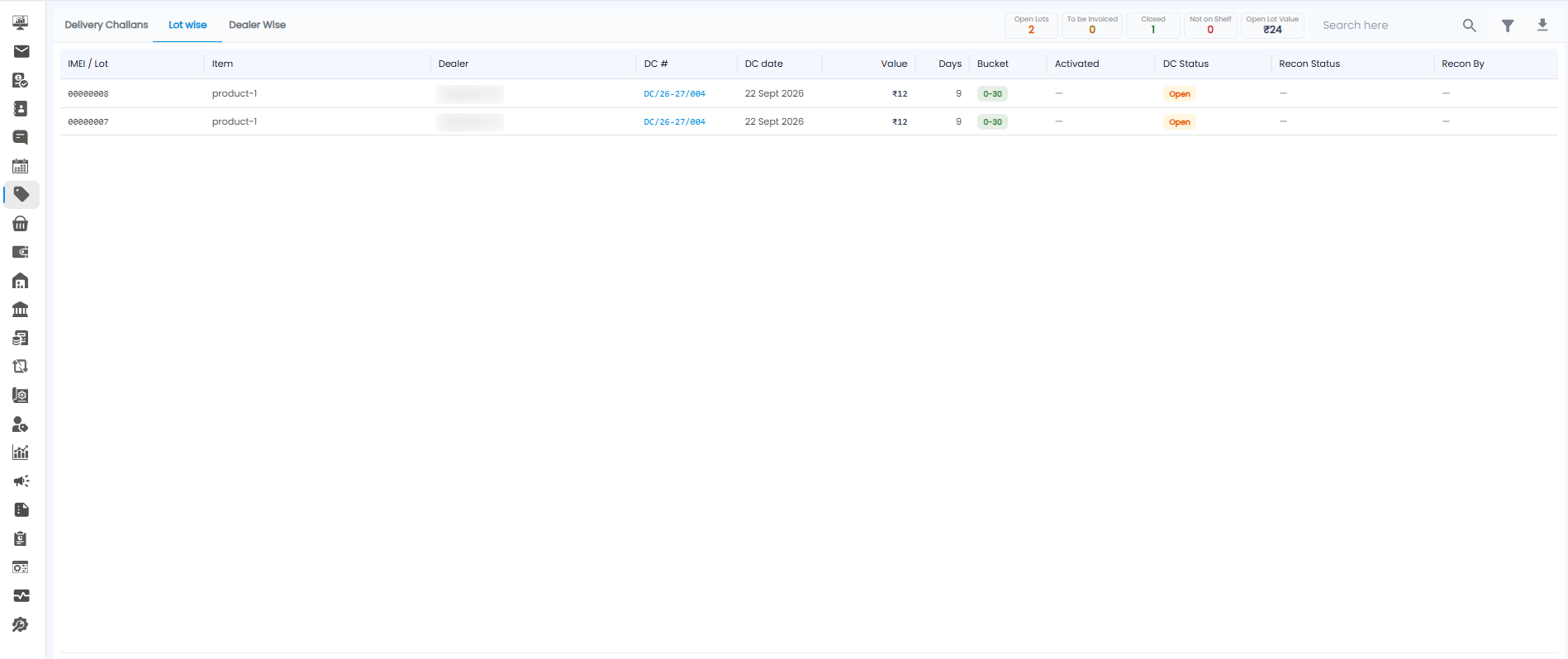
The counters at the top show Open Lots, To be Invoiced, Closed, Not on Shelf, and Open Lot Value.
| Column | What it shows |
|---|---|
| IMEI / Lot / Item | The unit and the product |
| Dealer | Who has it |
| DC # / DC date | The challan it went out on |
| Value | Its value |
| Days / Bucket | How long it has been out, and its age band, for example 0-30 |
| Activated | When the unit was activated, if it has been |
| DC Status | For example Open |
| Recon Status / Recon By | Whether the unit has been reconciled, and by whom |
Dealer Wise Tab
Groups open challans by dealer, so you can see who is holding the most stock and for how long.
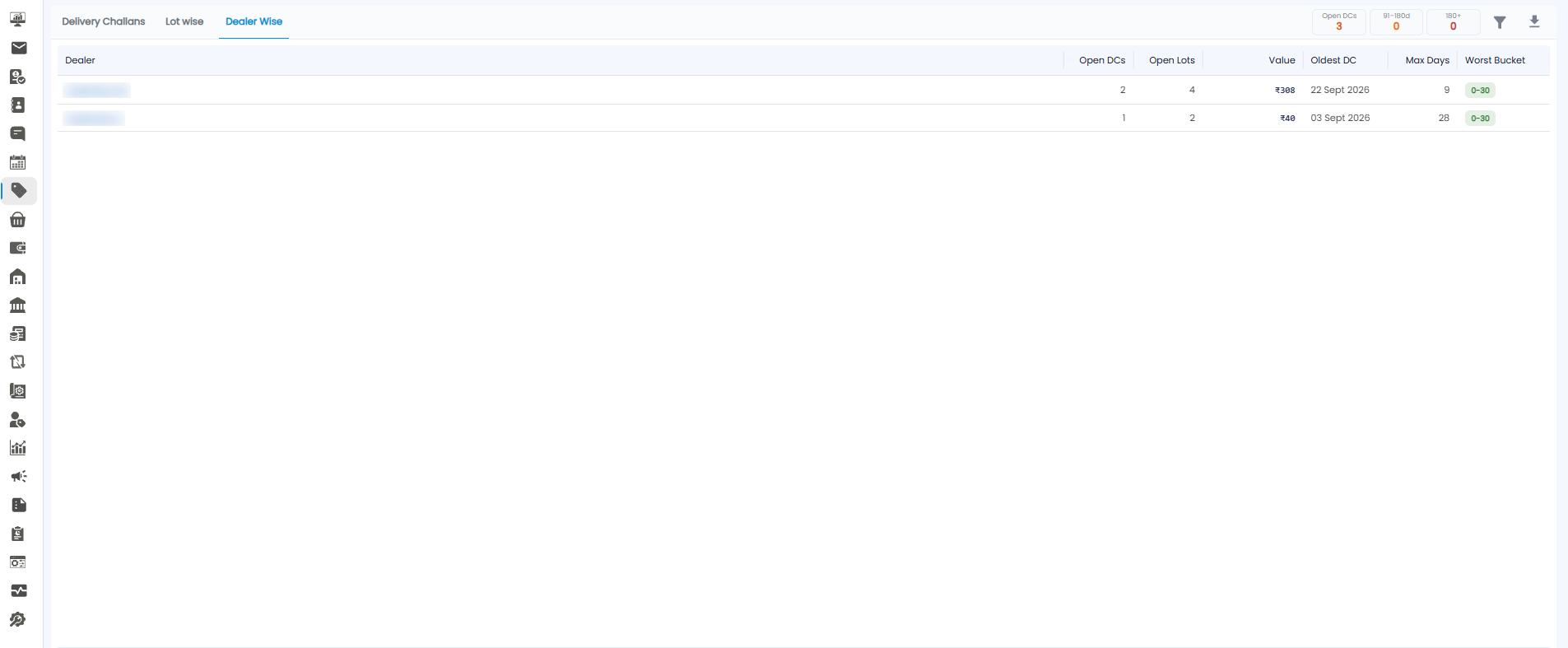
The counters show Open DCs and how many are 91–180d and 180+ days old. For each dealer you see Open DCs, Open Lots, Value, Oldest DC, Max Days, and Worst Bucket. Click a dealer's name to see their challans.