
Overview
A document template is the print layout of a document — what your invoice, receipt, delivery challan, or quotation looks like on paper or as a PDF. Click Document Templates in the sidebar.
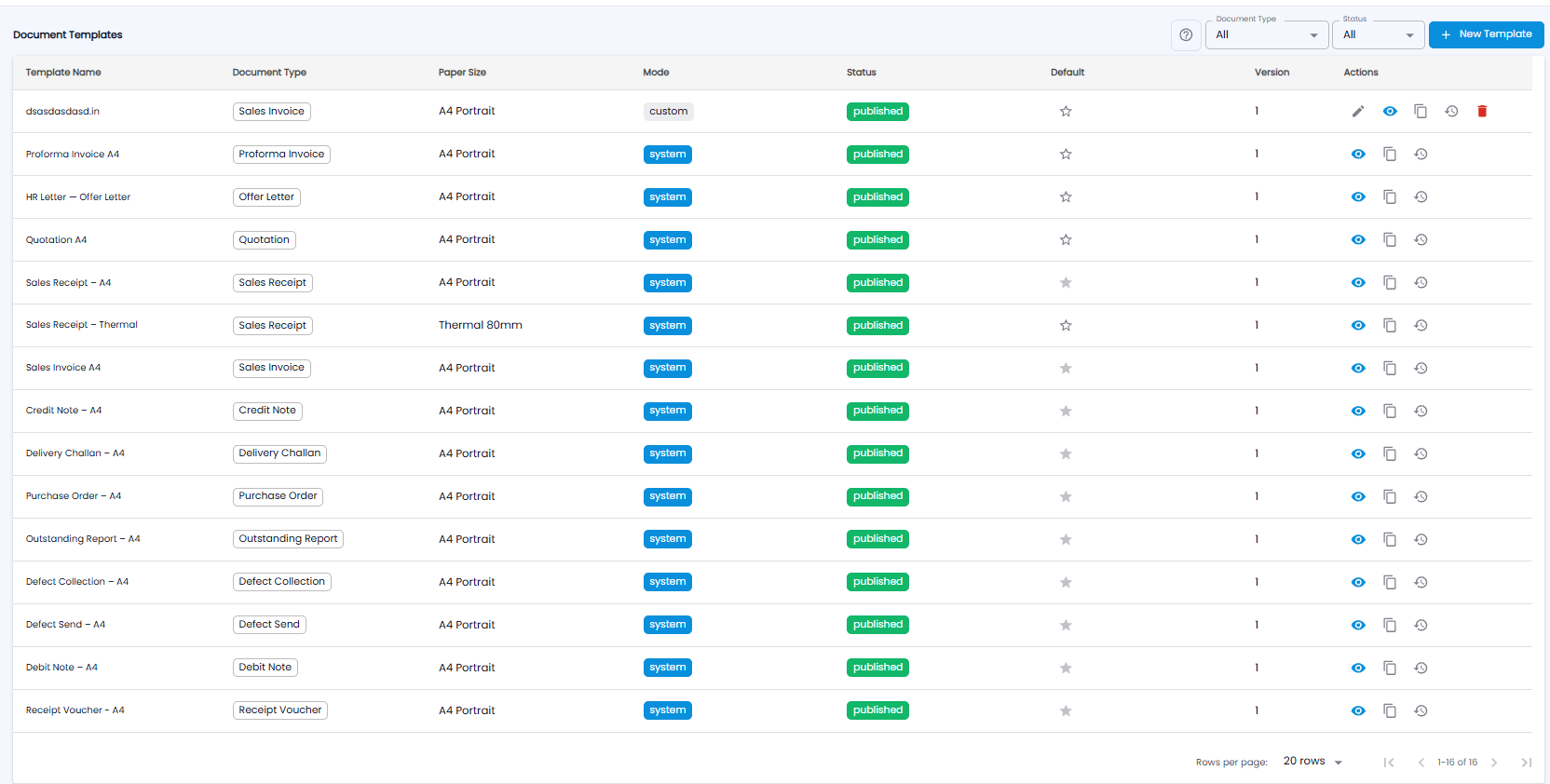
Tazk comes with a ready-made template for each document, including Sales Invoice, Proforma Invoice, Quotation, Sales Receipt, Receipt Voucher, Credit Note, Debit Note, Delivery Challan, Purchase Order, Outstanding Report, Defect Collection, Defect Send, and an HR Offer Letter.
Filters
Use Document Type at the top right to show the templates for one document, and Status to show templates of one status. The ? icon opens help.
The Templates List
| Column | What it shows |
|---|---|
| Template Name | For example Sales Invoice A4 |
| Document Type | Which document it prints, for example Sales Invoice |
| Paper Size | For example A4 Portrait, or Thermal 80mm for a receipt printer |
| Mode | system — a ready-made template from Tazk — or custom, one you created |
| Status | For example published |
| Default | The star marks the template used by default for that document type |
| Version | The template's version number |
Actions
| Icon | What it does | Shown for |
|---|---|---|
| Pencil | Edit the template | Custom templates |
| Eye | Preview the template | All templates |
| Copy | Make a copy to change | All templates |
| Clock | See earlier versions | All templates |
| Bin | Delete the template | Custom templates |
Note: System templates cannot be edited or deleted. To change one, make a copy and edit the copy.
Creating a Template
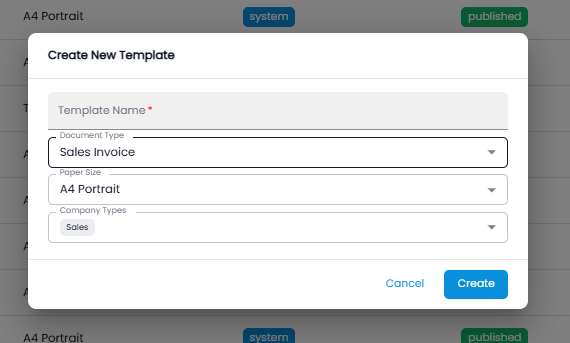
Click + New Template.
| Field | Required | Description |
|---|---|---|
| Template Name | Yes | A name you will recognise, for example Sales Invoice — with bank details |
| Document Type | — | Which document the template prints. Sales Invoice by default |
| Paper Size | — | For example A4 Portrait |
| Company Types | — | Which kinds of company the template is for, for example Sales |
Click Create, or Cancel to close without creating. The new template is listed with the mode custom.
Tip: Starting from a copy of the system template is usually quicker than a blank one — all the fields are already in place.