
How do coupons work in Tazk POS?
Create a coupon on the Coupons page: a Marketing coupon applies to every customer, a Customer coupon is issued to chosen customers. Set a percentage or flat discount, an optional minimum cart and maximum discount, validity dates, usage limits and locations. At the sales counter the cashier applies it with Apply Coupon (or it applies itself if set to apply automatically). The discount comes off the taxable value, so GST reduces with it.
What does the Coupons page show?
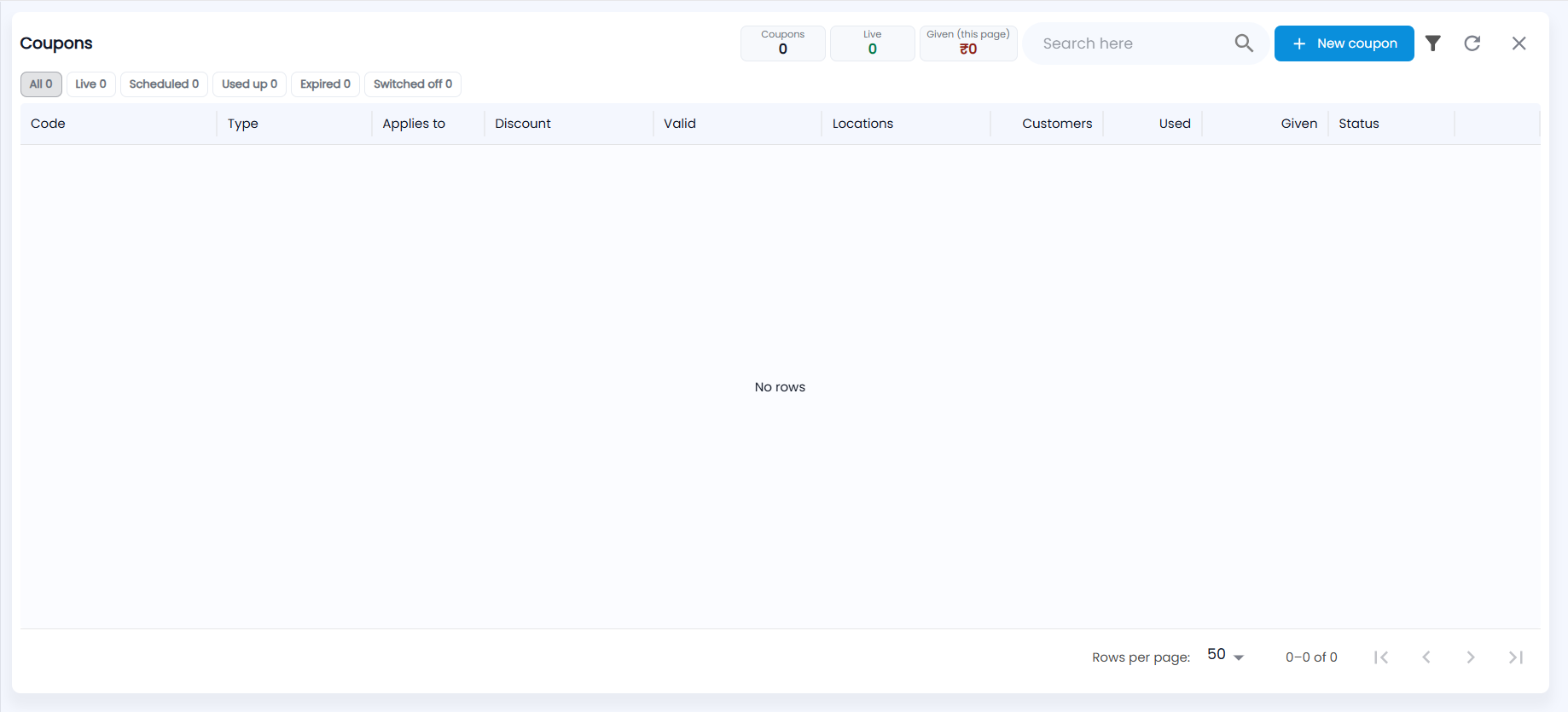
Click Coupons in the sidebar. The header shows cards for Coupons (total), Live and Given (this page) — the discount given on the coupons on screen — then Search here, New coupon, the filter icon and refresh. Status chips filter the list: All, Live, Scheduled, Used up, Expired and Switched off, each with its count. The list shows 50 rows per page by default.
| Column | Description |
|---|---|
| Code | The coupon code |
| Type | Marketing (with its campaign) or Customer. A bolt icon means it is applied automatically at the counter. |
| Applies to | E-com, Counter or Both — shown only if you have a webstore |
| Discount | For example "10% (max ₹500)" or "₹50" |
| Valid | Validity dates |
| Locations | Where it can be used, or All locations |
| Customers | Number of customers it is issued to |
| Used / Given | Times used and total discount given |
| Status | Live, Scheduled, Used up, Expired or Switched off |
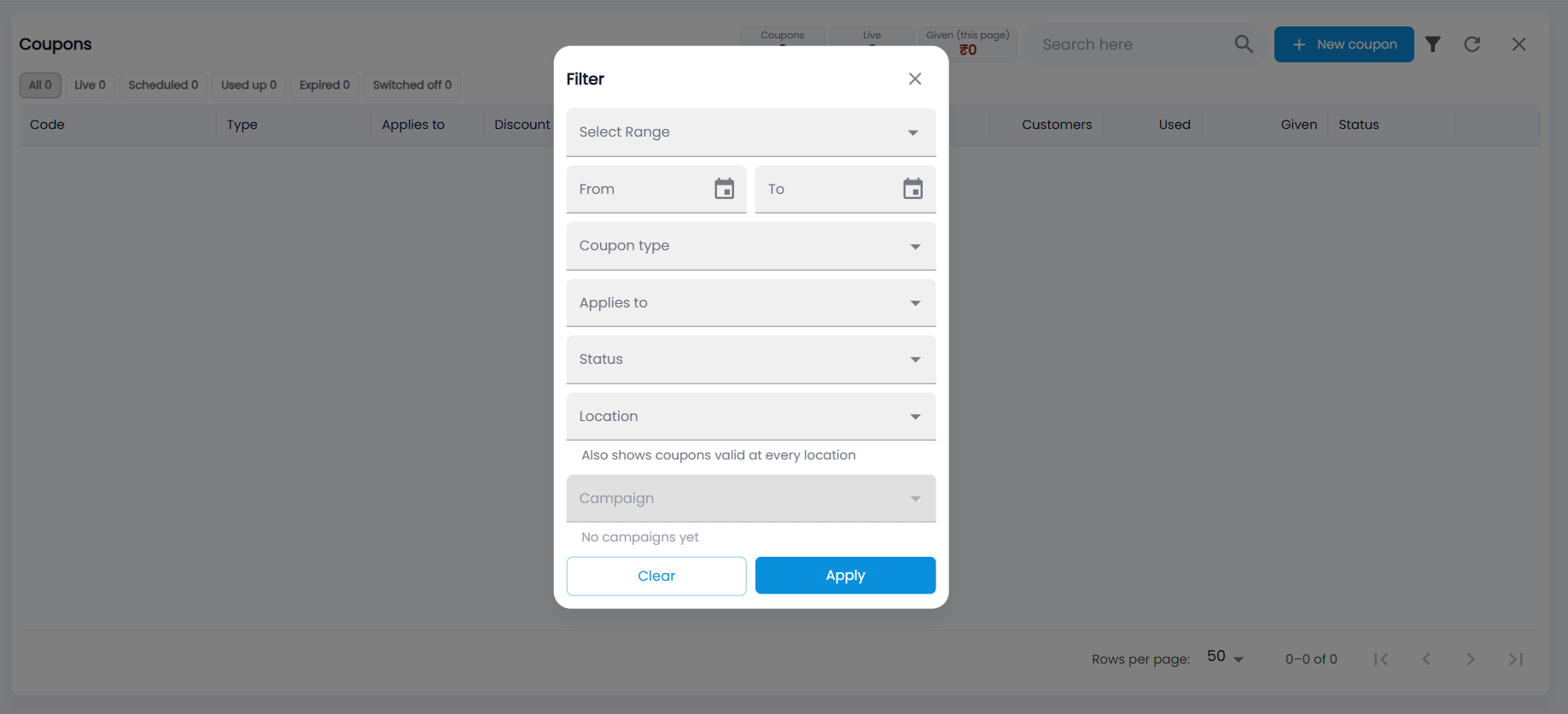
Search by code or description, or use the filter: Select Range, From / To, Coupon type, Applies to, Status, Location (this also shows coupons valid at every location) and Campaign; then Apply or Clear.
What does each status mean?
| Status | Meaning |
|---|---|
| Live | Active and within its dates |
| Scheduled | Valid from date is in the future |
| Used up | Total uses reached |
| Expired | Valid to date has passed |
| Switched off | Active is turned off |
How do I create a coupon?
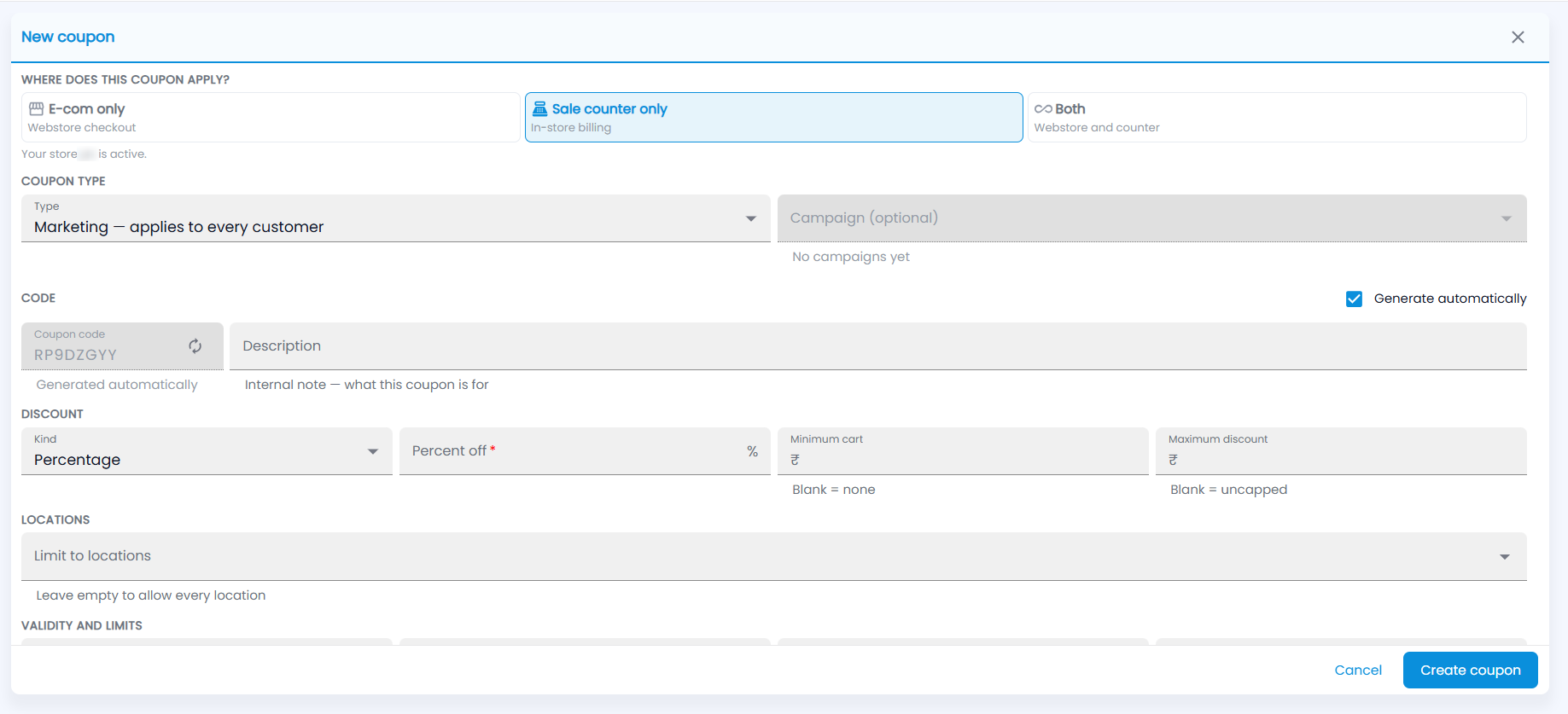
- Click New coupon (shown if your role can create coupons).
- If you have a webstore, choose Where does this coupon apply? — E-com only (webstore checkout), Sale counter only (in-store billing, the default) or Both (webstore and counter). The form confirms that your store is active.
- Under Coupon type, choose the Type: Marketing — applies to every customer (the default, optionally linked to a Campaign) or Customer — issued to chosen customers.
- Code: leave Generate automatically ticked — the code is filled in for you and the refresh icon makes a new one — or untick it and type your own Coupon code (marketing coupons only). Add a Description as an internal note on what the coupon is for.
- Discount: choose Kind (Percentage or Flat amount), enter the Percent off (required) or Amount off, and optionally a Minimum cart (blank means none) and, for percentages, a Maximum discount (blank means uncapped).
- Customers (customer coupons): search by name or phone and pick the customers.
- Locations: pick locations in Limit to locations, or leave it empty for every location.
- Validity and limits: Valid from, Valid to, Total uses and Uses per customer. Blank means immediately, no end date or unlimited.
- Behaviour: Apply automatically, Can combine with others, Active, and Audience (Everyone or First order only).
- Click Create coupon.
How is a coupon used at the counter?
On the payment page of the Sales Counter, the cashier clicks Apply Coupon and types the code or picks one from the list. Coupons that do not fit the bill are shown with the reason, for example a minimum cart not yet reached. A coupon that cannot be combined is refused if another coupon is already on the bill.
Can I edit or delete a coupon?
Use the edit icon to change a coupon. The code cannot change once issued. After a coupon has been used, its discount terms (type, channel, kind, value, minimum cart, maximum discount and audience) are locked — you can still change dates, limits, locations and Active.
A coupon that has never been used can be deleted; it stops applying immediately. A used coupon cannot be deleted — switch off Active instead. Its history is kept.