
What does Health Audit show in Tazk CRM?
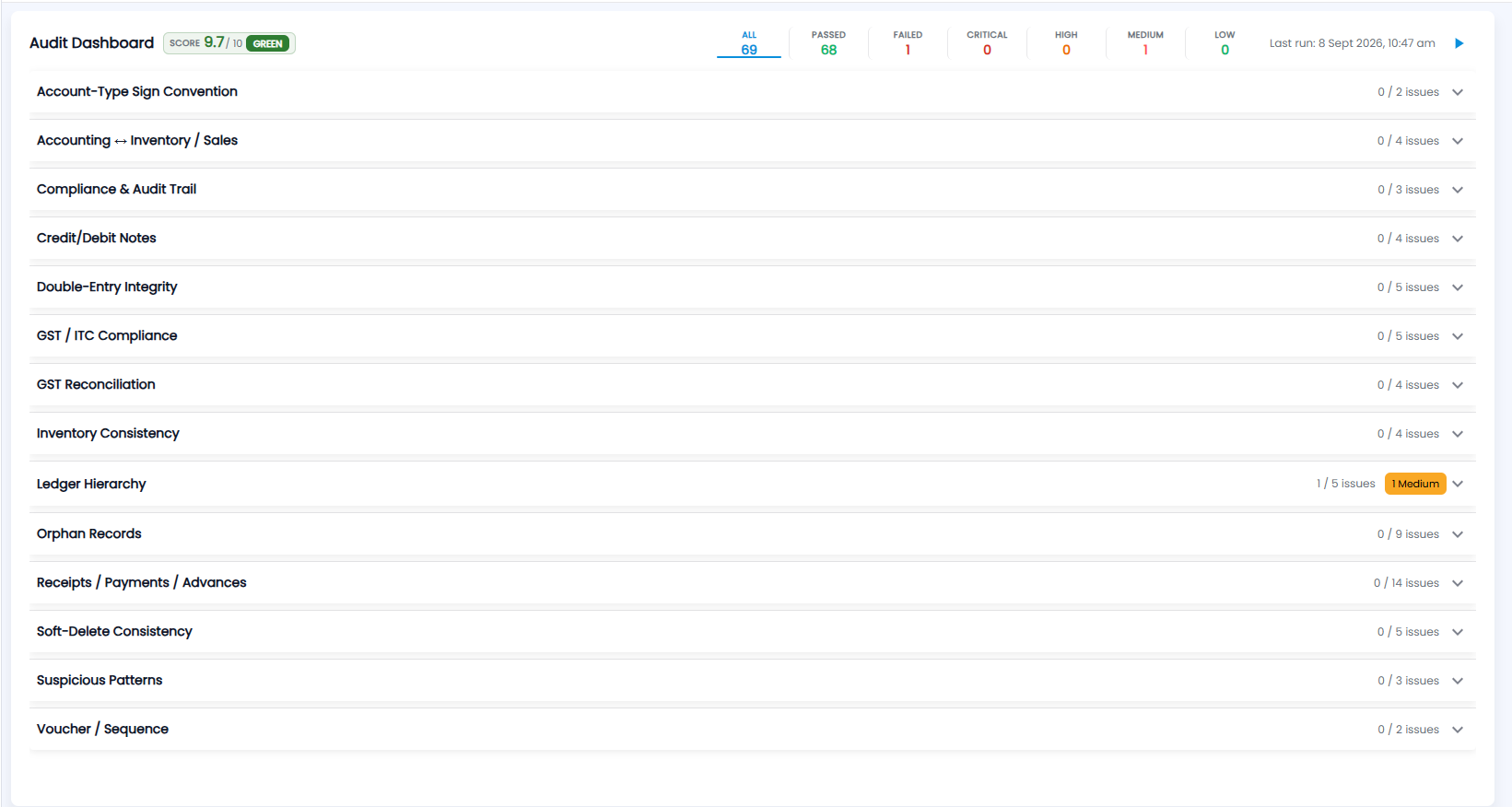
Health Audit opens the Audit Dashboard. It runs automatic checks on your company's records and gives a score out of 10 — for example 9.7 / 10 GREEN. Tiles count the checks that passed and failed by severity, and each section lists how many of its checks found issues. Click the run button at the top right to run the checks again.
How do I read the score and tiles?
- Score — out of 10, with a colour label: GREEN is healthy.
- All, Passed and Failed — how many checks ran, passed and found issues.
- Critical, High, Medium and Low — the failed checks by severity.
- Last run — when the results on screen were produced. Click the run button (▶) next to it to run the checks again.
Click a tile to show only those checks.
What are the sections?
The checks are grouped into sections: Account-Type Sign Convention, Accounting ↔ Inventory / Sales, Compliance & Audit Trail, Credit/Debit Notes, Double-Entry Integrity, GST / ITC Compliance, GST Reconciliation, Inventory Consistency, Ledger Hierarchy, Orphan Records, Receipts / Payments / Advances, Soft-Delete Consistency, Suspicious Patterns and Voucher / Sequence.
Each section shows how many of its checks found issues — for example 1 / 5 issues with a 1 Medium chip. Click the arrow on a section to open it and see its checks.