
How do I change the quotation layout in Tazk CRM?
Open Document Templates. Copy the closest template with the clone icon, or click + New Template, then edit the copy, preview it with the eye icon, publish it, and click the star in the Default column to make it the layout your quotations use. System templates cannot be changed, only copied.
What does the Document Templates list show?
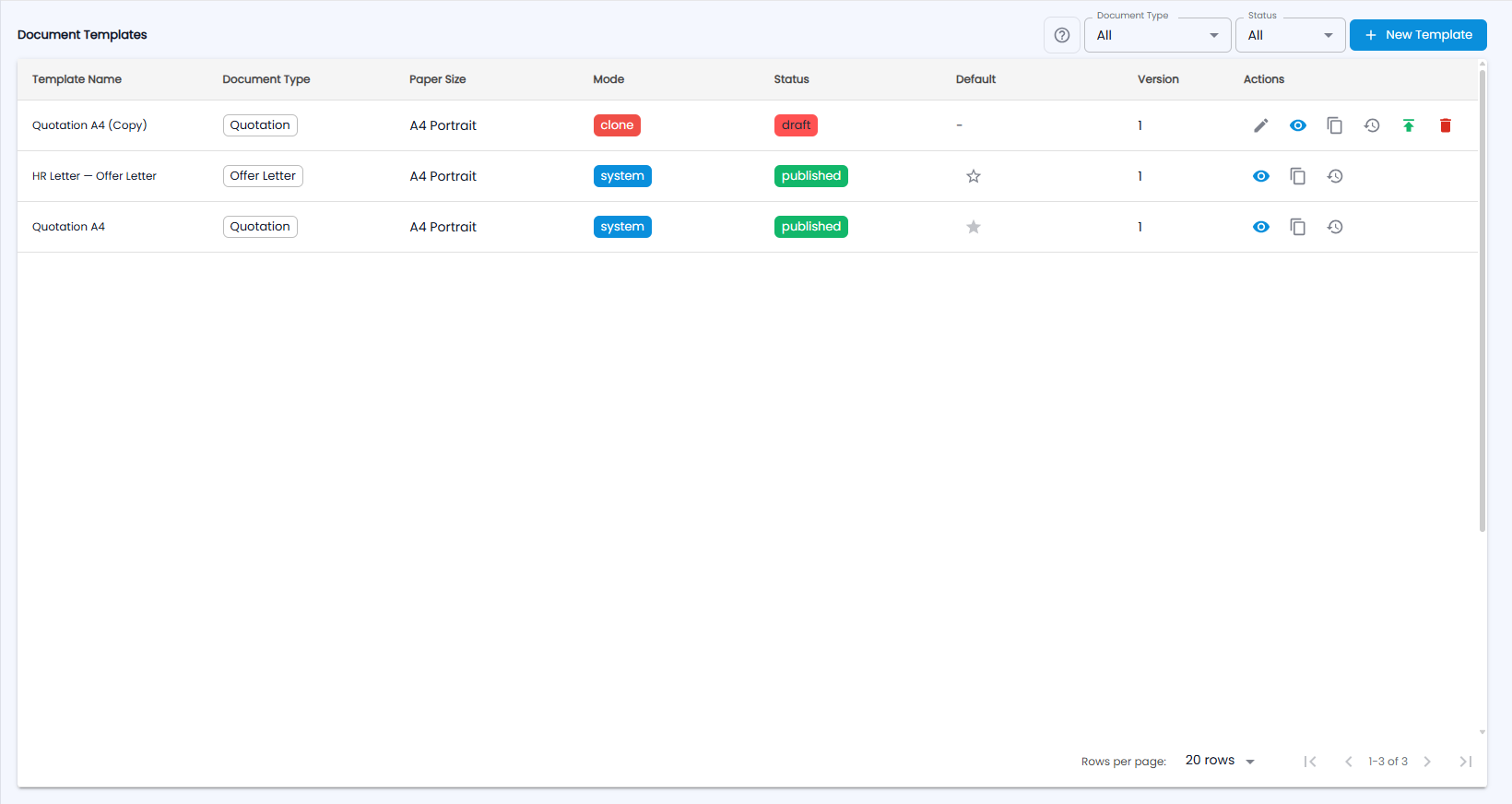
Filter the list by Document Type and Status at the top; the ? is a short guide, and + New Template creates one.
| Column | What it shows |
|---|---|
| Template Name | The name of the template |
| Document Type | What it is for — for example Quotation or Offer Letter |
| Paper Size | For example A4 Portrait |
| Mode | system (supplied by Tazk) or clone (your copy) |
| Status | draft or published |
| Default | A filled star marks the default template for that document type; click an empty star to make a published template the default |
| Version | The current version number |
| Actions | Edit (pencil), Preview (eye), Clone (copy), Versions (clock), Publish (arrow) and Delete (bin). System templates have only Preview, Clone and Versions. |
How do I create a template?
Click + New Template.
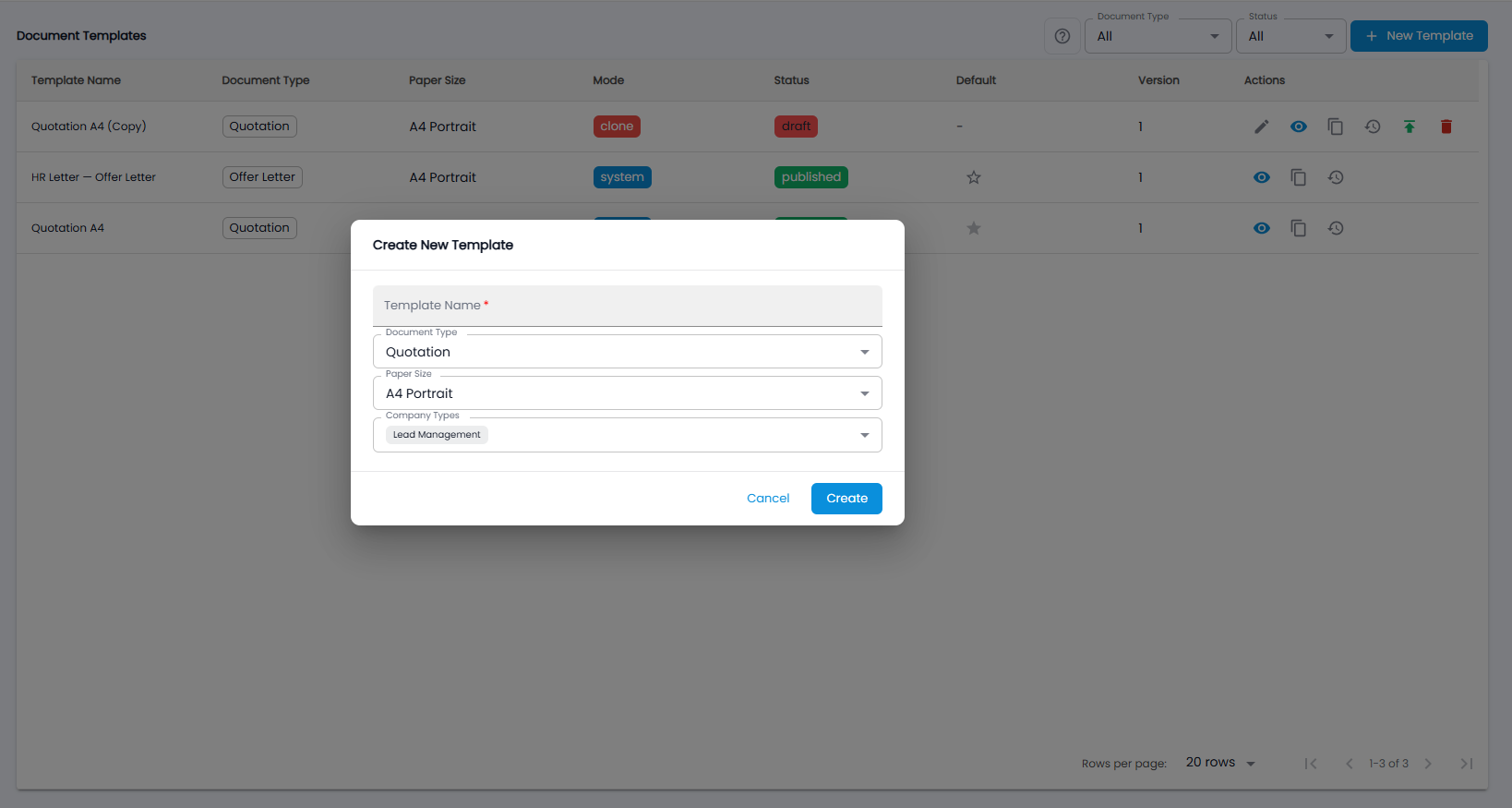
- Template Name (required).
- Document Type — for example Quotation.
- Paper Size — for example A4 Portrait.
- Company Types — the Tazk products it is for (Lead Management for the CRM).
- Click Create, or Cancel. The new template starts as a draft — edit it, then publish it.
To start from an existing layout instead, click the clone icon on it: the copy appears as an editable draft, like Quotation A4 (Copy) in the list.
How do I preview a template?
Click the eye icon on its row.
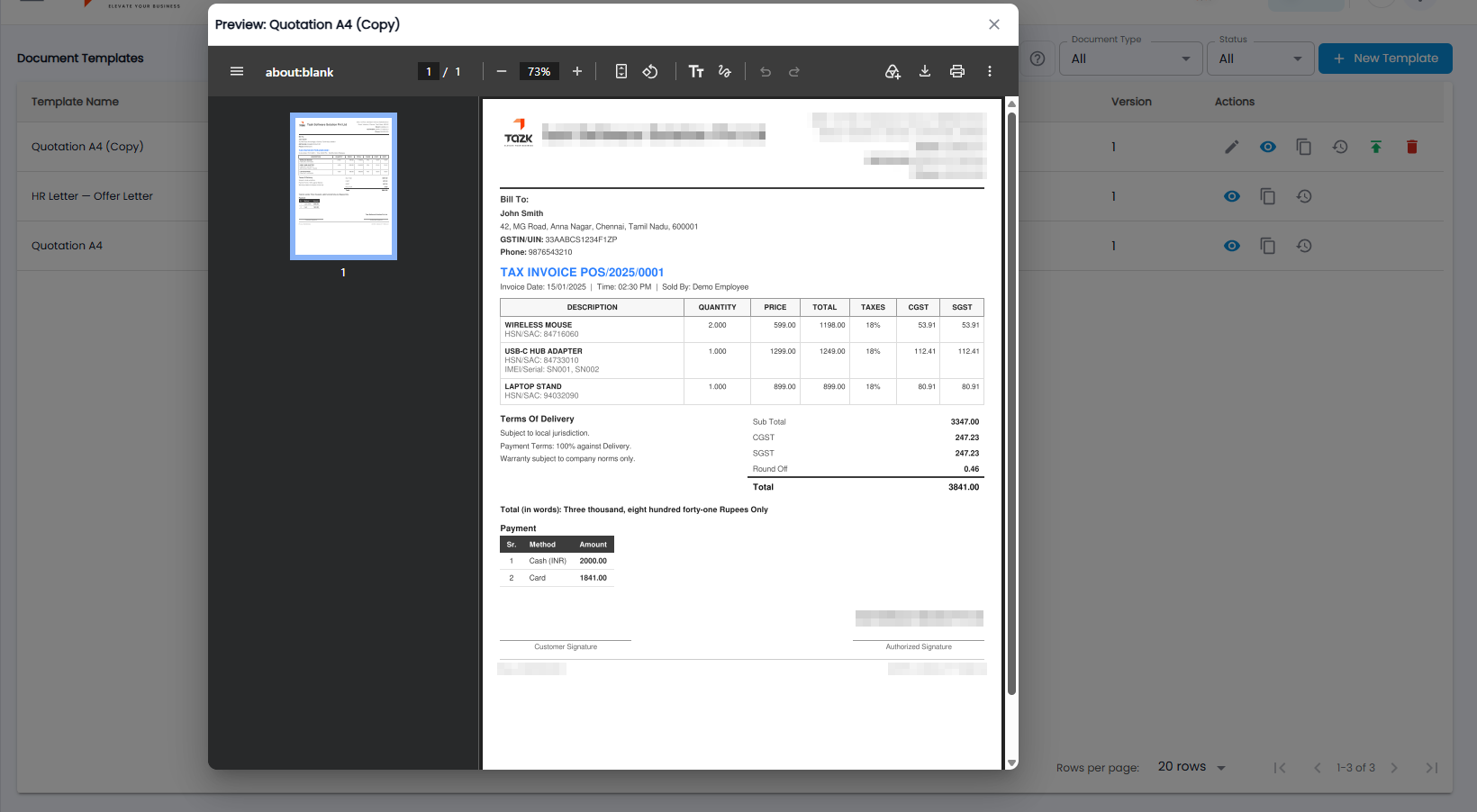
The preview shows the layout filled with sample values — a sample customer, items, taxes, totals and payment — in a viewer where you can zoom, download or print it. Your own company details appear in the header and footer.